
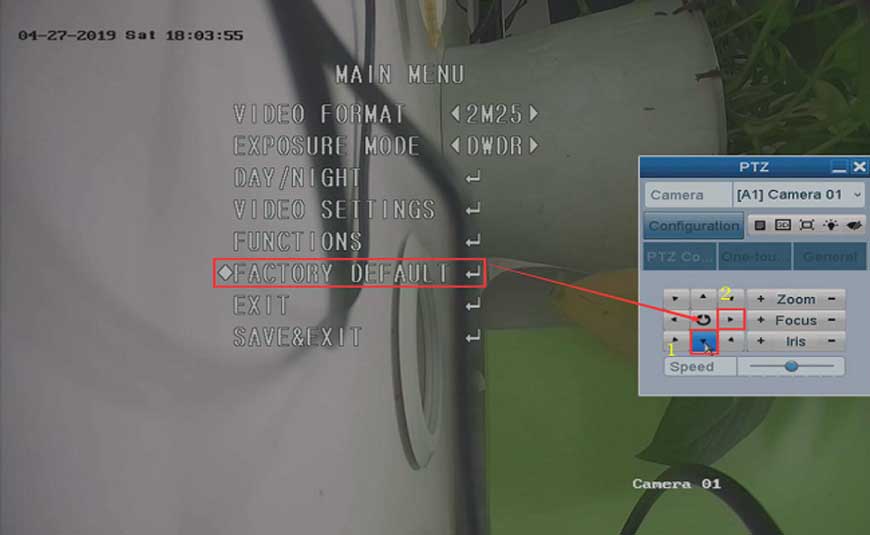
How to Reset the Camera to Factory Default on DVR?
How to Reset the Camera to Factory Default on DVR? Purpose: For some newly released analog cameras, they have their own OSD menu....
How to Reset the Camera to Factory Default on DVR? Purpose: For some newly released analog cameras, they have their own OSD menu....
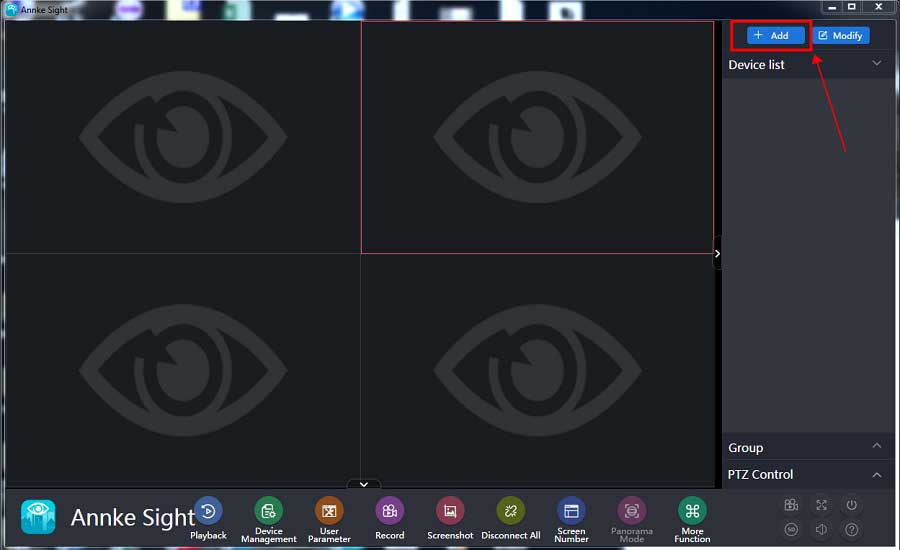
How to Connect the Small Base Station Software on Computer? Purpose: This instruction is to help you add a small base to Annke Sight...
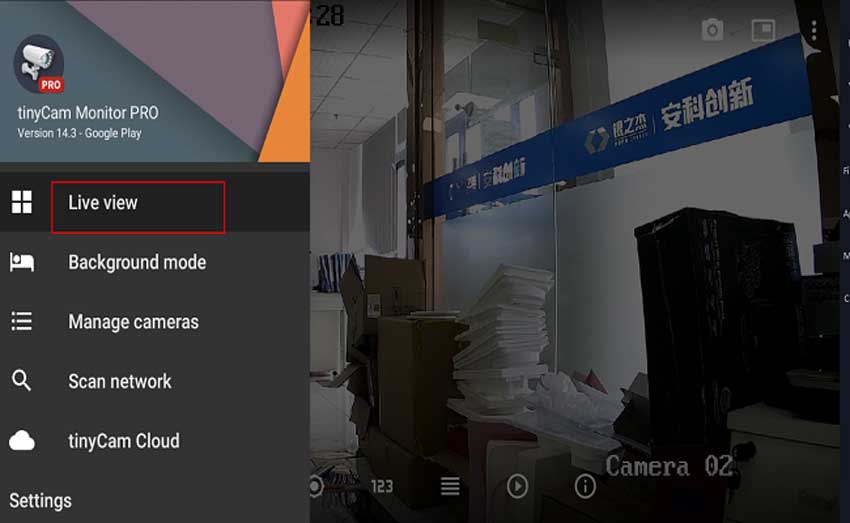
IP camera connect with Tinycam Pro For the Tinycam can only working with IP cameras, It can not connect with NVR. So...
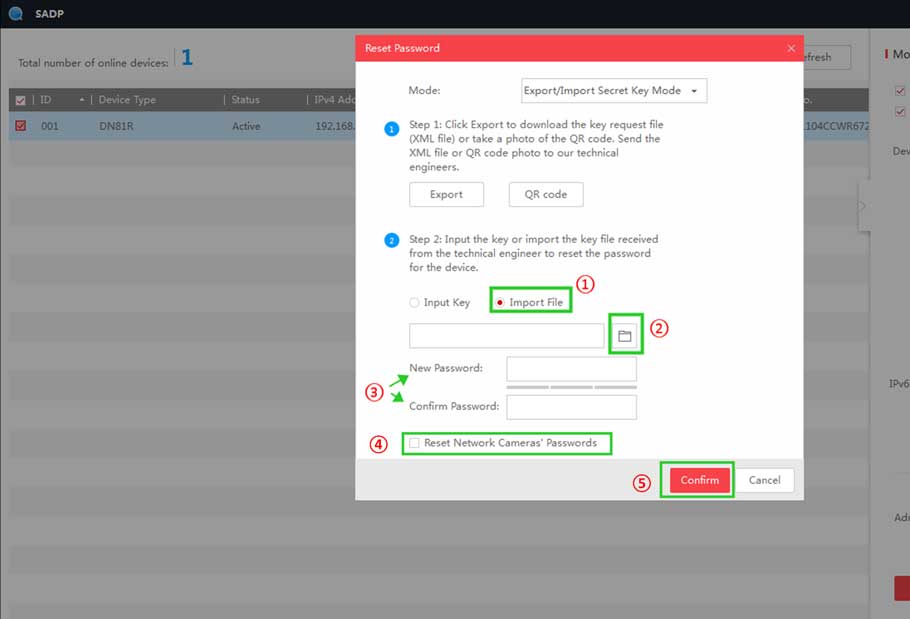
How to Reset Password by Serial Number on the Monitor? If the system password has been forgotten, please send the following information...

LongPlus IP Camera User Guide Set up the camera Click the “Add device” in the APP or click on the + sign...

Aliluya App About This Manual This Note is universal version for Aliluya App. The functions supported differentiate to different version, please subject to...
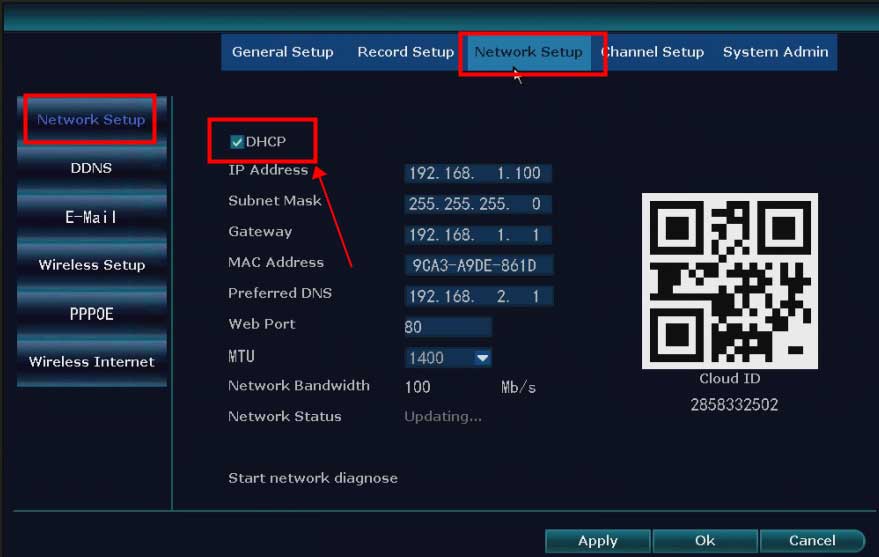
What to Do If The NVR Offline? Introduction: To remotely access the NVR system on the phone APP or computer software, the...
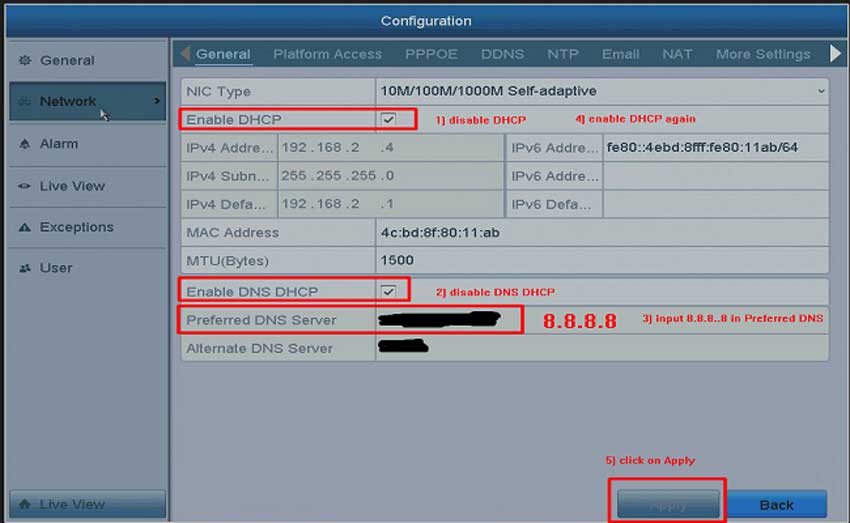
What to Do If The Cloud P2P of The DVR/NVR System is Offline? Purpose: To remotely access the DVR/NVR system on the...
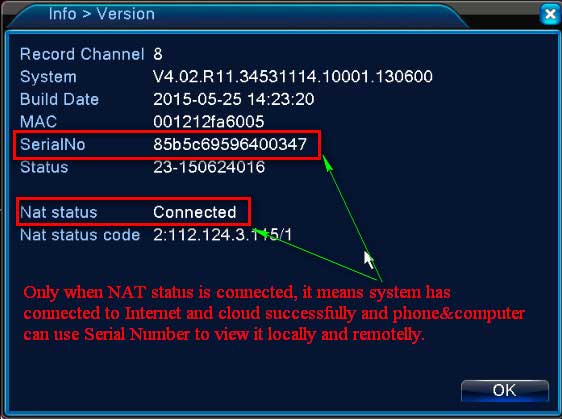
What to Do If P2P Status Shows Offline? Purpose: If you want to remotely access the Annke system via phone app or computer...
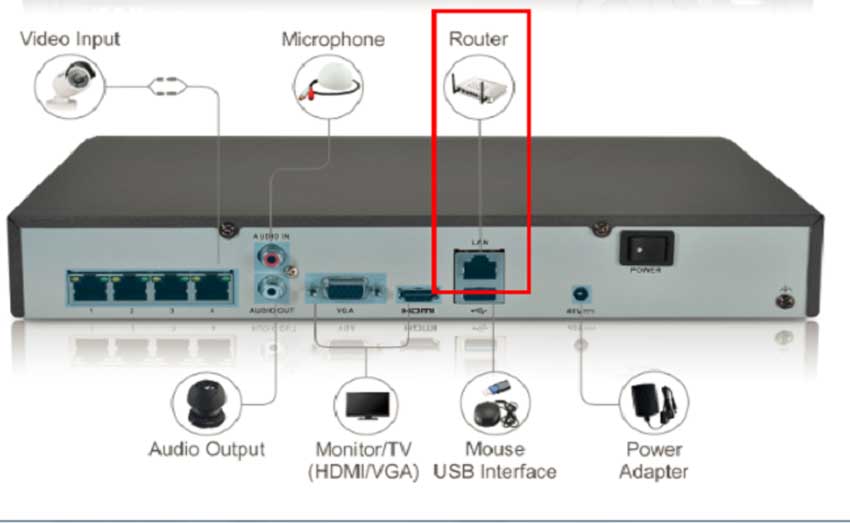
What to Do if DVR or NVR can’t Connect to Internet Successfully? Please plug DVR or NVR into the router with network...
HeroSpeed NVR Update Firmware NVR The Network Video Recoder support network video access,and it has adopted a number of advanced IT technologies,such...