
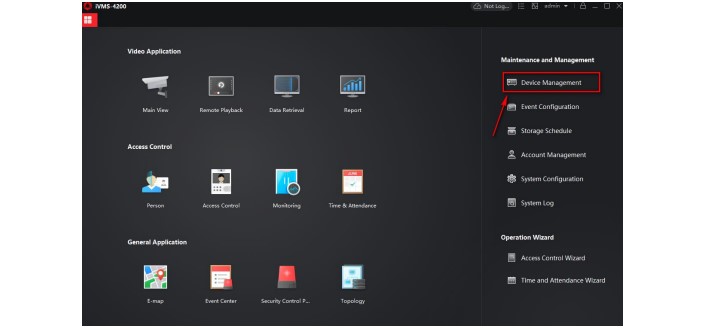
How to Use Third Party DDNS Services Hikvision
How to Use Third Party DDNS Services Hikvision An internet connected device (camera, DVR, NVR) can be configured to be accessed from...
How to Use Third Party DDNS Services Hikvision An internet connected device (camera, DVR, NVR) can be configured to be accessed from...
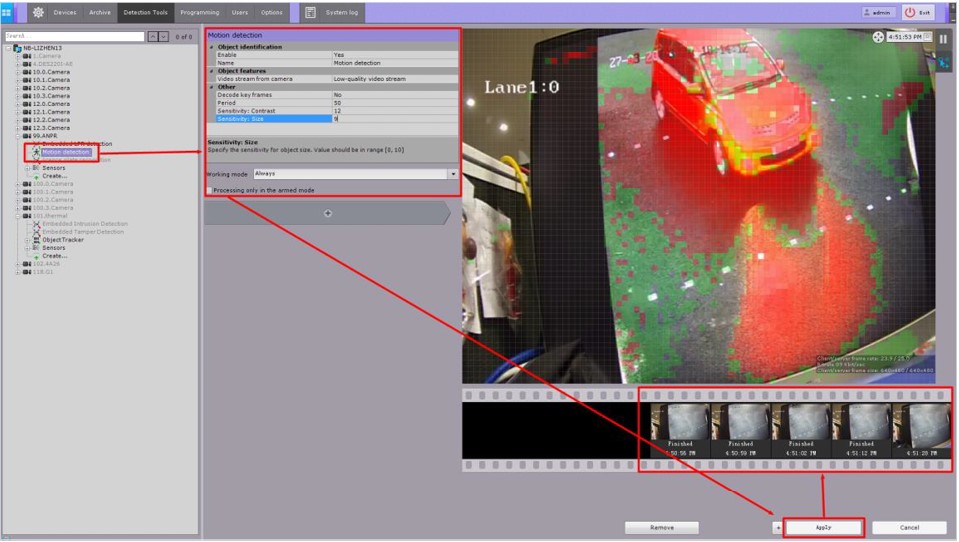
How to use Axxon Next with Hikvision Devices AxxonSoft is one of the world’s leading producers of intelligent VMS and PSIM software....
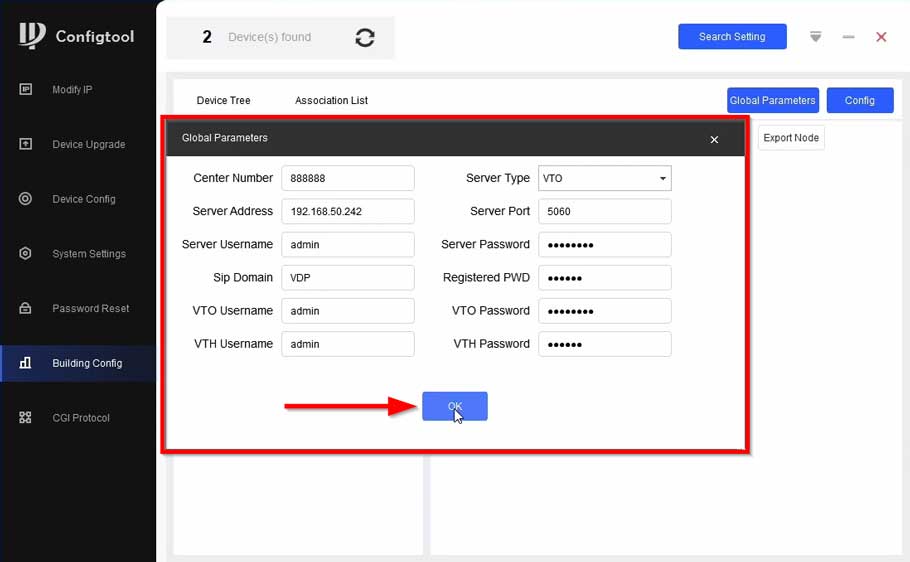
How to configure Apartment VTH through Config Tool How to add DHI-VTO4202F-P-S2 to VTH via Configtool Description This article will go over...
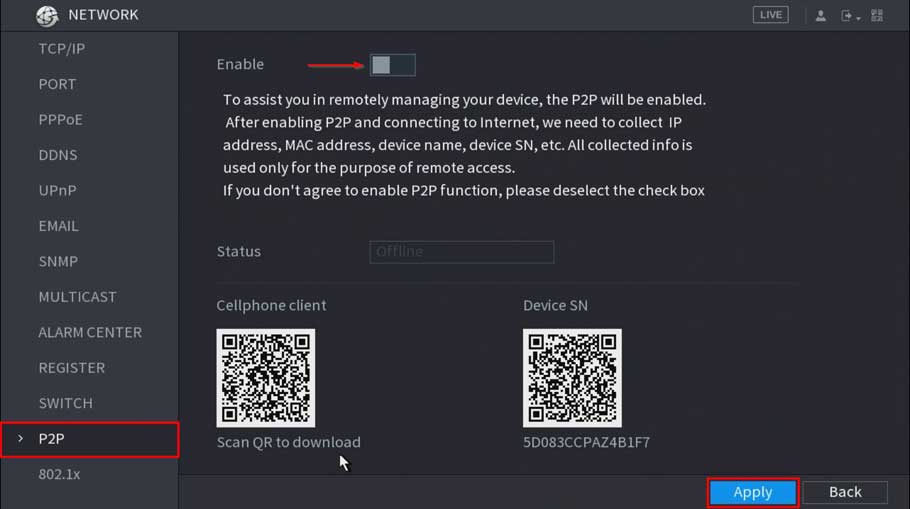
How to troubleshoot P2P offline status P2P Troubleshooting Checklist P2P Enabled (Dahua Device Only) Interface Image WebUI SystemUI DHCP Enabled Interface Image...
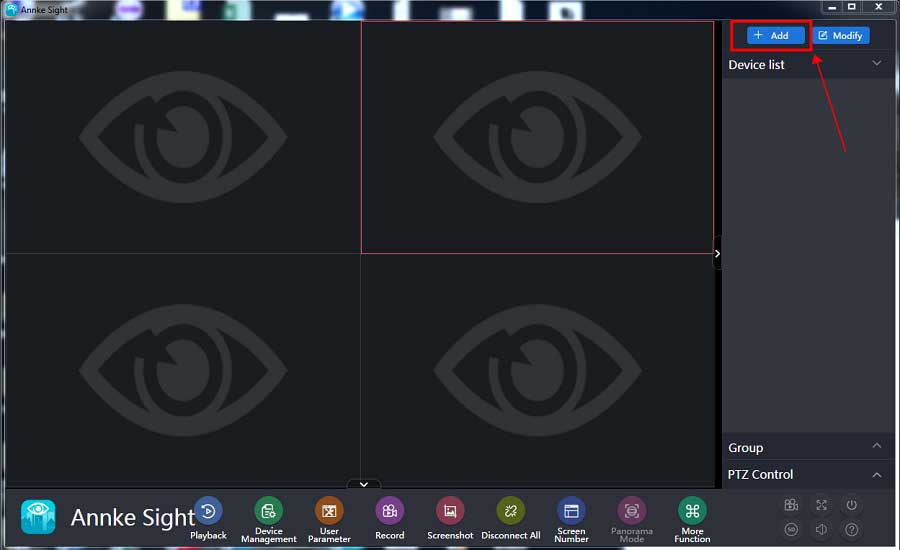
How to Connect the Small Base Station Software on Computer? Purpose: This instruction is to help you add a small base to Annke Sight...
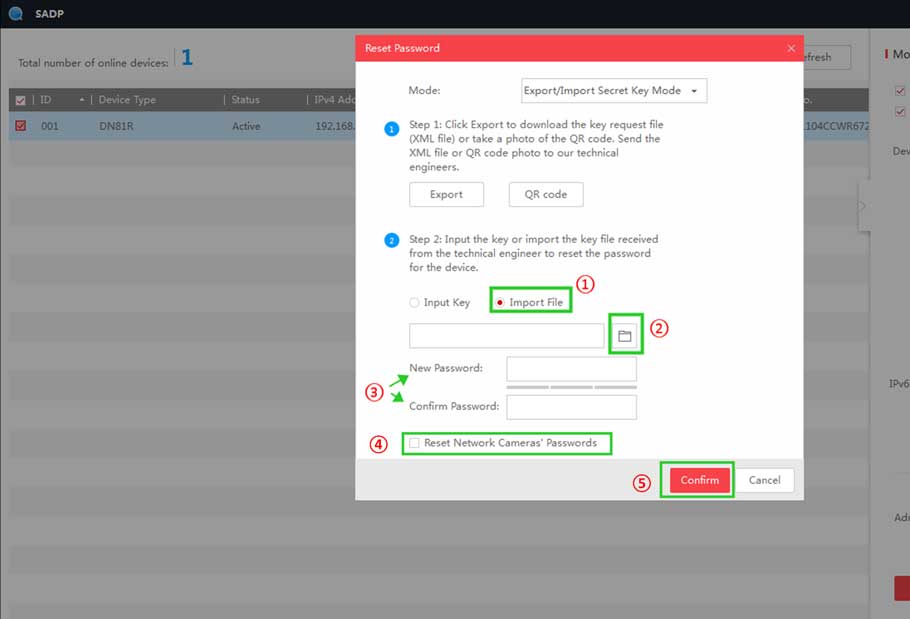
How to Reset Password by Serial Number on the Monitor? If the system password has been forgotten, please send the following information...
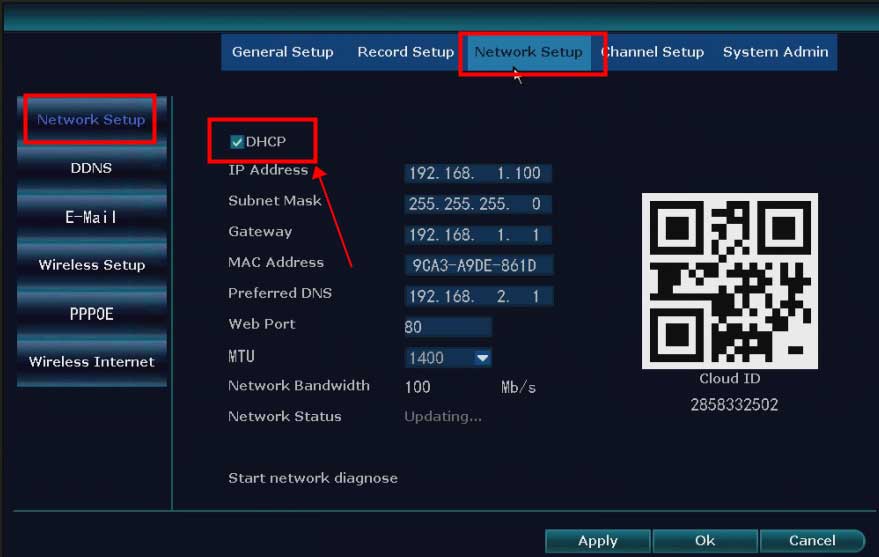
What to Do If The NVR Offline? Introduction: To remotely access the NVR system on the phone APP or computer software, the...
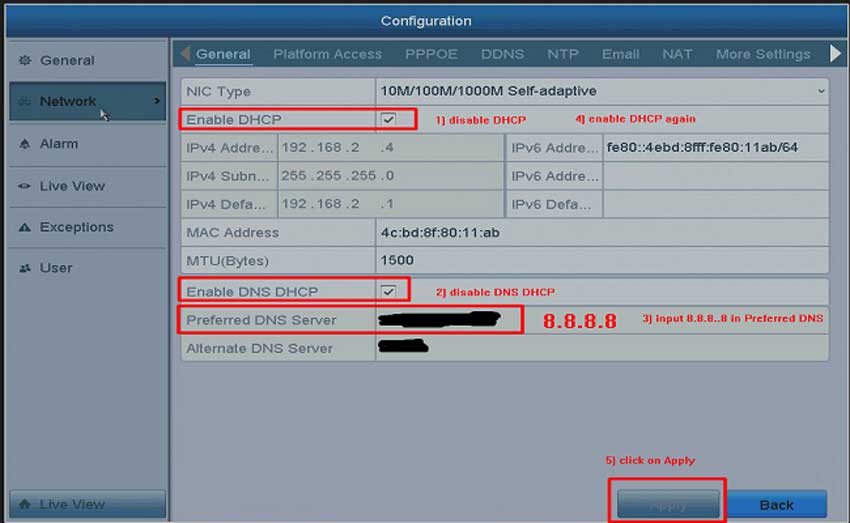
What to Do If The Cloud P2P of The DVR/NVR System is Offline? Purpose: To remotely access the DVR/NVR system on the...
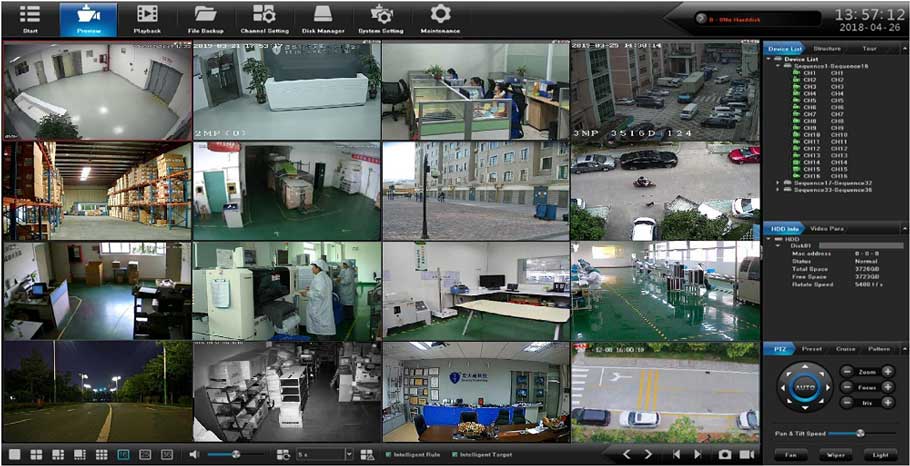
AeEye Smartviewer NVR 2.0 Firmware Software Download software download iSMV1002_x32_4.10.0.15_setup iSMV1002_x32_4.10.0.15_setup.exe Update date: 2021-11-22 Download attachments IMS4.0(V2.2.3) IMS4.0(V2.2.3).exe Update date: 2021-11-22 Download...

MeritLiLin Firmware Download Camera Update Guide The first step to updating your camera firmware is to download the correct firmware for your...
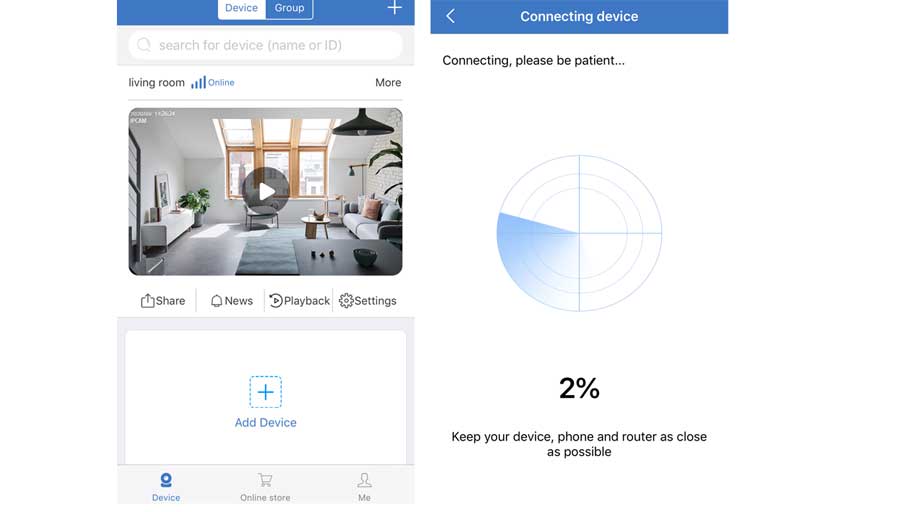
How to Add the Standalone IP Camera to the Sannce Sight? Step 1. Search for Sannce Sight on App Store (for iPhone) or Google...