
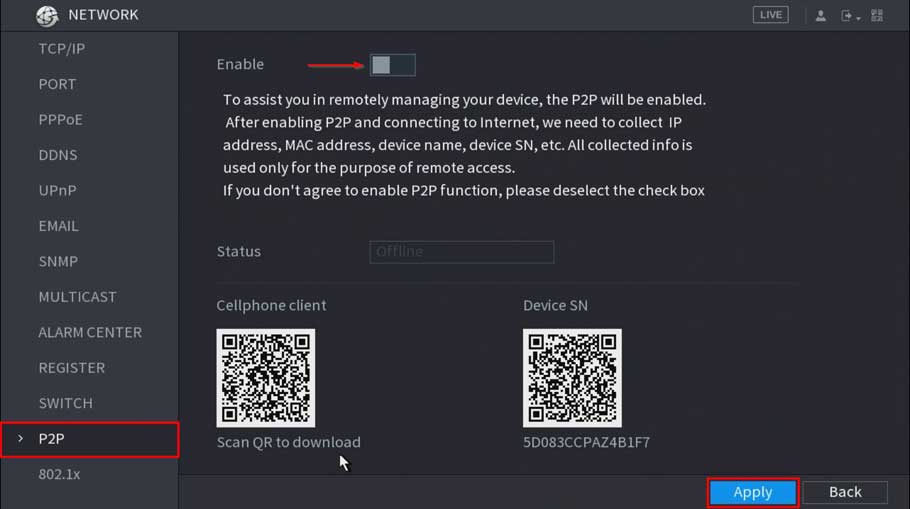
How to troubleshoot P2P offline status
How to troubleshoot P2P offline status P2P Troubleshooting Checklist P2P Enabled (Dahua Device Only) Interface Image WebUI SystemUI DHCP Enabled Interface Image...

How to troubleshoot P2P offline status P2P Troubleshooting Checklist P2P Enabled (Dahua Device Only) Interface Image WebUI SystemUI DHCP Enabled Interface Image...
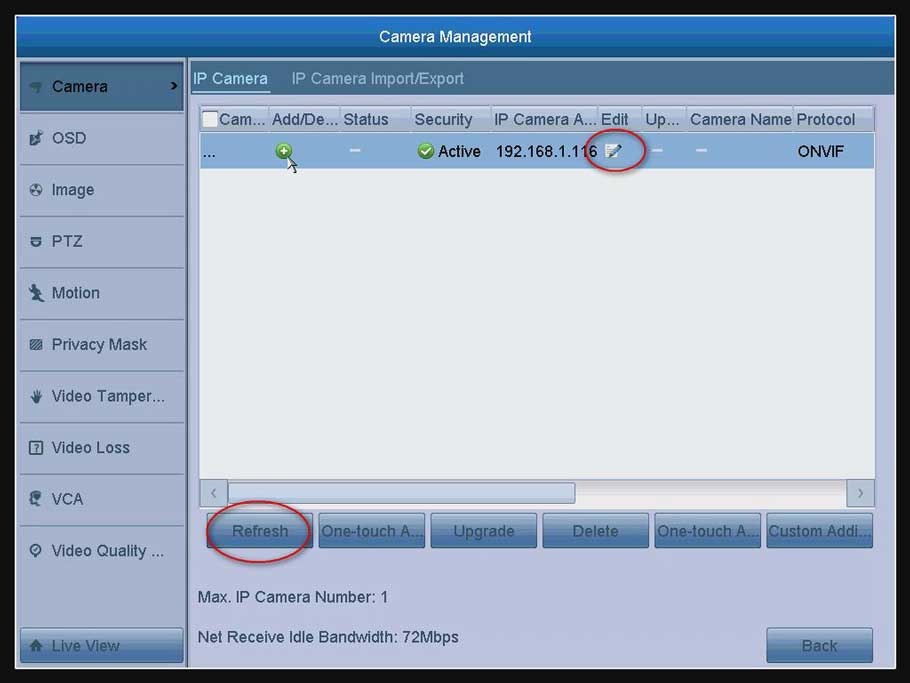
How to Connect IP Camera to DVR? The DVR can connect IP camera. But the IP camera should meet two requirements below....
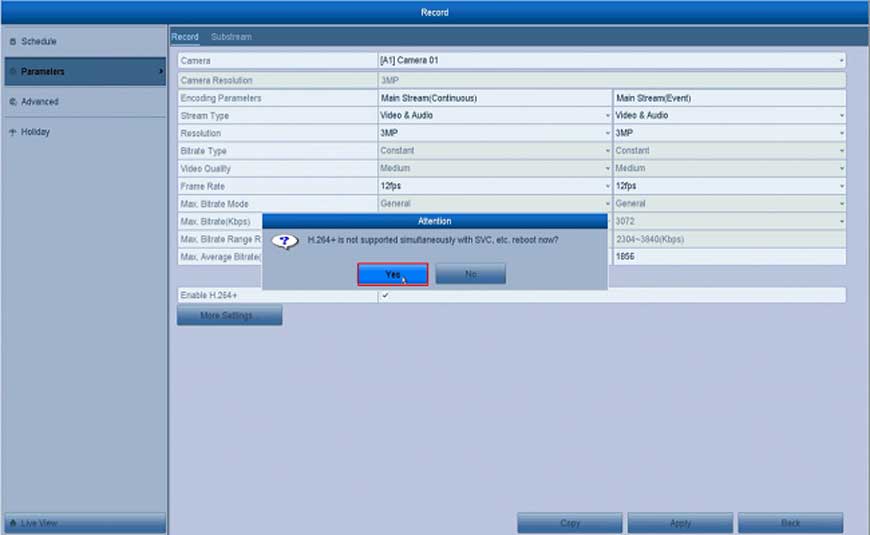
How to Enable H.264 + Fucntion for the System? Here are the steps for you: Open the DVR’s or the NVR’s Menu click “Record”...
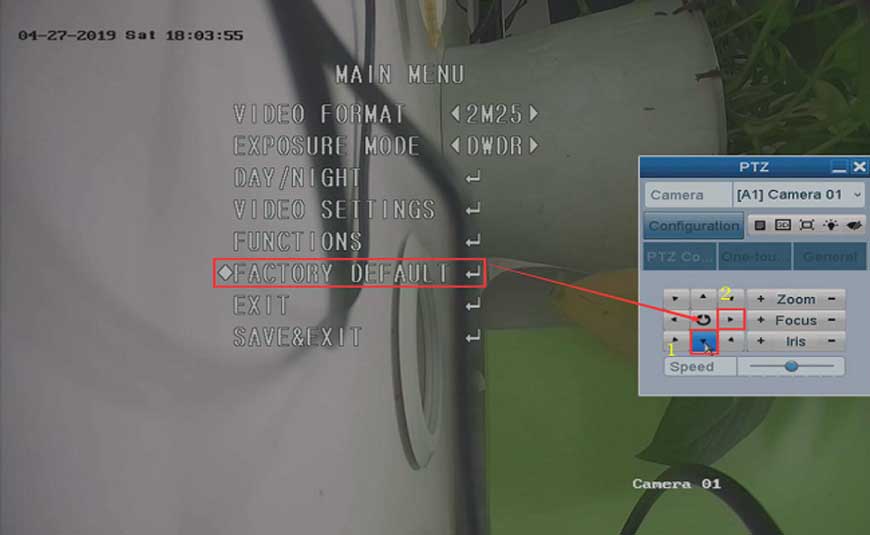
How to Reset the Camera to Factory Default on DVR? Purpose: For some newly released analog cameras, they have their own OSD menu....
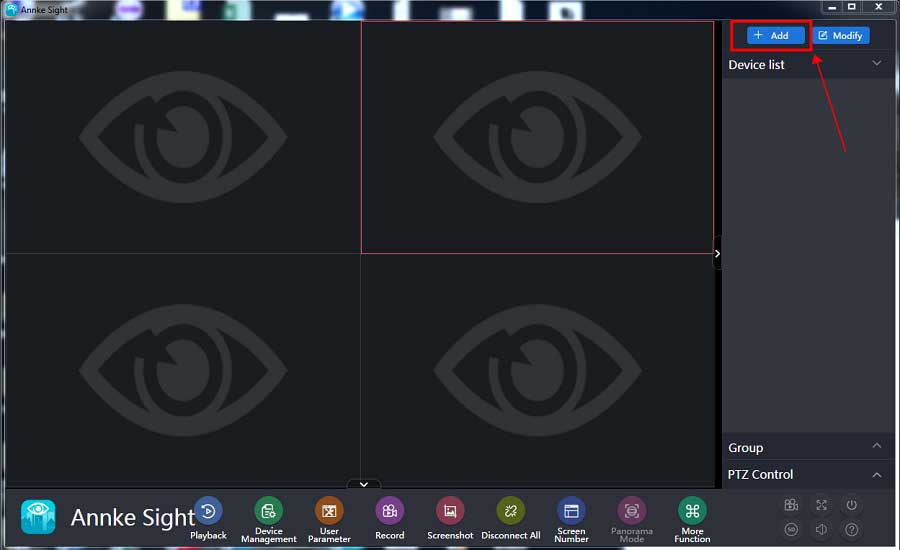
How to Connect the Small Base Station Software on Computer? Purpose: This instruction is to help you add a small base to Annke Sight...
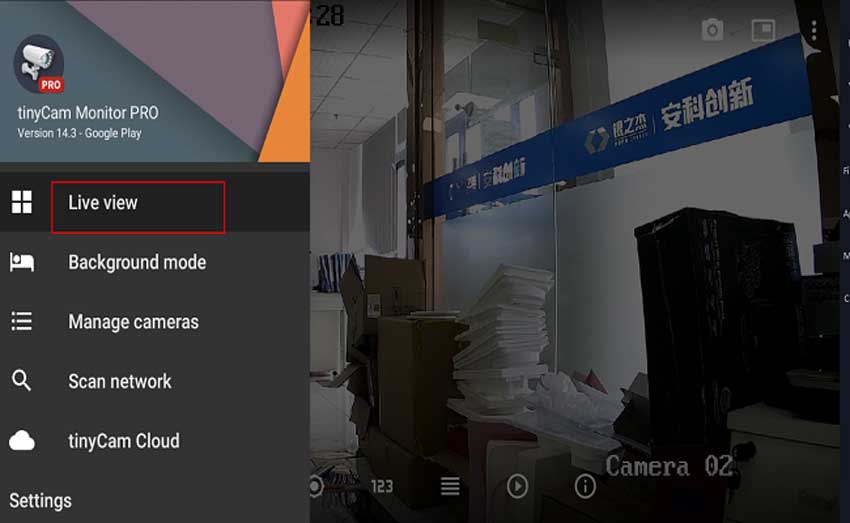
IP camera connect with Tinycam Pro For the Tinycam can only working with IP cameras, It can not connect with NVR. So...
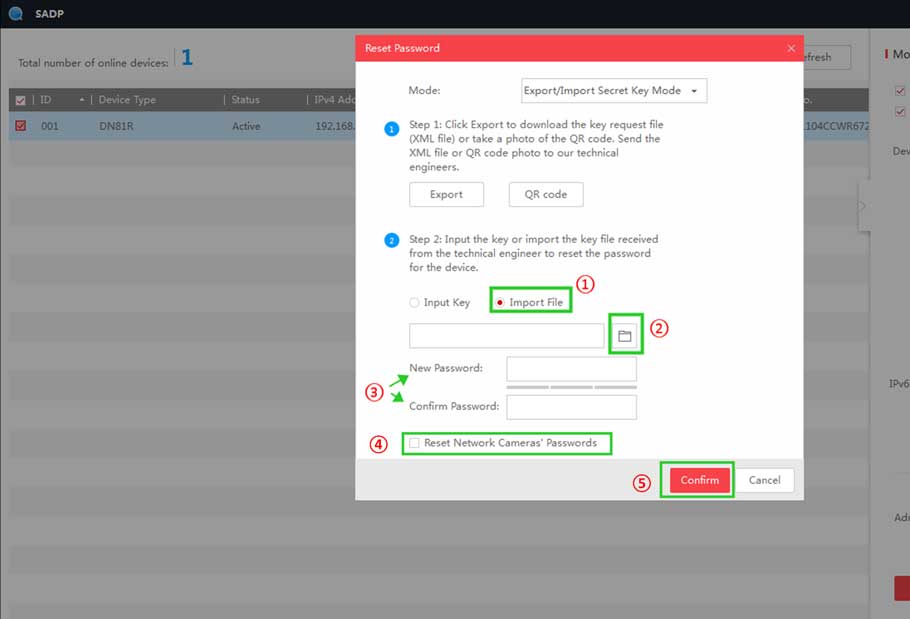
How to Reset Password by Serial Number on the Monitor? If the system password has been forgotten, please send the following information...

LongPlus IP Camera User Guide Set up the camera Click the “Add device” in the APP or click on the + sign...

Aliluya App About This Manual This Note is universal version for Aliluya App. The functions supported differentiate to different version, please subject to...
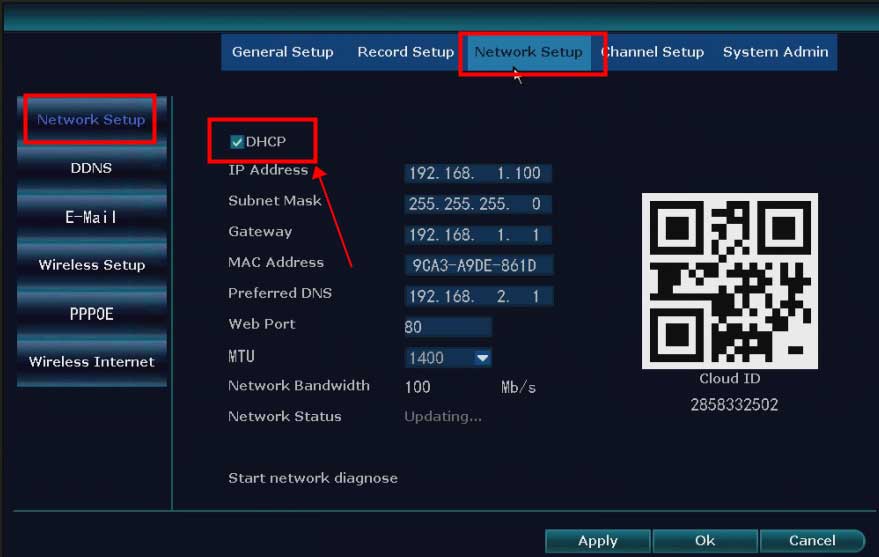
What to Do If The NVR Offline? Introduction: To remotely access the NVR system on the phone APP or computer software, the...
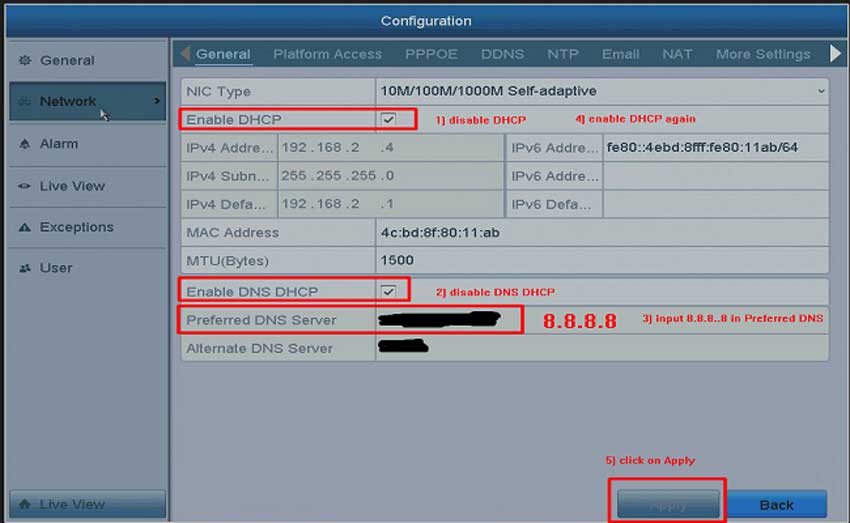
What to Do If The Cloud P2P of The DVR/NVR System is Offline? Purpose: To remotely access the DVR/NVR system on the...