
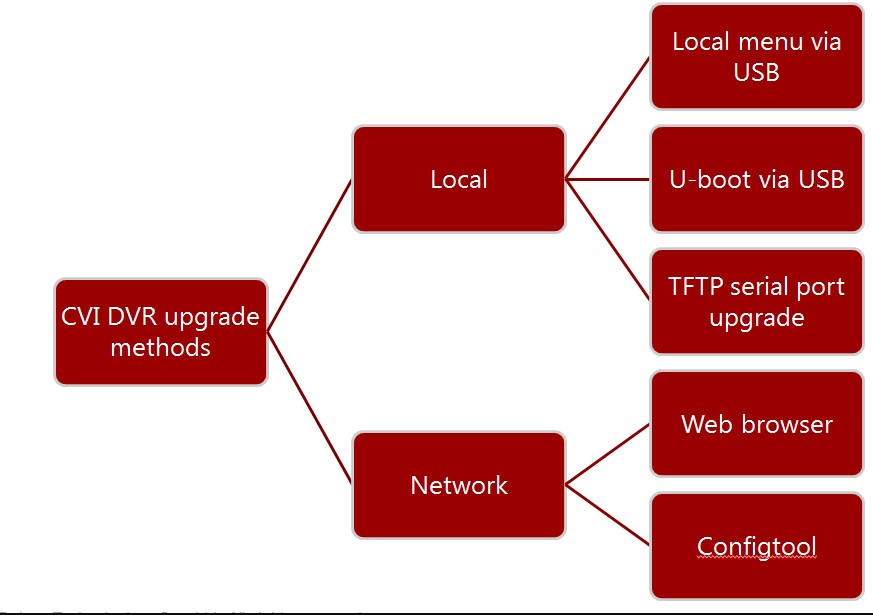
Firmware Upgrade Method All Model
Firmware Upgrade Method All Model Objectives After this course, you will be able to: Know how to use tools to get the...
Firmware Upgrade Method All Model Objectives After this course, you will be able to: Know how to use tools to get the...
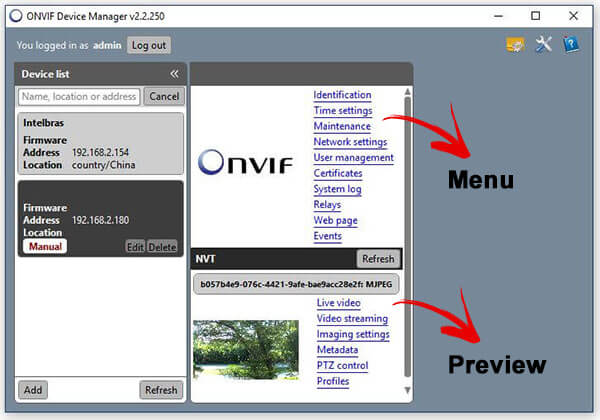
If you want to test your IP camera to make sure it is compatible with ONVIF just use the ONVIF Device Manager. It’s FREE...
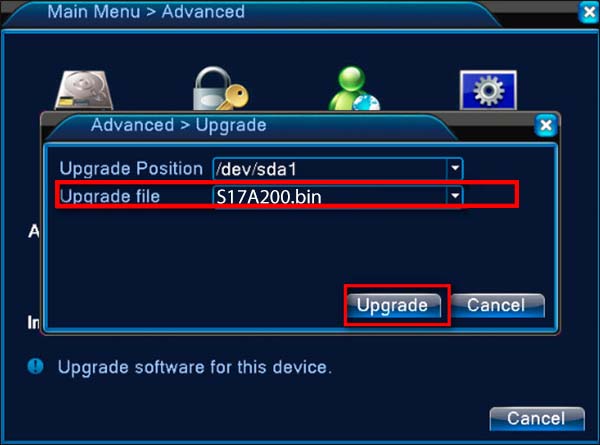
The H.264 DVR firmware xvr upgrade tool allows you to update the firmware on a generic H.264 DVR using your computer/laptop. The...
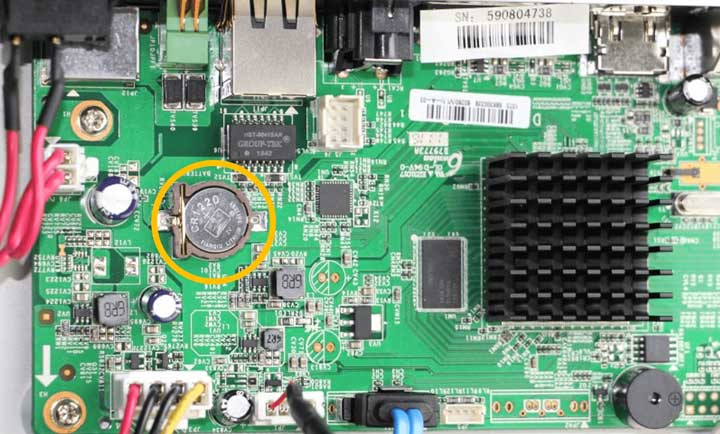
Have you lost the H.264 DVR’s password reset and don’t know how to recover it? Some generic DVRs usually don’t even come with instructions...
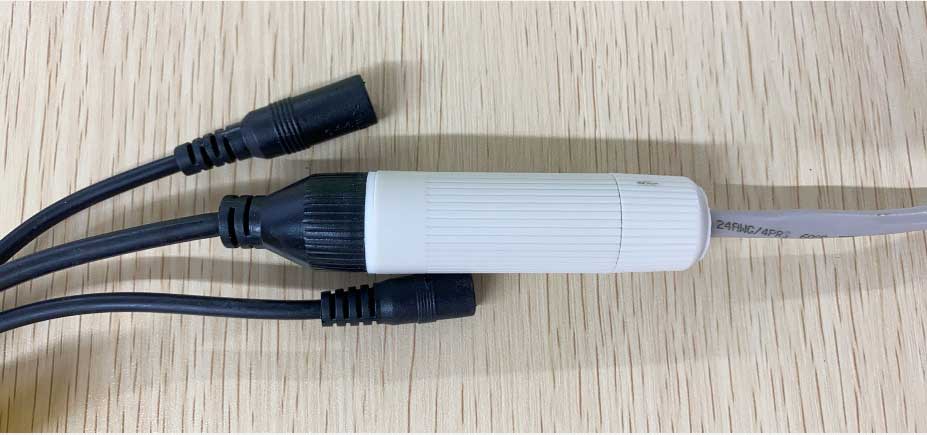
How to Install the Waterproof Lid Applies to: All PoE IP cameras. Step 1. Separate all the parts of waterproof lid. Step 2. Thread the...
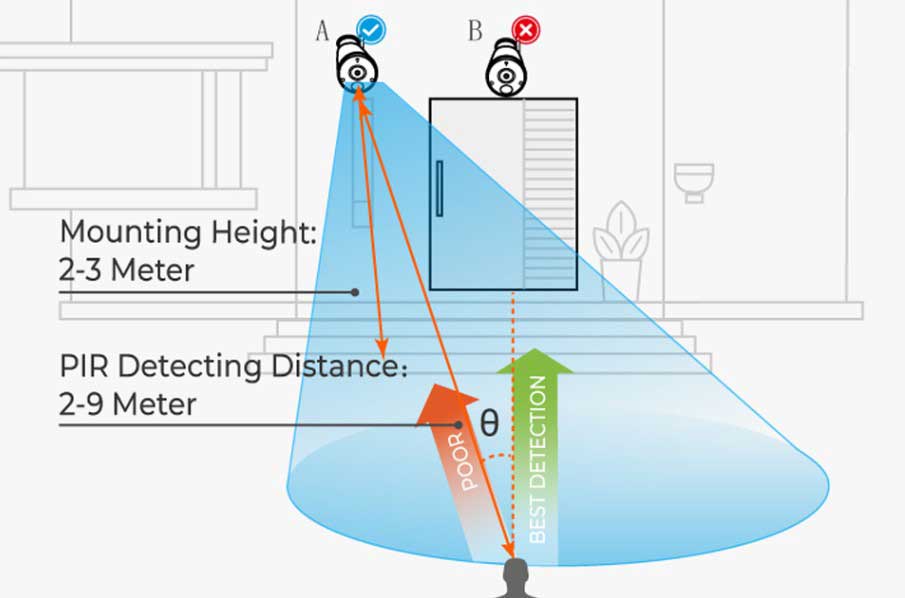
How to Adjust PIR Angle Similar in functionality to Parallax’s PIR sensor (555-28027), the wide-angle PIR sensor features a larger detection angle of...
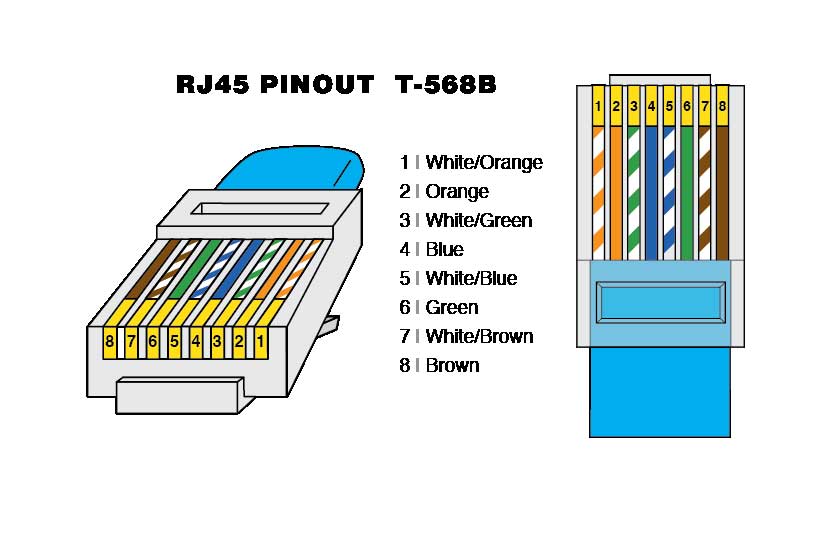
How to Arrange Wire Order for RJ45 Connector You may follow the wire order below to arrange the wires of your RJ45...
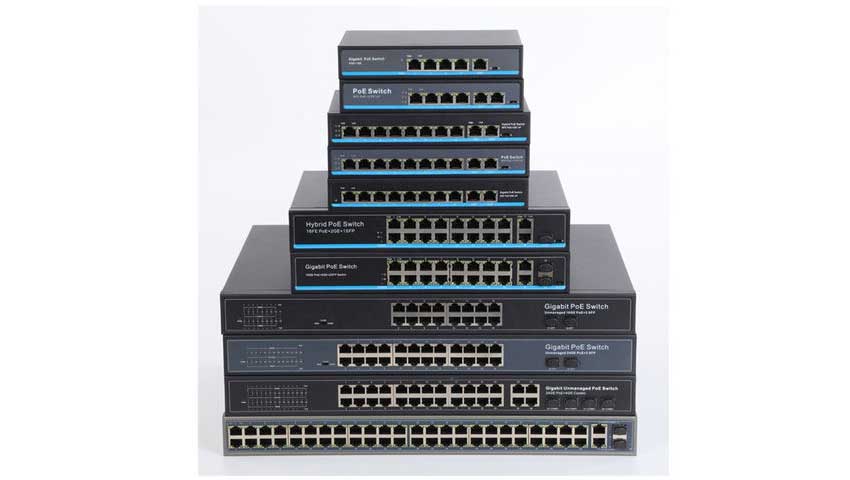
How to Connect PoE Switch, Router and PoE NVR There are different ways to connect the PoE switch, router and PoE NVR....
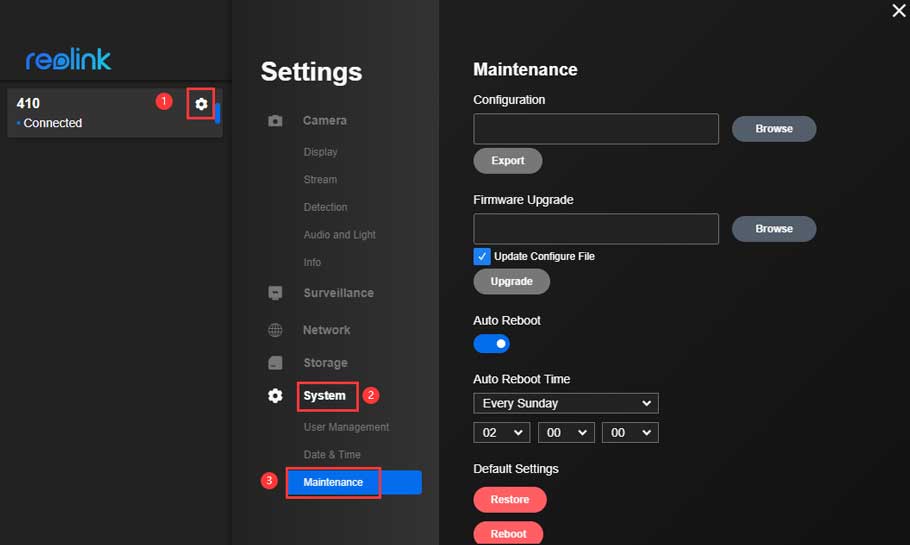
How to Upgrade the Firmware for Reolink Products For downloading the latest firmware, please go to https://reolink.com/download-center/ Before upgrading, please check the camera...
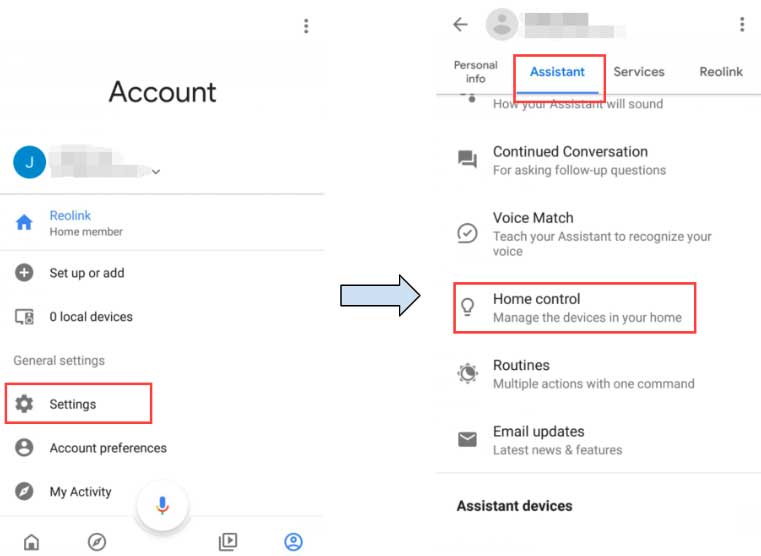
Note: The Google Home function is only available in the countries where Google Home is supported. To use your Reolink cameras with Google Home, you need...
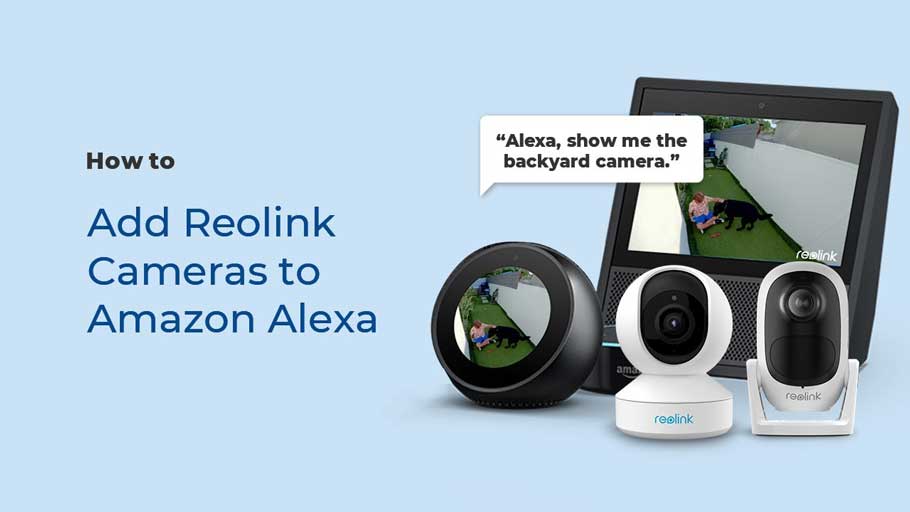
How to Add Cameras to Amazon Alexa Here is a video for your reference: Step 1. Launch the Reolink App and log in your Reolink...