
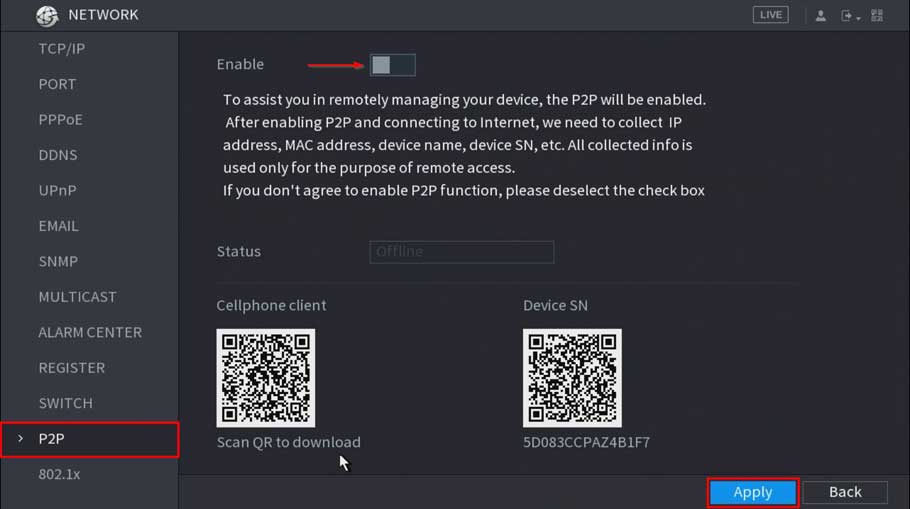
How to troubleshoot P2P offline status
How to troubleshoot P2P offline status P2P Troubleshooting Checklist P2P Enabled (Dahua Device Only) Interface Image WebUI SystemUI DHCP Enabled Interface Image...
How to troubleshoot P2P offline status P2P Troubleshooting Checklist P2P Enabled (Dahua Device Only) Interface Image WebUI SystemUI DHCP Enabled Interface Image...
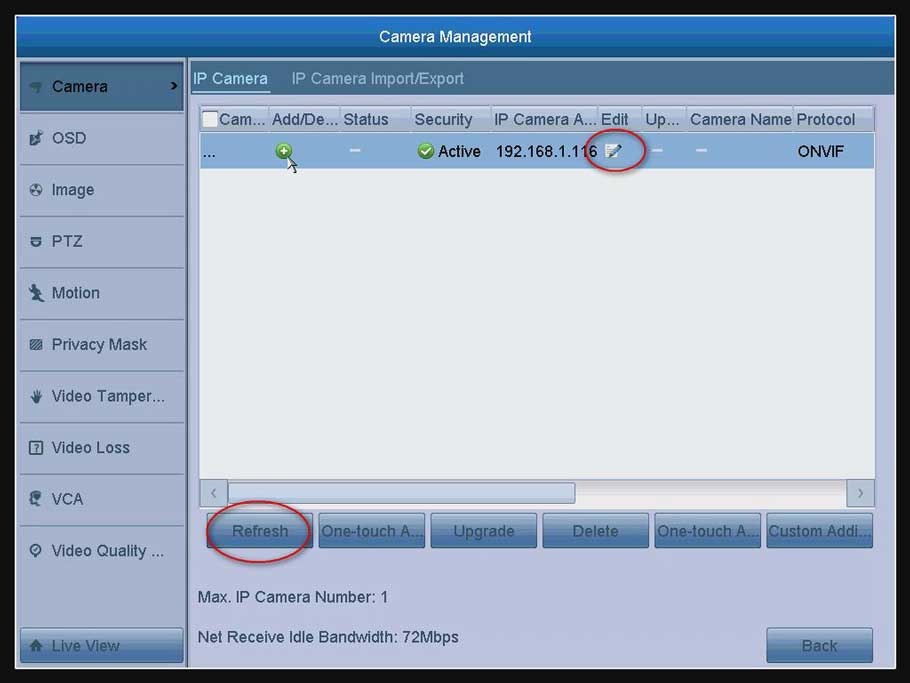
How to Connect IP Camera to DVR? The DVR can connect IP camera. But the IP camera should meet two requirements below....
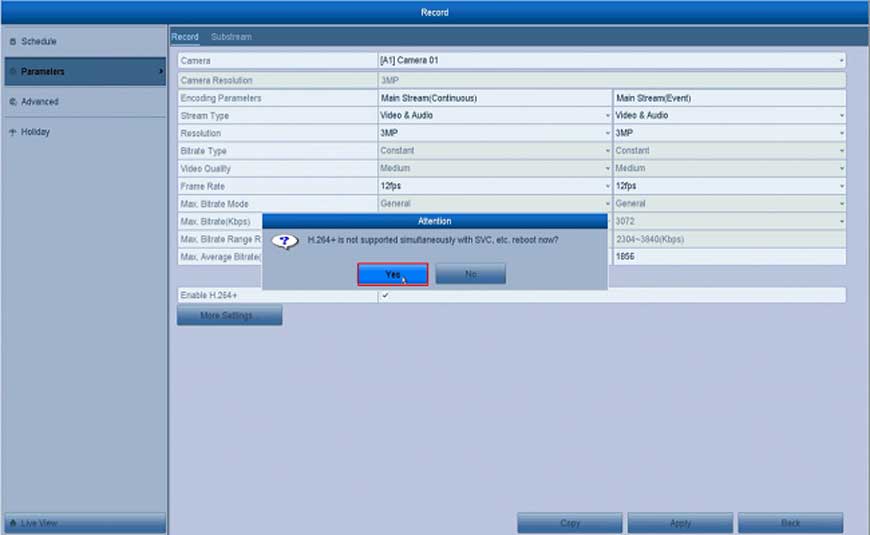
How to Enable H.264 + Fucntion for the System? Here are the steps for you: Open the DVR’s or the NVR’s Menu click “Record”...
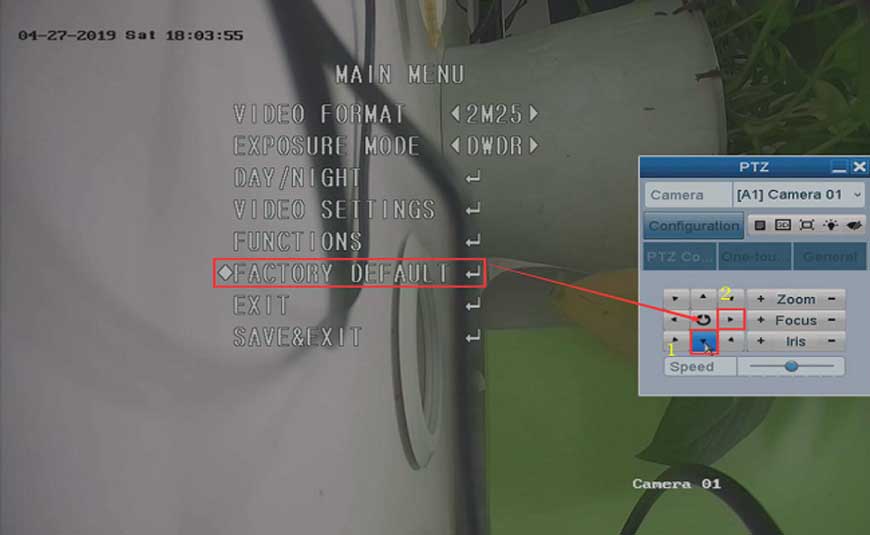
How to Reset the Camera to Factory Default on DVR? Purpose: For some newly released analog cameras, they have their own OSD menu....
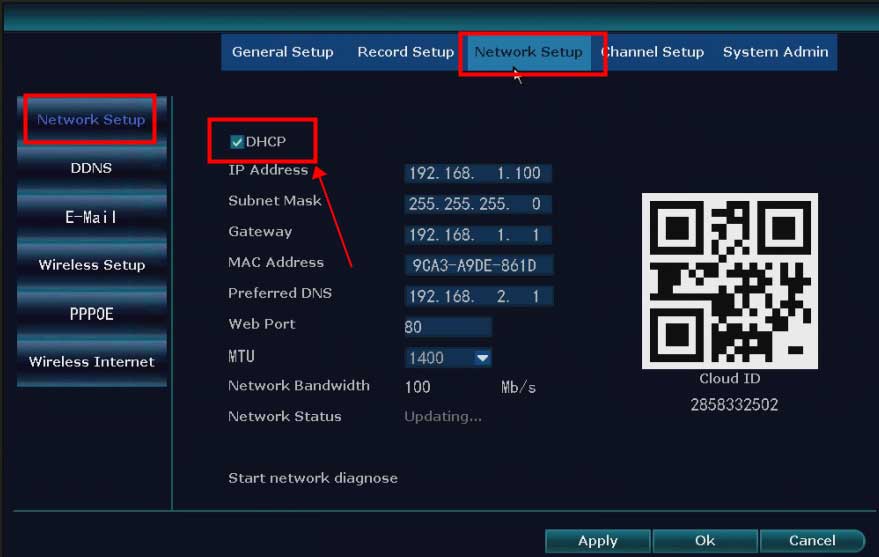
What to Do If The NVR Offline? Introduction: To remotely access the NVR system on the phone APP or computer software, the...
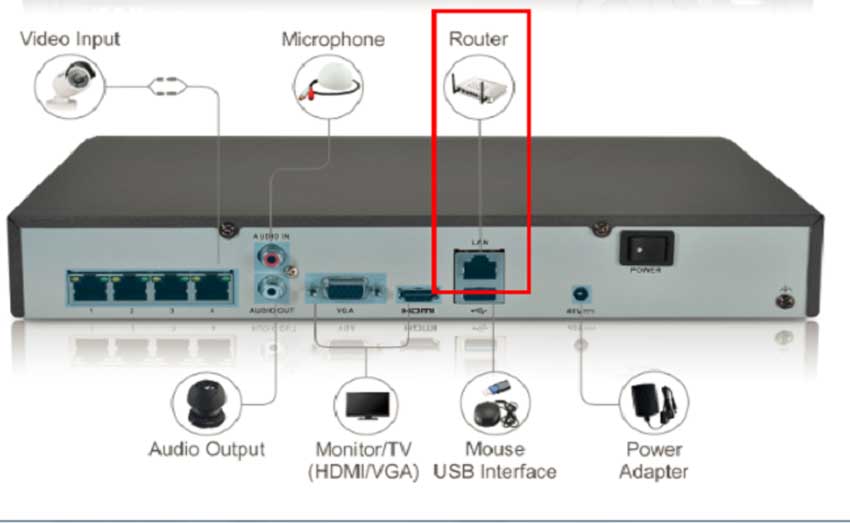
What to Do If P2P Status Shows Offline? Purpose: If you want to remotely access the Annke system via phone app or computer...
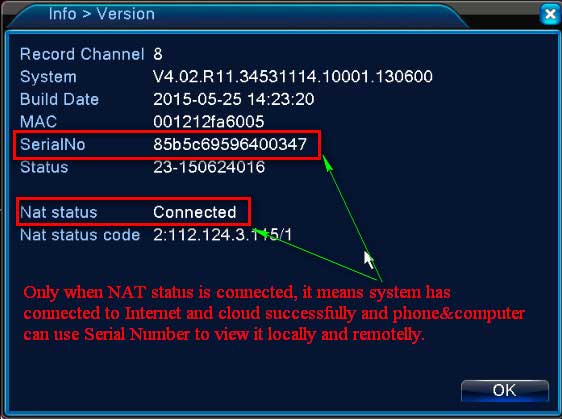
What to Do if DVR or NVR can’t Connect to Internet Successfully? Please plug DVR or NVR into the router with network...
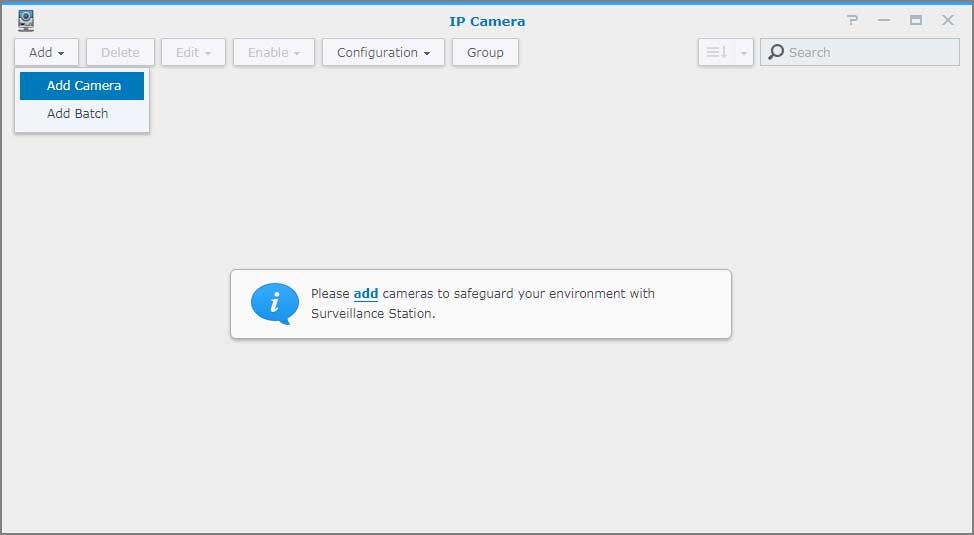
Add an IP camera to Surveillance Station Overview Surveillance Station is a security monitoring application that allows you to manage IP cameras...
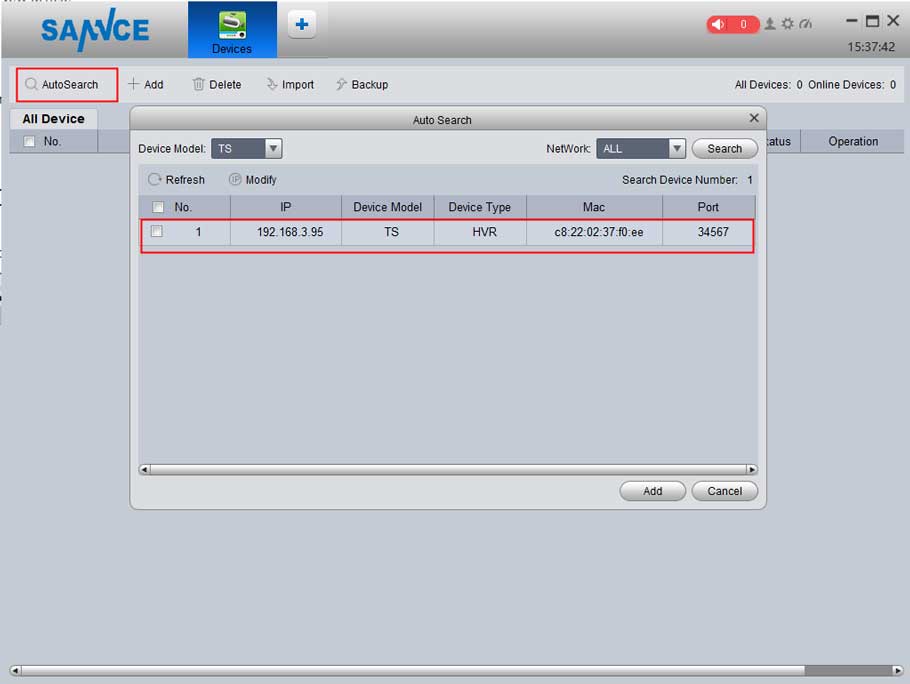
The article will introduce how to connect the Security system to the PC. If you have a concern about the instruction, please...
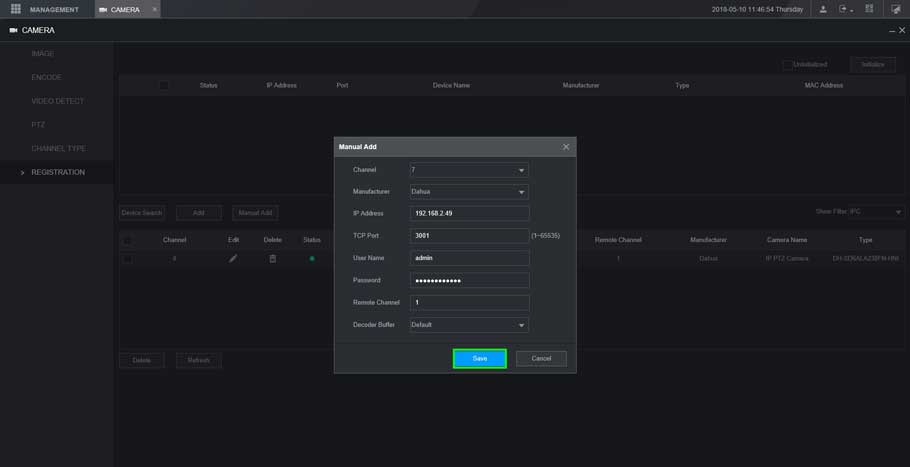
XVR New GUI- Add a Dahua Device This article will show you three different methods to add a dahua device to our...
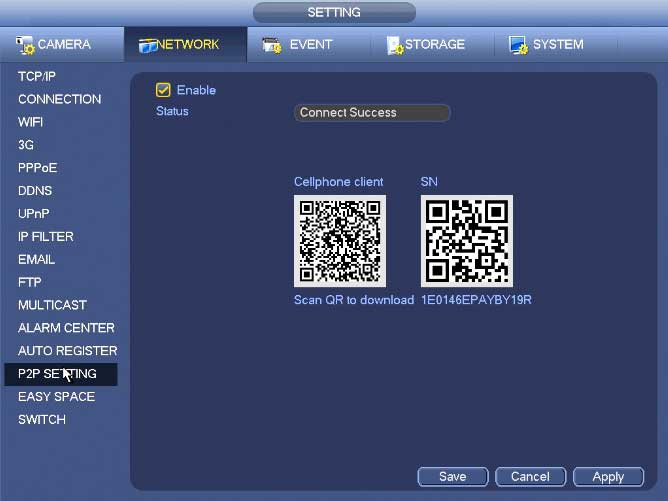
NVR Interface Setting Network TCP/IP The single network adapter interface is shown as in Figure 4‑99 and the dual network adapters interface...