
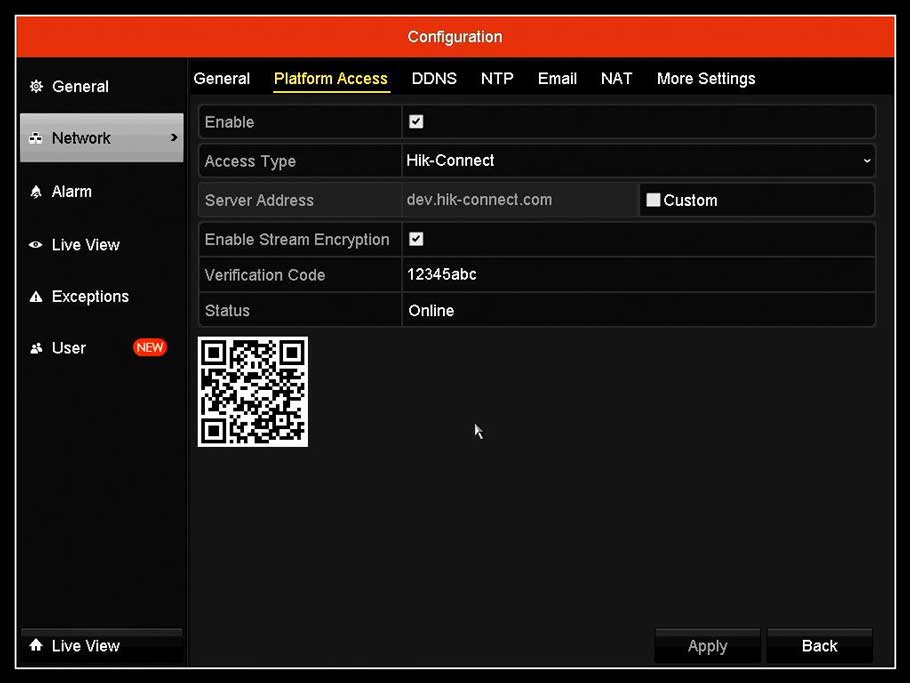
Enable Hik-Connect Guide Remote Access Platform Services On Recorders
What is Hik-Connect 3.0 Platform?
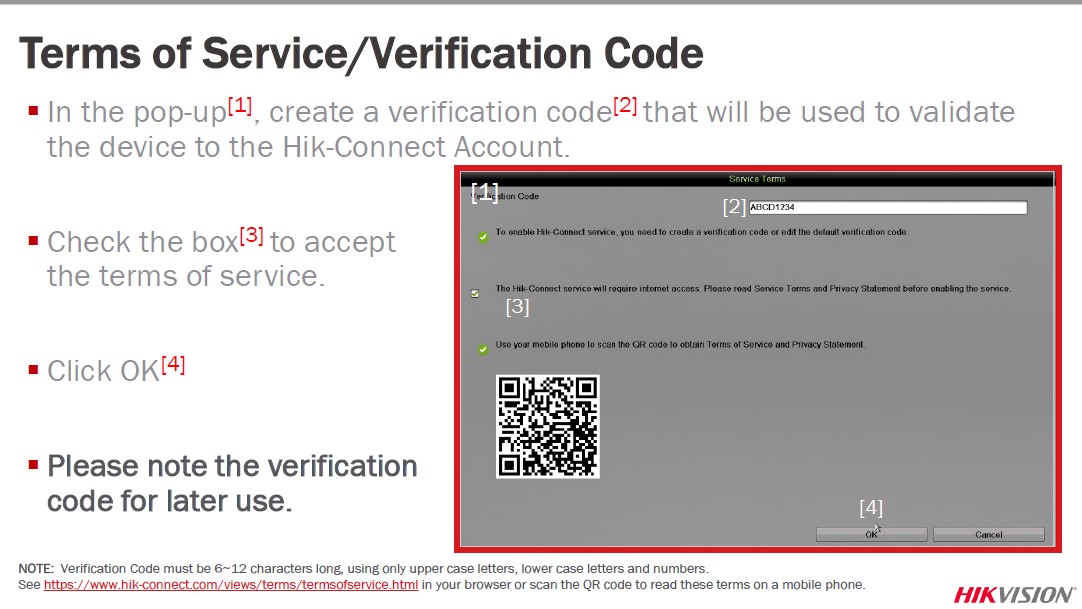
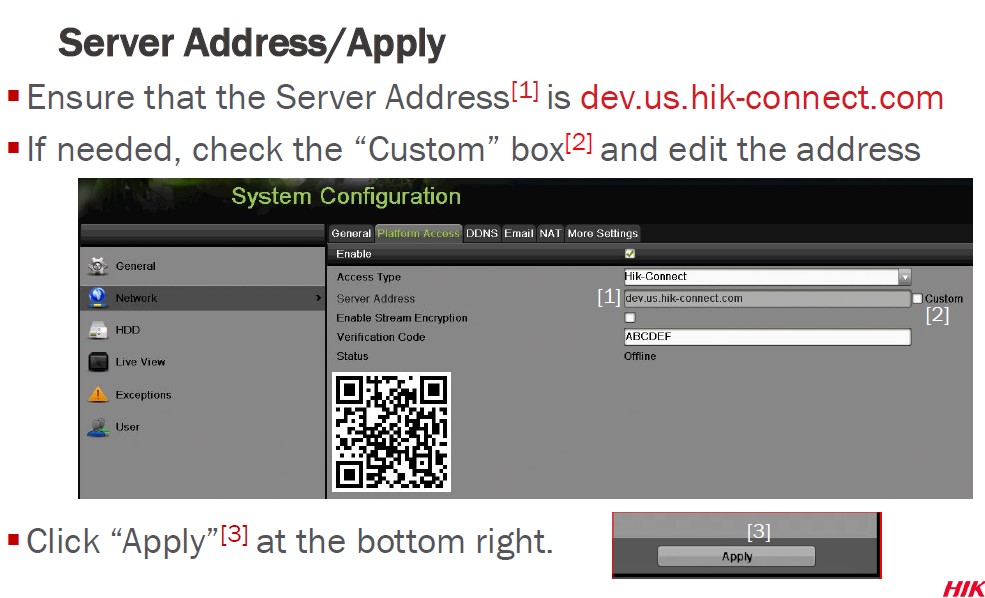
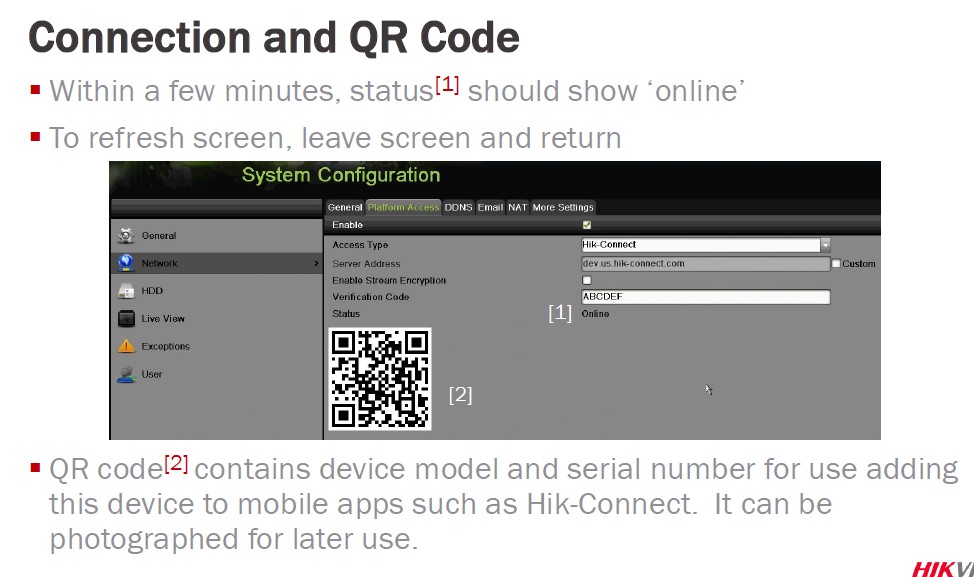
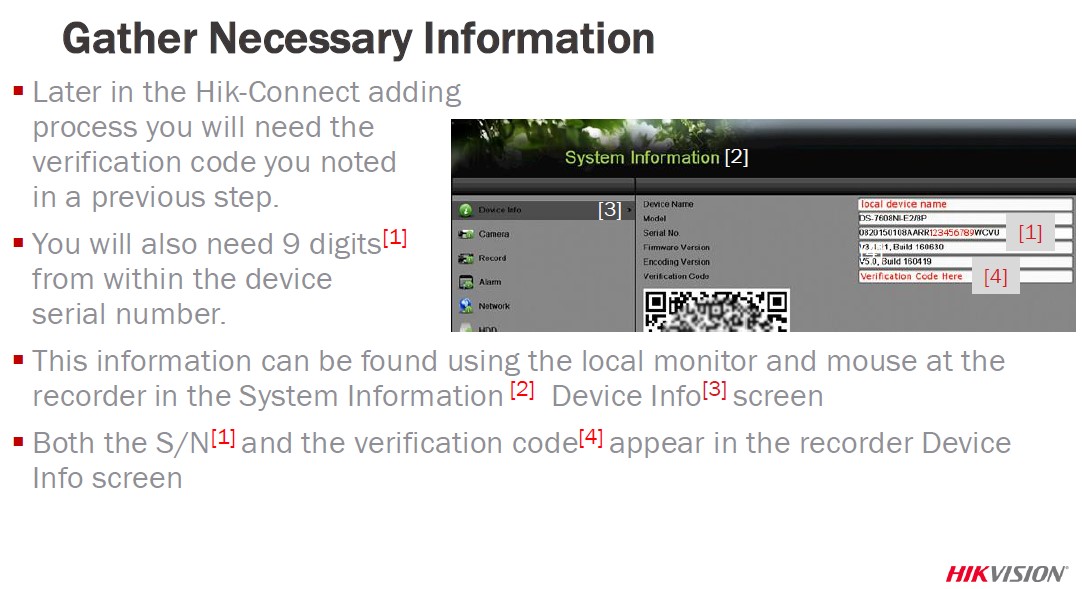
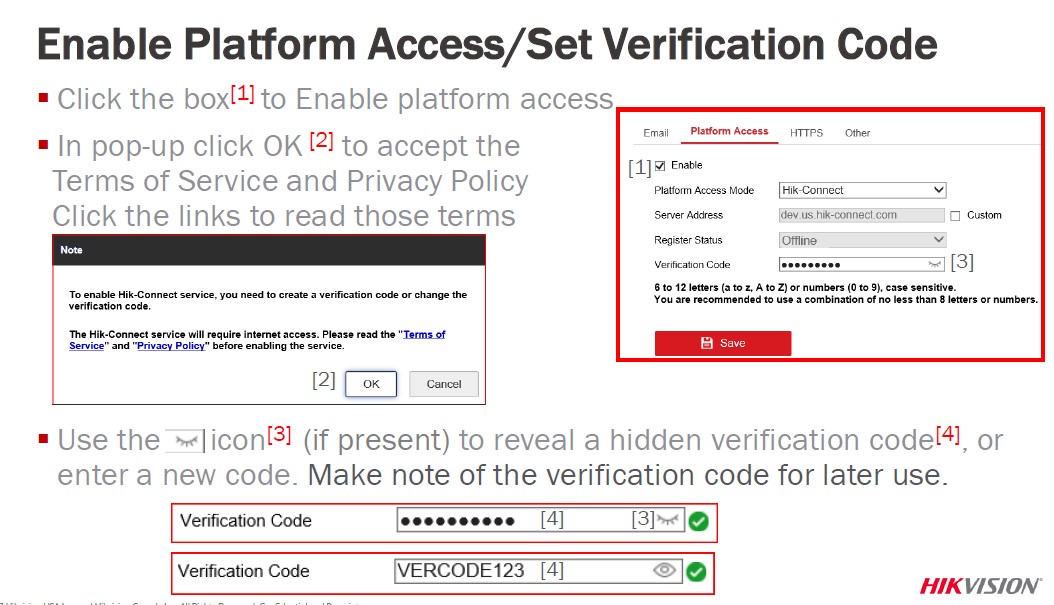
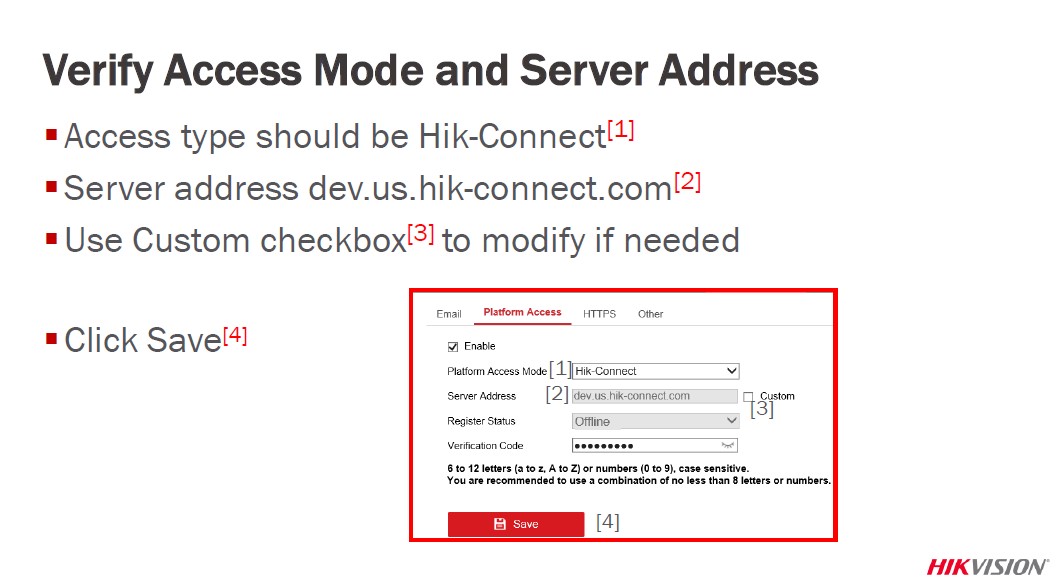
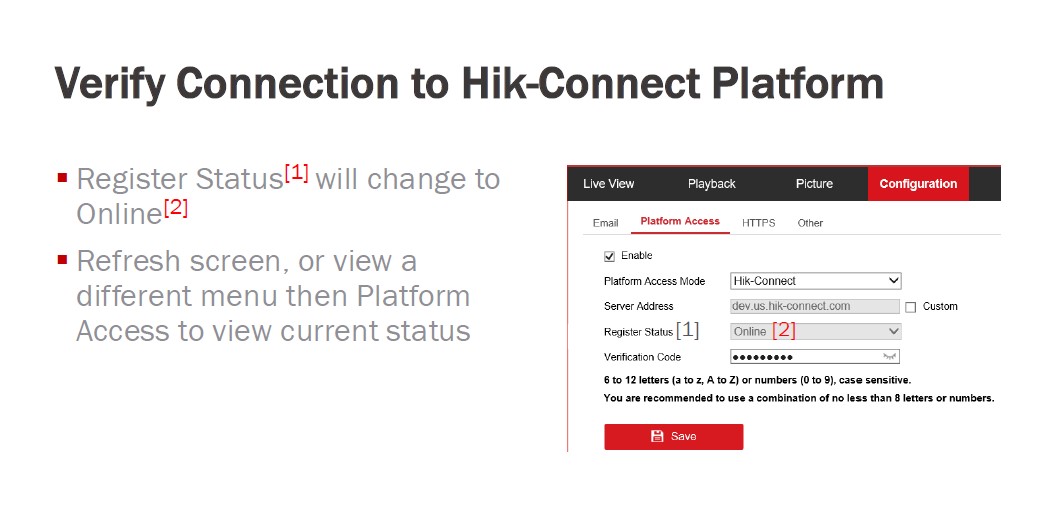
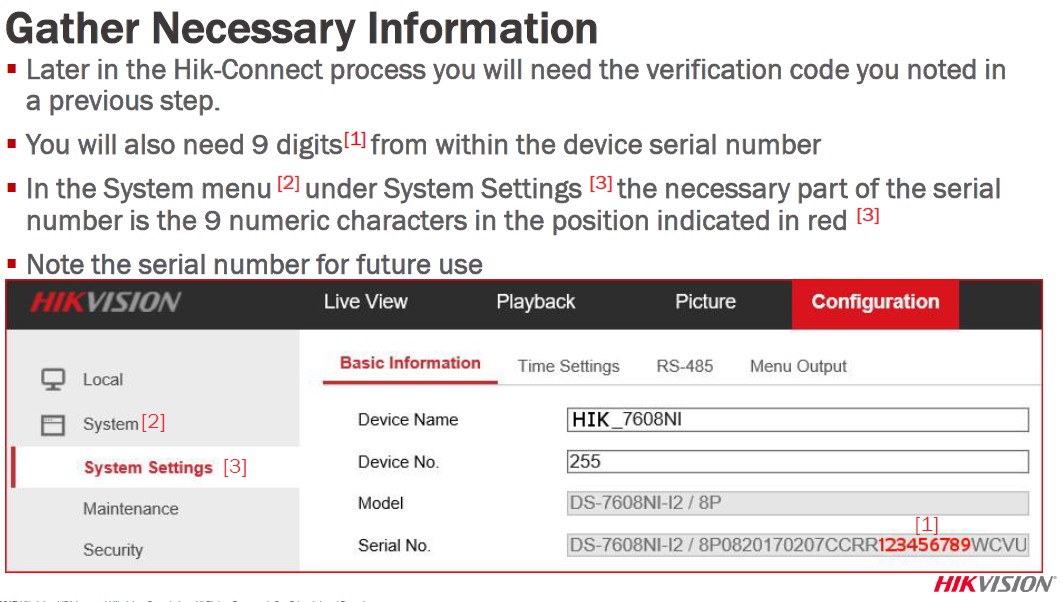
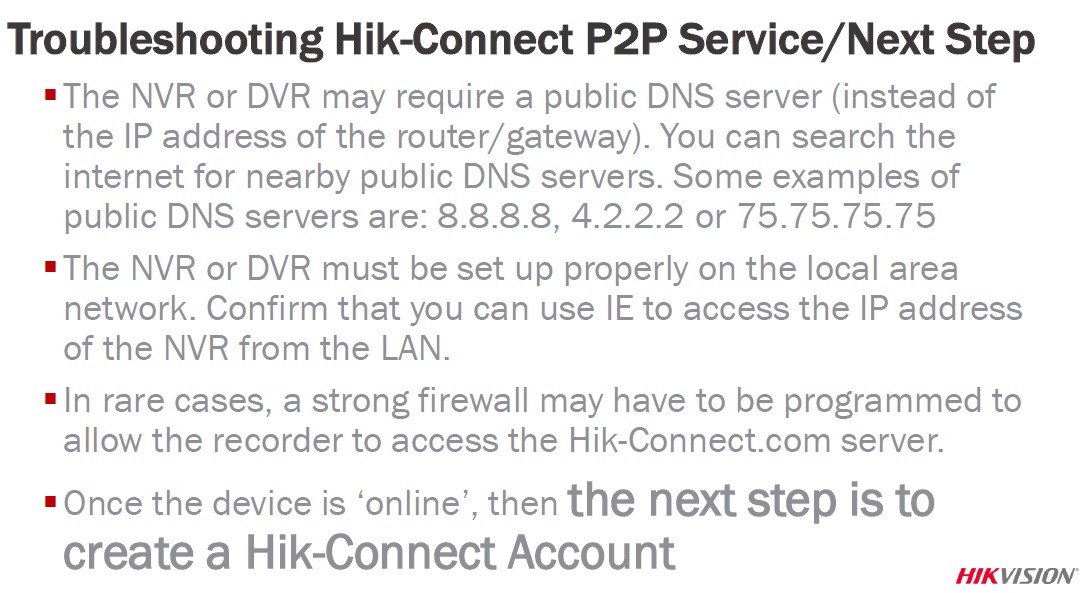
The Hik-Connect Platform has two different services to allow for remote access to Hikvision devices.
Hik-Connect P2P Service – Peer to Peer protocol is used between electronic devices where either device can initiate communication.
Hik-Connect DDNS Service – Allows accounts to assign unique domain names to online devices. Port forwarding is required.*
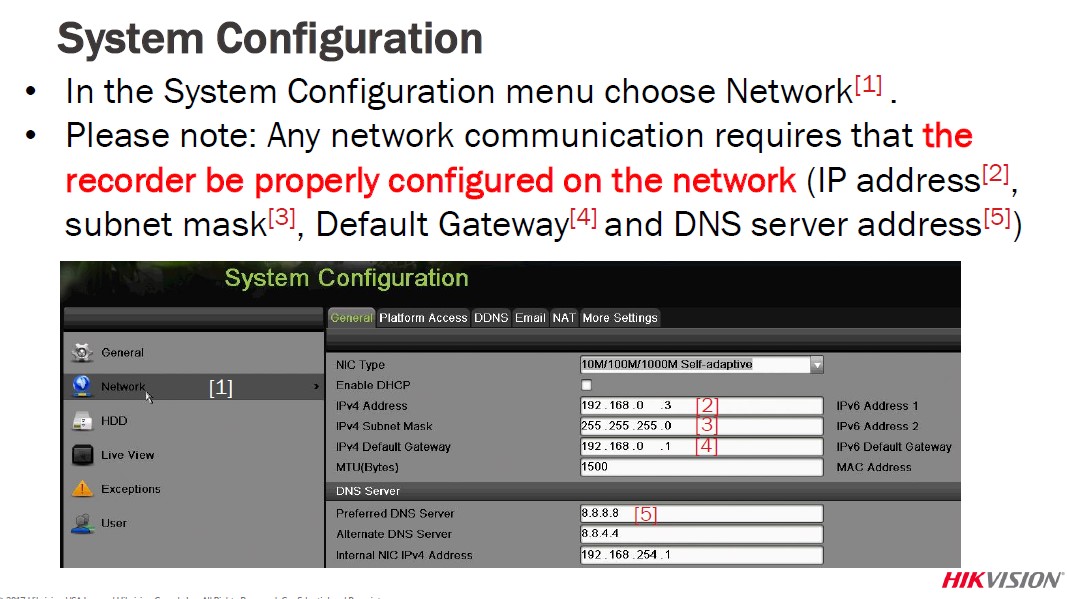
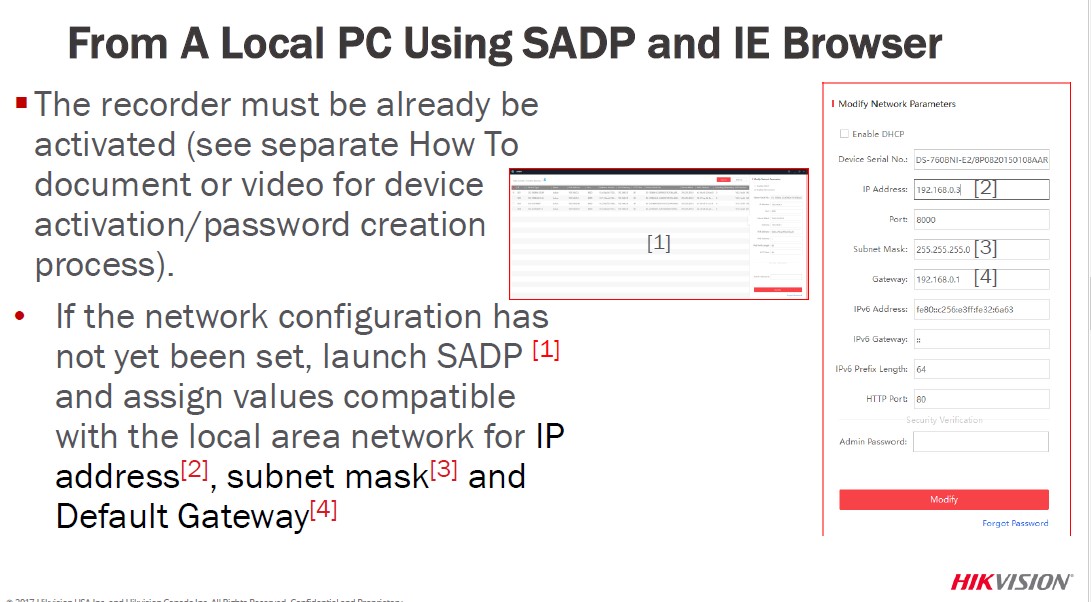
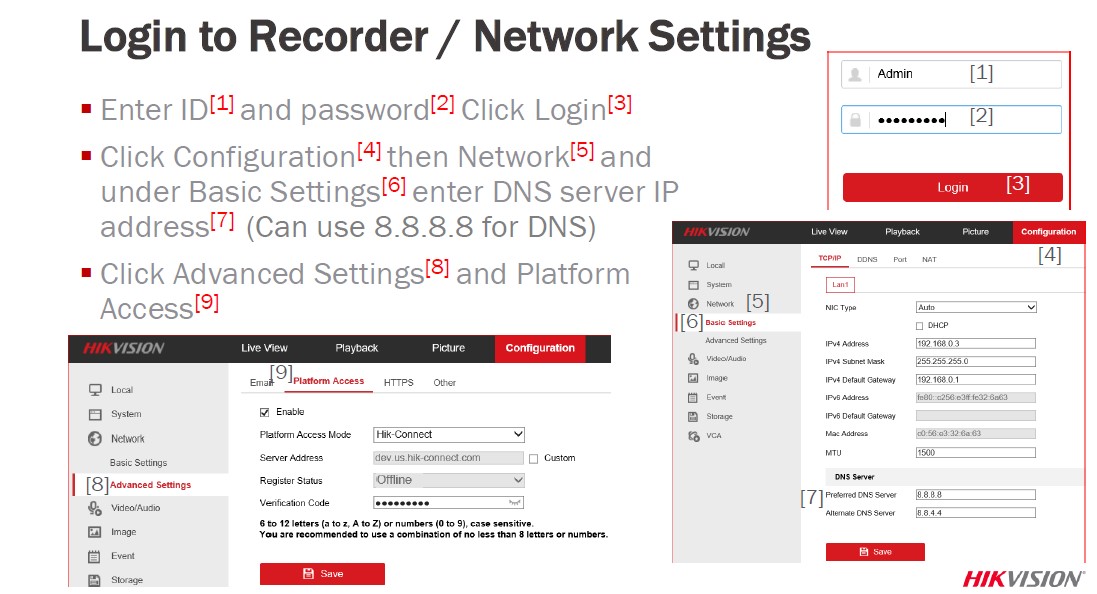
Both Hik-Connect Services require the NVR or DVR network settings to be configured with a correct IP address, subnet mask, default gateway and DNS server
Hik-Connect Accounts are required to use these services.
NOTE: Please see the quick start guide on how to set the NVR or DVR network settings. Security Tip:
* Minimize the number of ports opened to the Internet. Port forwarding should only be configured when absolutely necessary. Avoid common ports by changing the default device ports and / or mapping different external ports to the internal ports.


It was a great sharing
Can you write your contact number?
I really love you
It was a great sharing
hi how can i do
I really love you
Can you write your contact number?
problem not solved thanks