
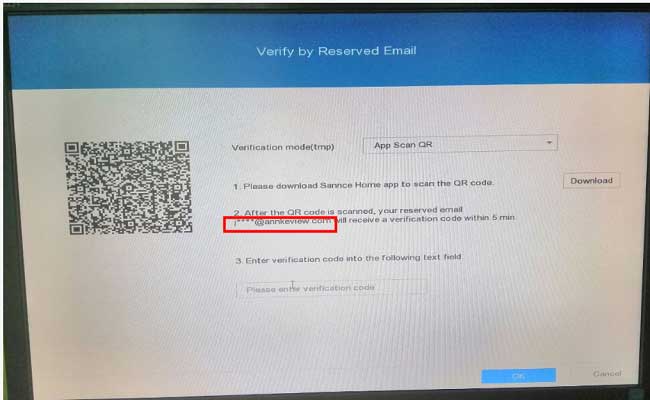
How to Reset the DVR Password via the Email?
Purpose: For the new version system, if you have reserved an email to reset the password, you can follow the instructions below to reset the password for your system.
Step 1: When you forget the password but confirm that you have set up the email for the password. Go to the login interface, and click the “Forgot My Pattern” or “Forgot Password” to get to the password reset page.
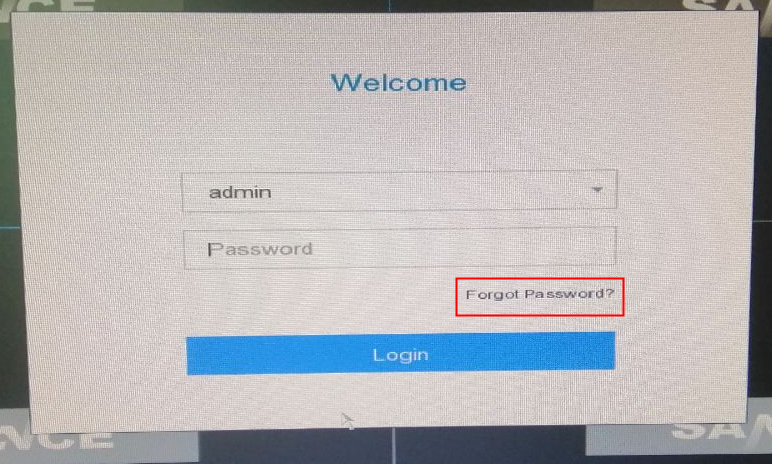
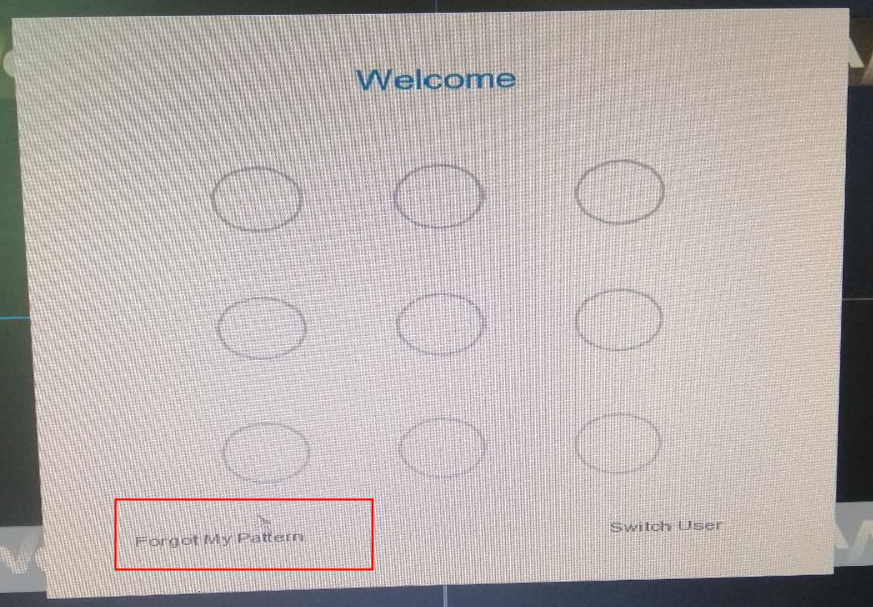
Step 2: Then you can get this “Verify by Reserved Email“.
Please check whether or not the email address shown on this page is your email address, if yes, you can follow the instructions to reset the password via this email.
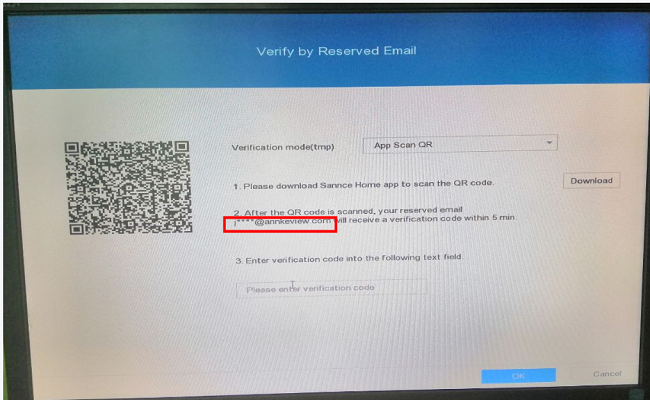
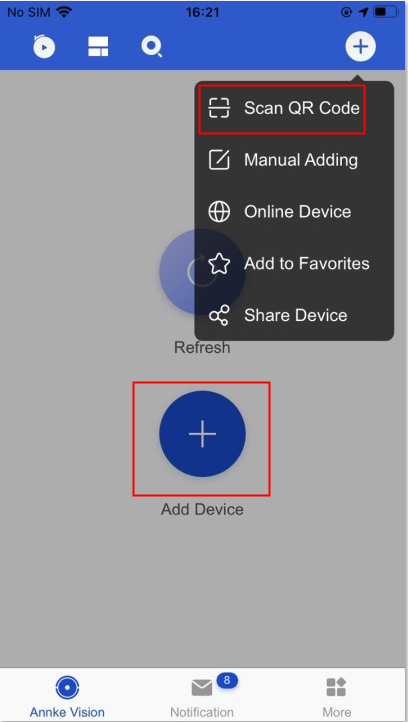
Step 3: Download the APP “Annke Vision” and register your own account and login in. Click “Add device” and choose “Scan QR code”. Scan the Code on the “Verify by reserved email”. Then it will send an email to this email address, input the verification code you received on the page of “Verify by reserved email”, and click OK to reset the password.
Note: If you can’t find the email under your mailbox, please also check the junk box, sometimes it will be saved under the junk box of the email.

I can’t upload
Can you write your contact number?
I sent an e-mail from the communication channel. Can you help?
I can’t upload
It really worked, I appreciate it!