

Aliluya App User Manual Quick Guide
Aliluya App About This Manual This Note is universal version for Aliluya App. The functions supported differentiate to different version, please subject to...
Aliluya App About This Manual This Note is universal version for Aliluya App. The functions supported differentiate to different version, please subject to...
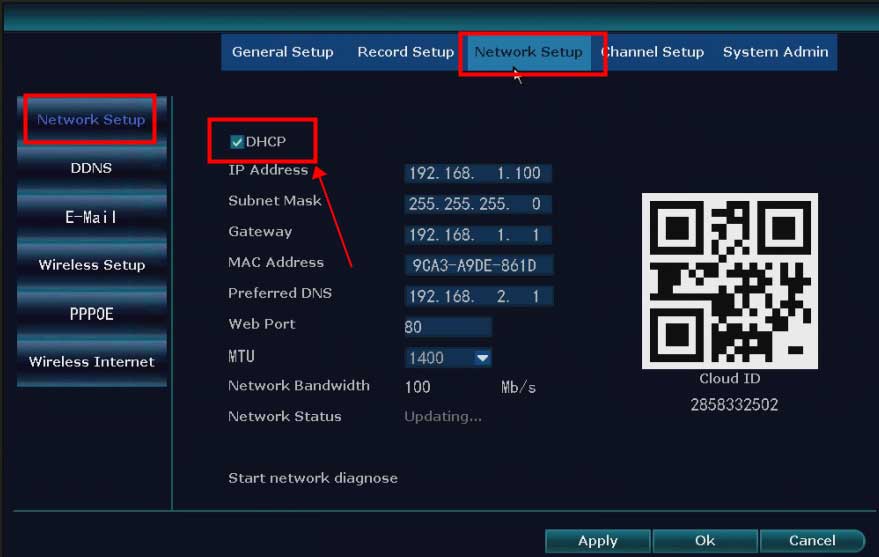
What to Do If The NVR Offline? Introduction: To remotely access the NVR system on the phone APP or computer software, the...
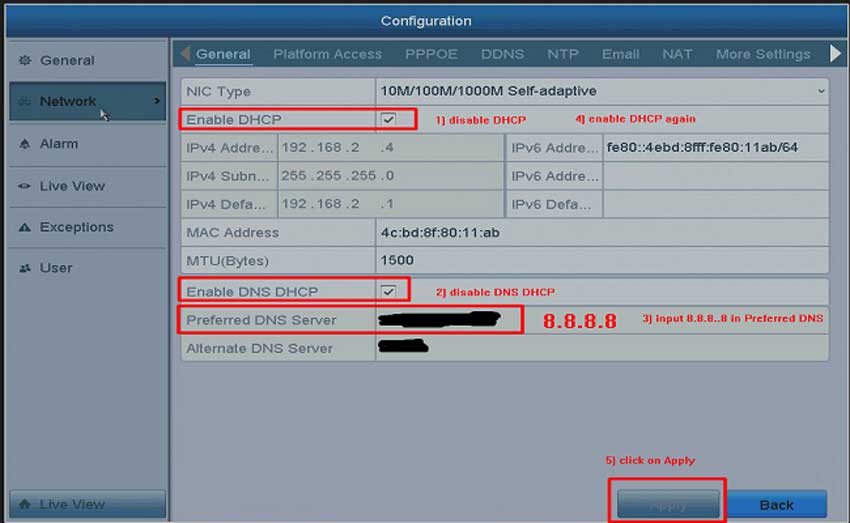
What to Do If The Cloud P2P of The DVR/NVR System is Offline? Purpose: To remotely access the DVR/NVR system on the...
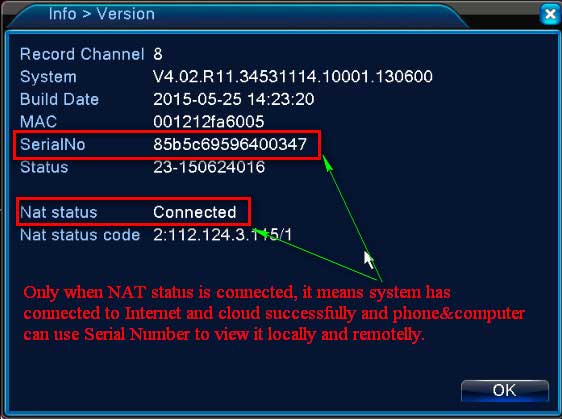
What to Do If P2P Status Shows Offline? Purpose: If you want to remotely access the Annke system via phone app or computer...
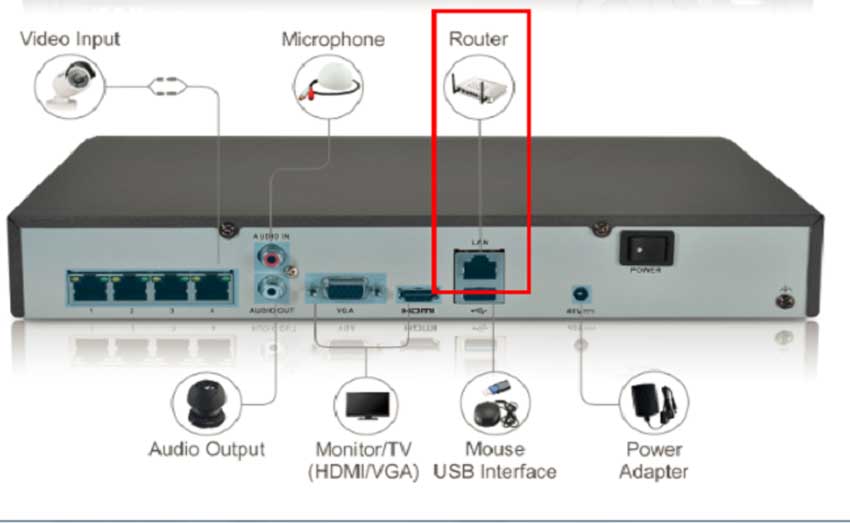
What to Do if DVR or NVR can’t Connect to Internet Successfully? Please plug DVR or NVR into the router with network...
China ip camera tools and utilities Tools The Search Tool is a tool for searching online devices.The software can search the local...
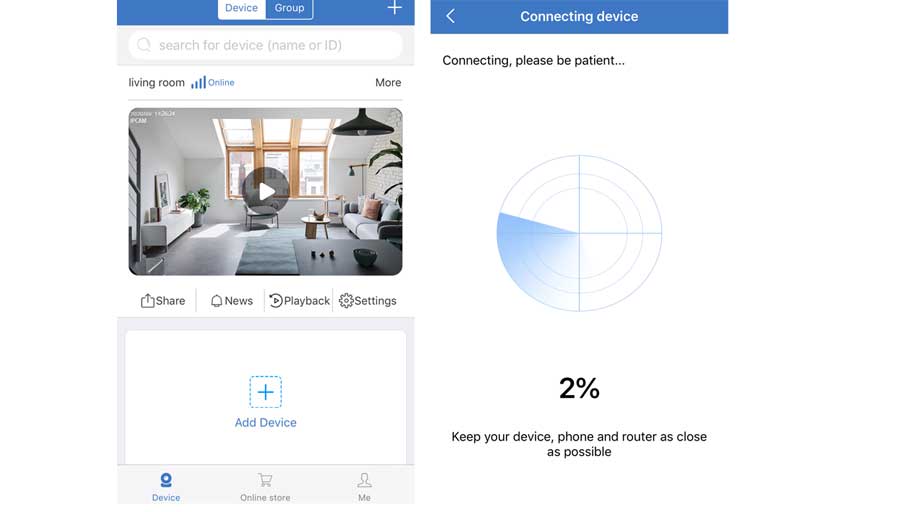
How to Add the Standalone IP Camera to the Sannce Sight? Step 1. Search for Sannce Sight on App Store (for iPhone) or Google...
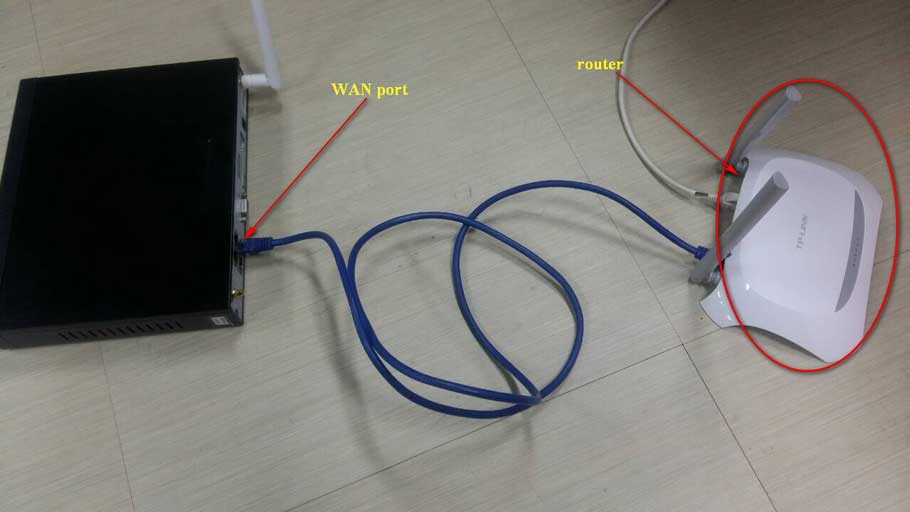
How to Connect the NVR to the Sannce Sight APP? 1. Power on NVR and connect the recorder to the router by...
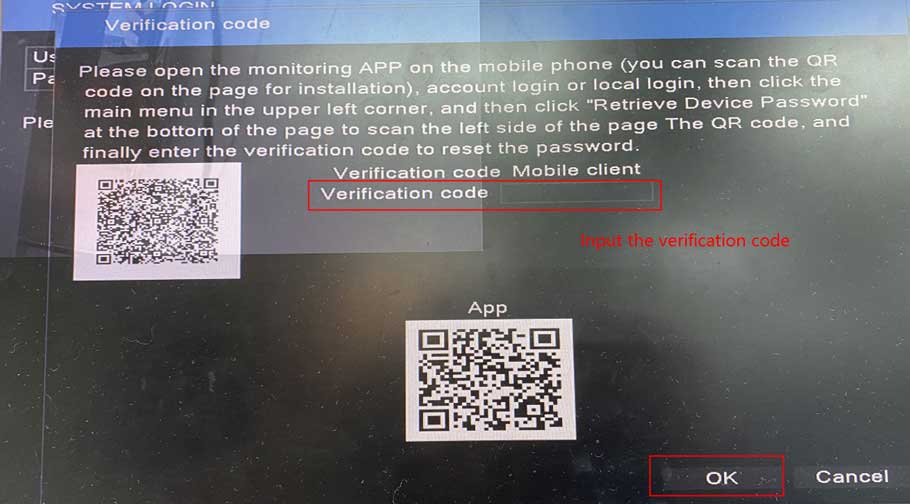
For this system, there will be two optional ways to reset the login password, please kindly find which way is suitable for...
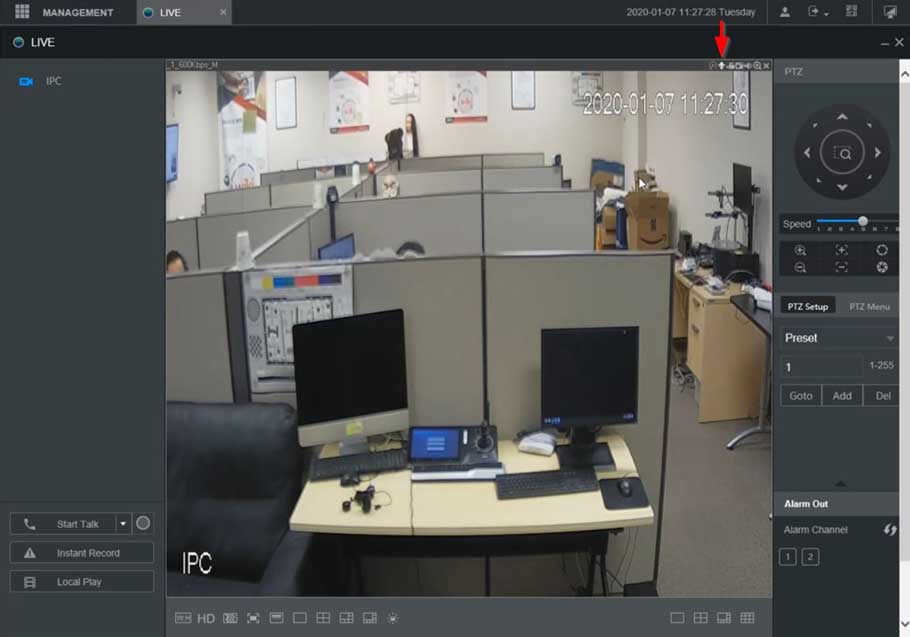
XVR NVR DVR Two Way Talk Setup Description This section will show how to setup / use Two Way Talk function with...
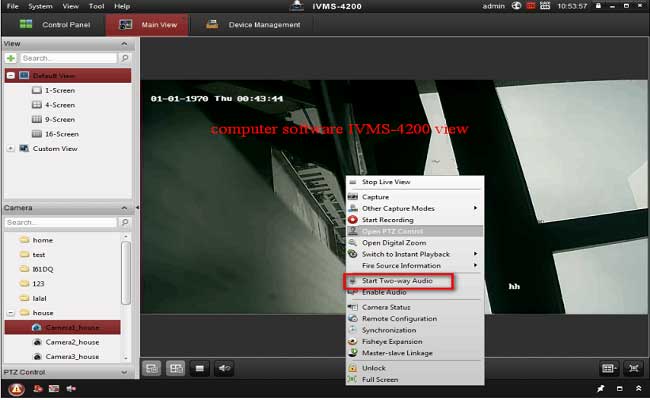
How to Make The Cameras Record Audio? Purpose: There is no speaker nor a microphone in the DVR recorder. In order to record...