
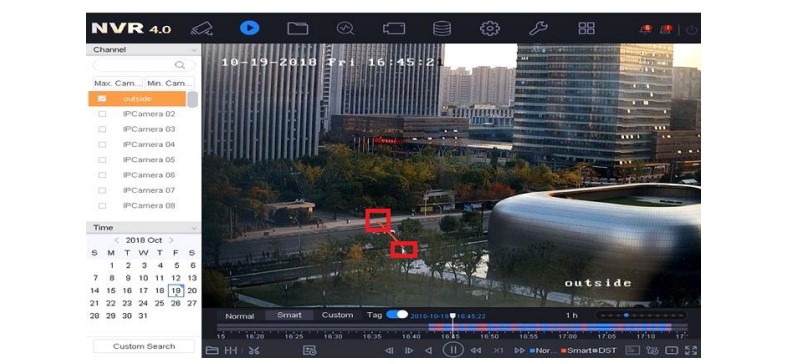
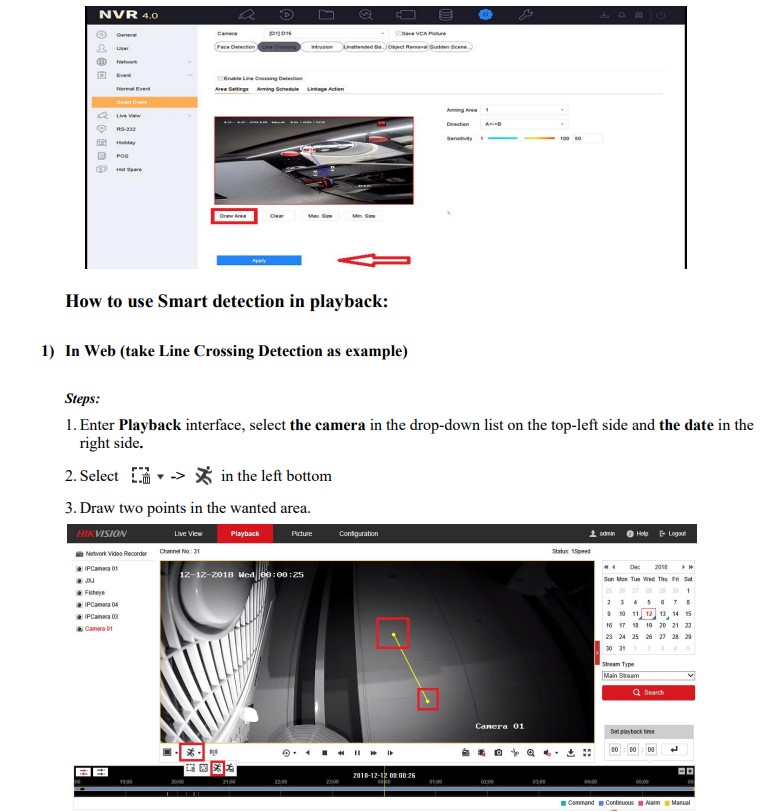
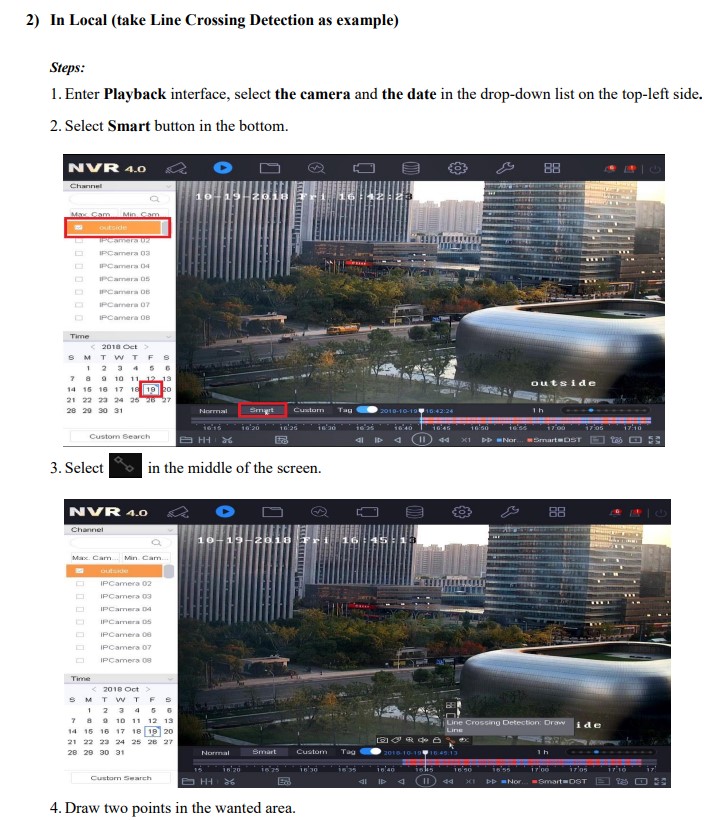
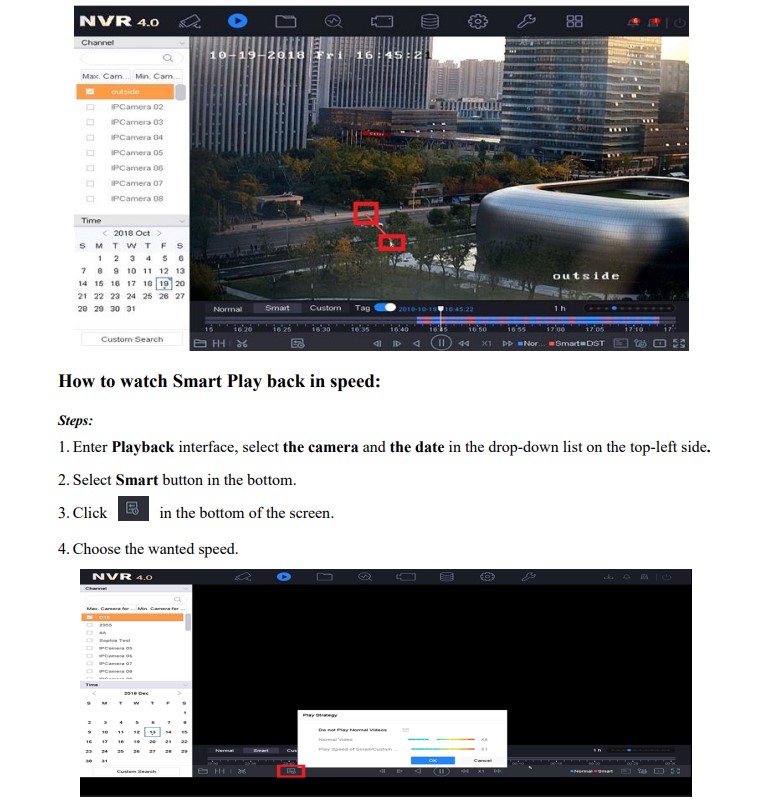
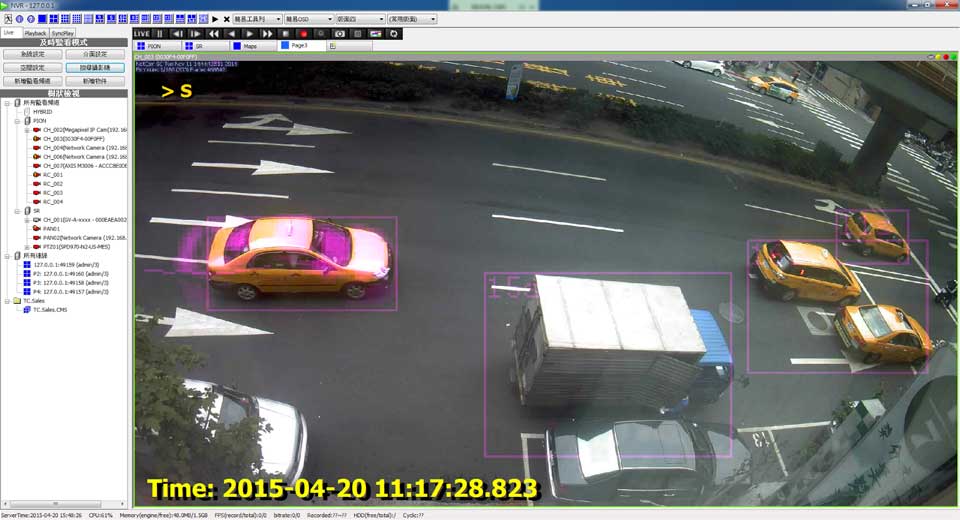
The smart playback function provides an easy way to get through the less effective information. When you select the smart playback mode, the system will analyze the video containing the motion or VCA information. It will mark it with red color and play it in normal speed, while the video without motion will be played in the 16-time speed(the speed function can be configurable, -E/-Q is not supported). The smart playback rules and areas are configurable.
Note: This speed function is now supported by almost all -K/-I/-super I series NVR.
Preparation
To get the smart search result, the Dual-VCA must be enabled in NVR.
Steps:
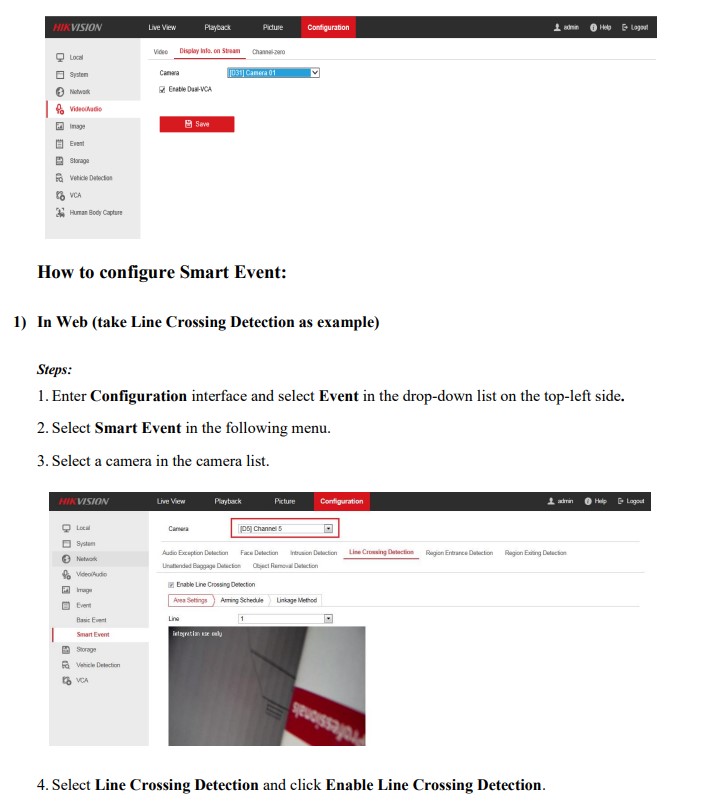
1. Enter Configuration interface by Web.
2. Select Video/Audio on the top-left side and Display Info. on Stream.
3. Click Enable Dual-VCA and Save button.

problem not solved thanks
my recorder is not working
It was a great sharing
my recorder is not working
hello nice sharing thanks
please provide support for me i leave my email address
can you help me please
please provide support for me i leave my email address
problem not solved thanks
I sent an e-mail from the communication channel. Can you help?
can you help me please
It was a great sharing
hi how can i do