Skip to content
XVRAID XVR-DVR-NVR CCTV DESK
  • Home
  • General
    • DVR General
    • NVR General
    • IP Camera
  • Download
    • Firmware
    • Software
  • FAQ
    • Guide
    • How To
    • Password Tools
  • General
  • Contact
  • Forum
XVRAID XVR-DVR-NVR CCTV DESK
  • Home
  • General
    • DVR General
    • NVR General
    • IP Camera
  • Download
    • Firmware
    • Software
  • FAQ
    • Guide
    • How To
    • Password Tools
  • General
  • Contact
  • Forum

Guide

Swann device Password Reset for all model

July 18, 2022 by XVR AiD
Swann device Password Reset for all model

Swann Security devices This section will show articles about resetting the password reset of your Swann Security account and resetting the password of your Swann Security OS 5 recorders, such as our DVR 5680s/5580s, 4680s/4580s, 4480s/4485s, our NVR 8580/8780 series, …

Read more

Categories Guide, How To, Password Tools 18 Comments

How to Connect Your Phone Using LTS CONNECT – PT Cloud

July 17, 2022 by XVR AiD
How to Connect Your Phone Using LTS CONNECT PT Cloud

How to Connect Your Phone Using LTS’s LTS CONNECT/PT Cloud Download our new LTS Connect app from the App store or Play store on your mobile device. (Click: Play Store Link, App Store Link) Enabling PT Cloud on the DVR or NVR. This step does not require a computer …

Read more

Categories Guide, How To 10 Comments

Blue Iris IP Camera Software Setup Guide

July 15, 2022 by XVR AiD
Blue Iris IP Camera Software Setup Guide

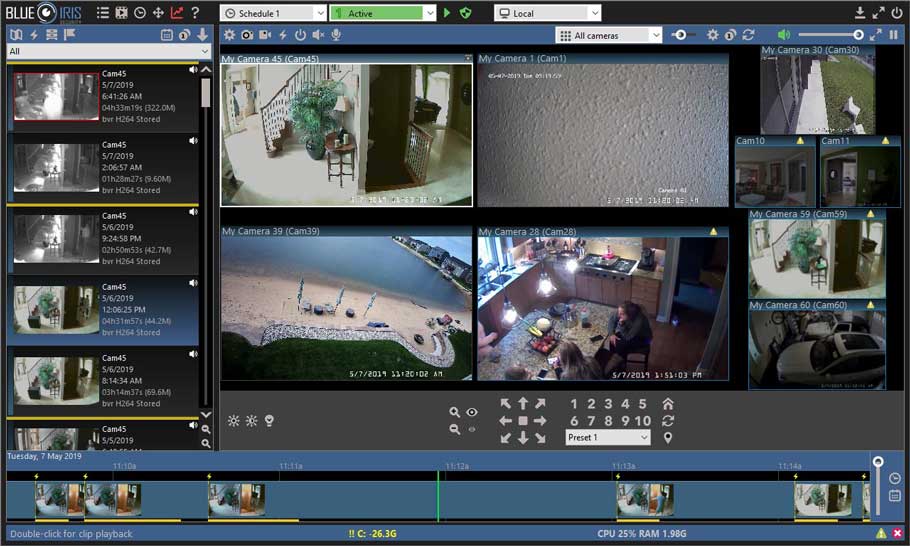
In this guide, I’m going to show to how to setup and configure Blue Iris on a Windows Server 2019 computer. Blue Iris is a local NVR security camera software. With one of the latest updates in early 2021, you …

Read more

Categories How To, Guide 28 Comments

Access to the camera via ONVIF

July 15, 2022 by XVR AiD
Access to the camera via ONVIF

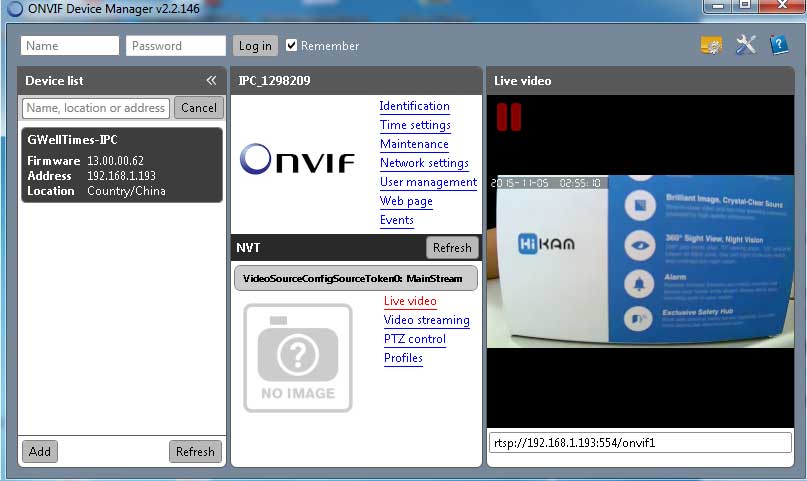
We offer ONVIF for the users who want an alternative to our free cloud service. Precondition: 1. ONVIF only works in the local network, i.e. the PC/smartphone and camera must be within the same network. 2. The camera must be …

Read more

Categories Guide, How To, IP Camera 12 Comments

HiKam PC Software download setup guide

July 15, 2022 by XVR AiD
HiKam PC Software download setup guide

NEW HiKam PC Software for 2nd Gen Cameras (S6, A7 2nd Gen) Note 1: This HiKam PC software is suitable for HiKam S6L, S6, HiKam Q8 and HiKam A7 2nd generation. If you need the software for 1st Gen cameras …

Read more

Categories Guide, How To, Software 6 Comments

How to choose PoE injectors for wired smart doorbells

July 4, 2022 by XVR AiD
How to choose PoE injectors for wired smart doorbells

Some smart doorbells have an Ethernet port to support wired network connection. For these products, users can take advantage of PoE technology to simplify installation, which in turn, can greatly save effort and money. Though wire-free smart doorbells dominate the …

Read more

Categories Guide, How To, Smart Home 8 Comments

Doorbell and Battery Camera Start Guide

July 4, 2022 by XVR AiD
wyze cam v3 family

Contents   1 How to boot? 2 How to restore the factory settings? 3 The camera is in abnormal condition? 4 Cannot add camera for the first time? 5 No response to scanning QR codes? 6 Why is the camera always separated and separated? 7 Can the camera …

Read more

Categories Guide, How To 17 Comments

CloudEdge Camera getting started guide

July 4, 2022 by XVR AiD
CloudEdge Camera getting started guide

Contents   1 How to operate the CloudEdge App 1.1 Register account 1.2 Add the camera 1.3 Add the camera by Scan QR Code 1.4 Add the camera by AP Mode 2 The main function introduction 2.1 The APP main interface 2.2 Real-time video interface 2.3 The Alarm Push Settings …

Read more

Categories Guide, How To, Smart Home 16 Comments

How to add Yoosee cameras to Home Assistant

July 4, 2022 by XVR AiD
How to add Yoosee cameras to Home Assistant

There are many extra benefits to buy and use Yoosee cameras. Unlike other security cameras, Yoosee cameras come with free PC software which enabling users to manage multiple cameras readily on their Windows OS computers. Furthermore, Yoosee cameras comply with …

Read more

Categories How To, Guide, Smart Home 13 Comments

How to make a Cat5, Cat5e or Cat6 patch or crossover cable

June 27, 2022 by XVR AiD
patch cable cross over

How to make Cat5, Cat5e and Cat6 (simply referred to as Cat5 cable throughout this document) cables have particular standards to make sure your network is all cabled in a compatible way. There are two standards when making your own …

Read more

Categories Guide, How To 8 Comments

Best FREE IP Camera Software for Windows

June 23, 2022 by XVR AiD
Best FREE IP Camera Software for Windows

IP camera software are applications that can be used for home surveillance, business, and family protection. These Security Camera Software can automatically detect motion and provide you alerts via instant message, voice phone call, etc. Many such Video Management Software …

Read more

Categories Software, Guide 48 Comments
Older posts
Newer posts
← Previous Page1 … Page16 Page17 Page18 … Page32 Next →

About Me

The DVR Support site is a private entrepreneur that is not for advertising purposes, which is purely public benefit. The contents are taken from the support departments of the relevant companies. Our website does not require membership, our editors are at your service to help you. Please express your problems in the comments or contact section and we will get back to you as soon as possible.

Our Network: dvrcms.com – cctvfirmware.com – dvrdestek.com – nvripc.com – dvraid.com

ADS

Related Posts

How To Use ICSEE Camera Wansview Cloud Recording, Monitoring and Playback Configure How to use your Security Camera System

Recent Comments

  • Najrul Mondal on P6sCloud P6sPro fimrware software tools
  • ديلووم on Longse XVR Firmware Software Download
  • Trev Bail on Q-See Firmware Software Download
  • binance on How to set up a Hikvision Wi-Fi Kit
  • Coreyfar on Best FREE IP Camera Software for Windows
  • Privacy Policy
  • Terms
  • Contact
© 2025 XVRAID XVR-DVR-NVR CCTV DESK • Built with GeneratePress