Guide How To

How to view the Live Video and Playback for my NVR?

Q:How to view the Live Video and Playback for my Network Video Recorder? A:NOTES: * Applies to devices using firmware version 2.0 and above....
REKLAM

Q:How to view the Live Video and Playback for my Network Video Recorder?

A:NOTES: * Applies to devices using firmware version 2.0 and above.  If you are not using the latest firmware version please upgrade the firmware.* Please make sure you are using the latest version of Java.  If you are unsure on what version you are current running, please visit www.java.com/verify *

REKLAM

Plese select your browser:

Using IE
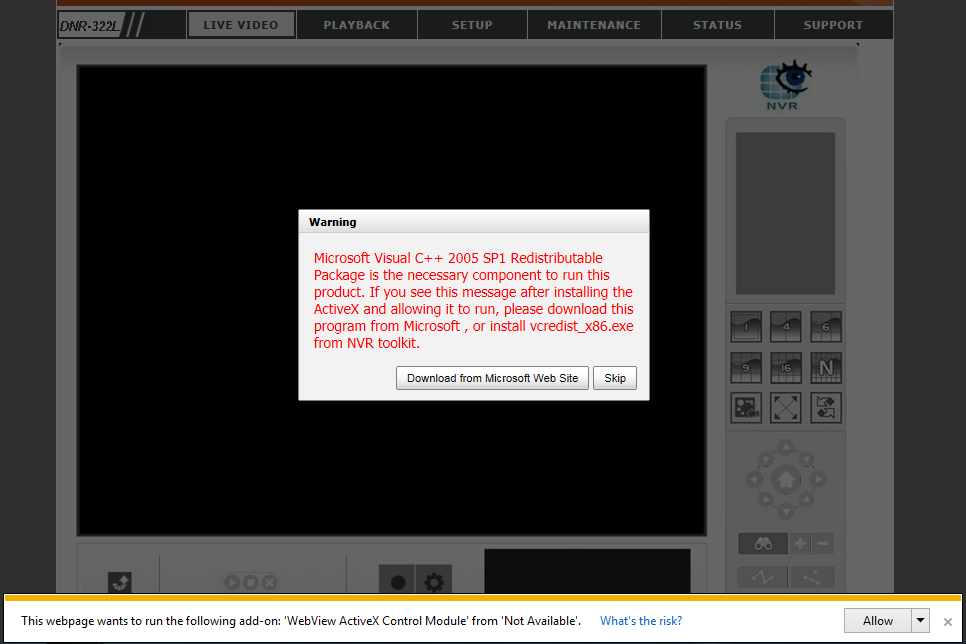
Step 1:  To view the LIVE VIDEO and PLAYBACK, please make sure to install the Microsoft Visual C++ 2005 SP1 Redistributable Package.  The file can be located on the included CD, at http://www.microsoft.com/en-us/download/details.aspx?id=5638, or by clicking on the “Download from Microsoft Web Site” on the Warning pop up message
Step 2:  Make sure to allow all add-ons to properly view the LIVE VIDEO and PLAYBACK.
How to view the Live Video and Playback for my NVR?
Using Firefox   [Back to Top]
Step 1:  To view the LIVE VIEW and PLAYBACK, please make sure to download/install the latest version of Java.
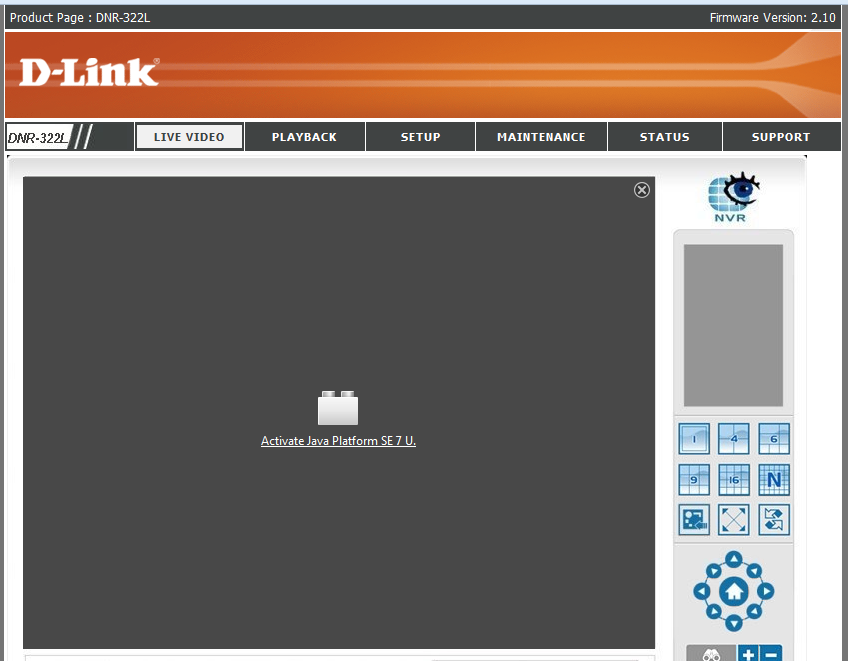
Step 2:  Click the “Activate Java Platform SE 7 U.” link or click the block icon to the left of the address bar
How to view the Live Video and Playback for my NVR?
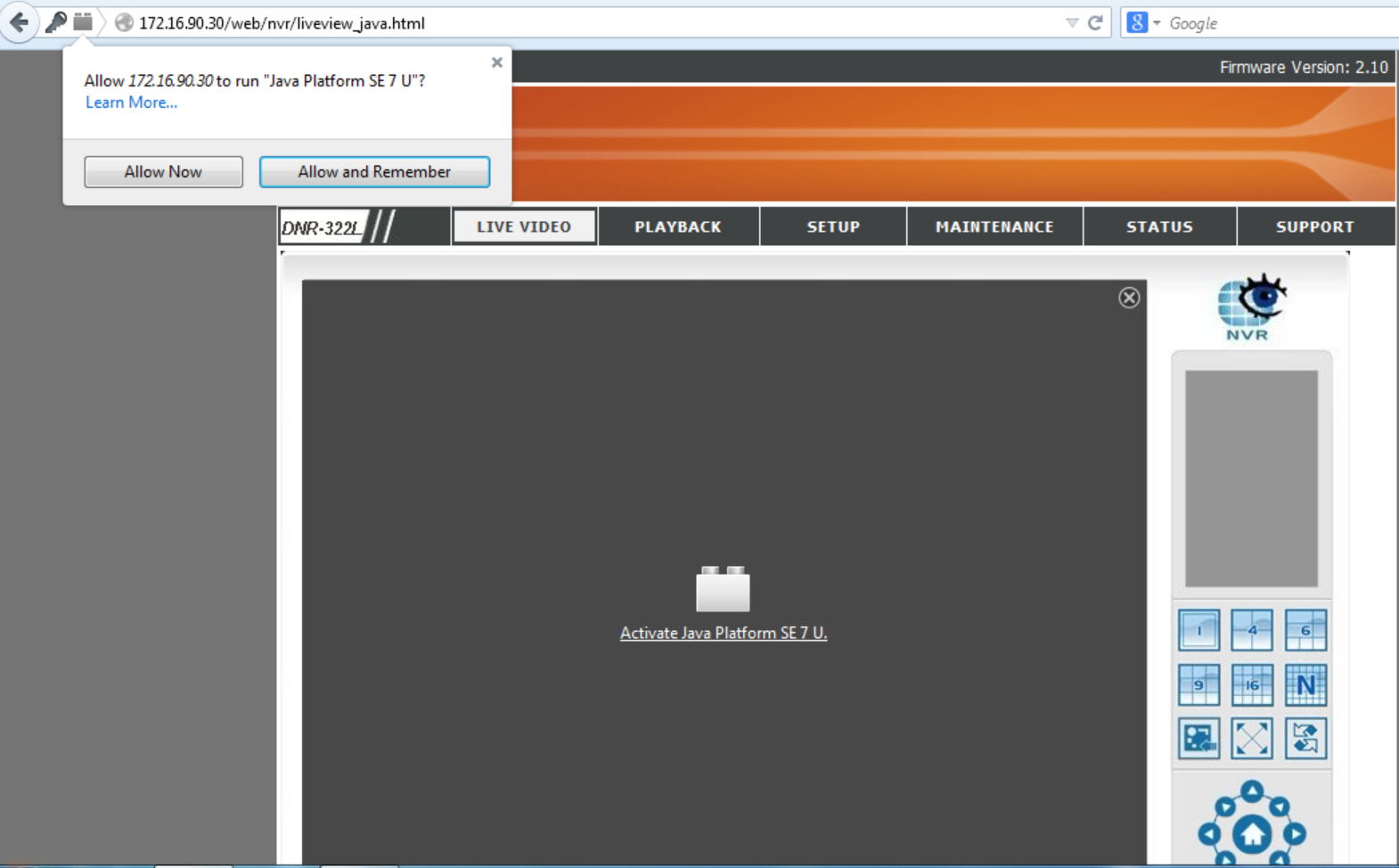
Step 3:  Click to Allow Now or Allow and Remember
How to view the Live Video and Playback for my NVR?
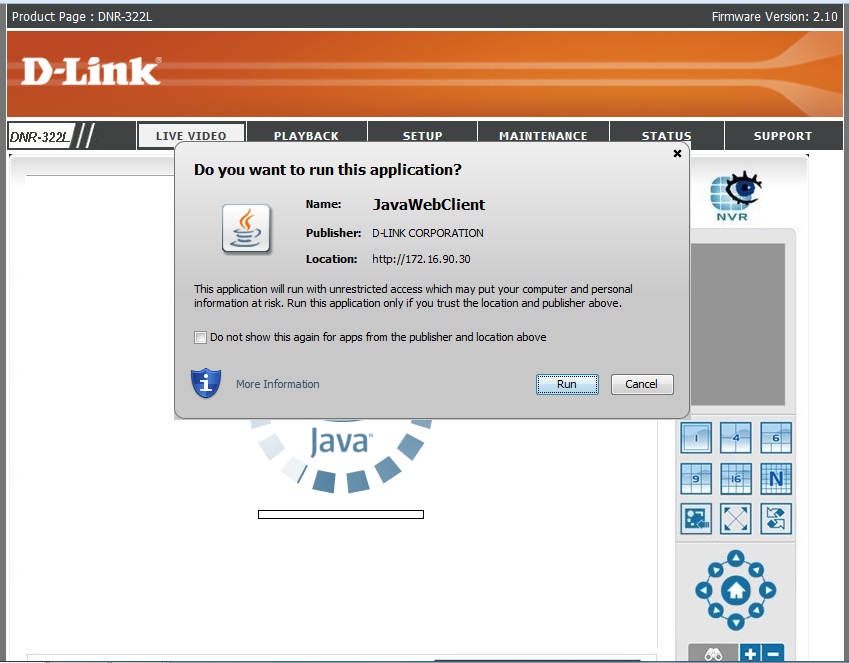
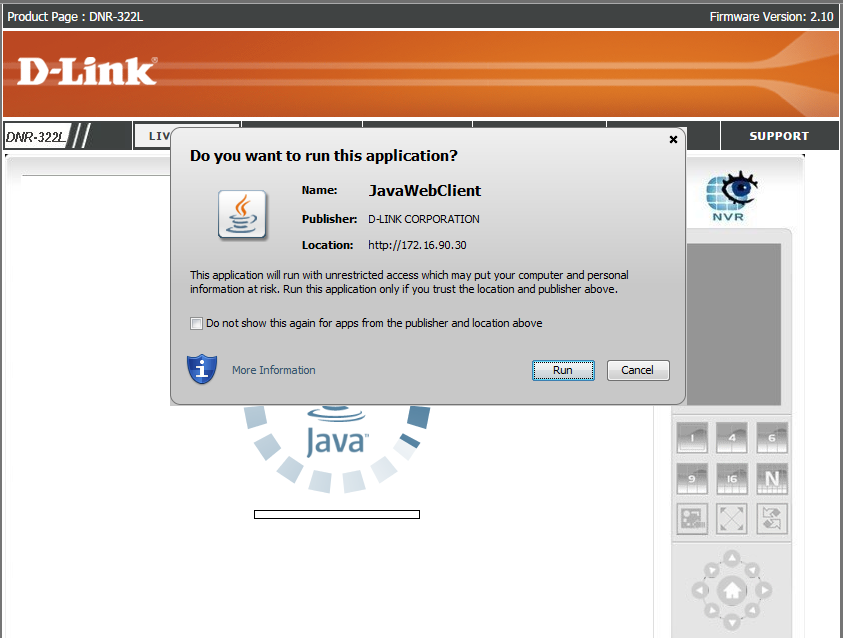
Step 4:  Run the Java application.
How to view the Live Video and Playback for my NVR?
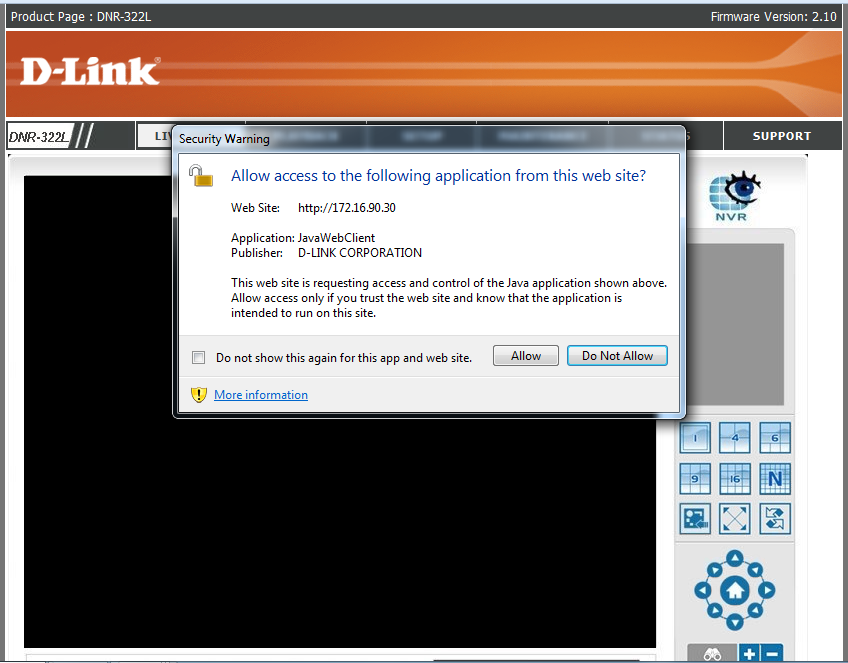
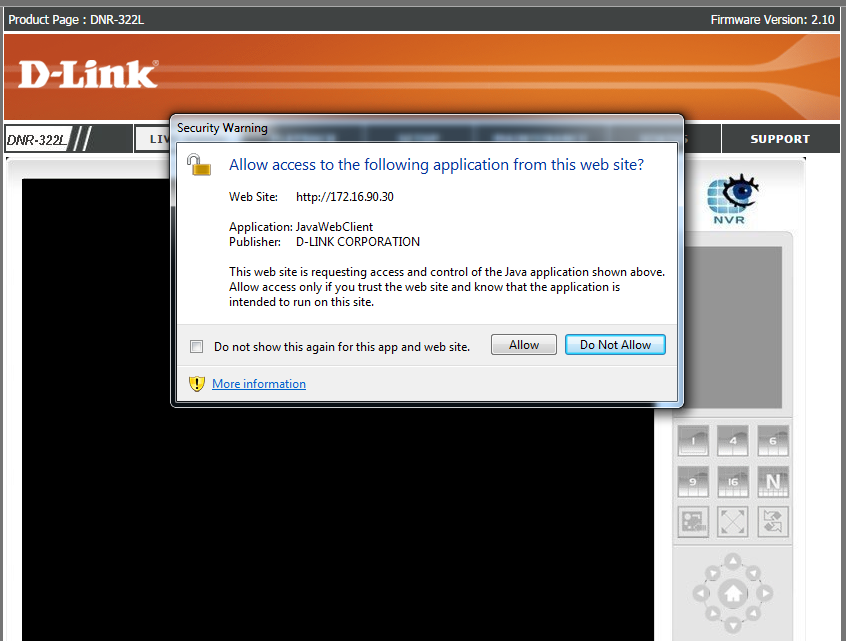
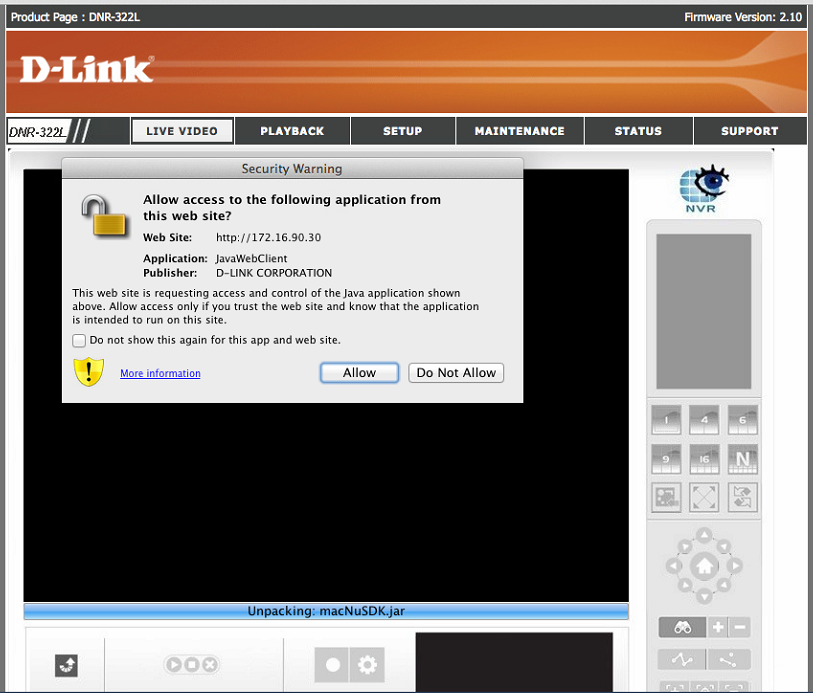
Step 5:  Allow the security warning popup.
How to view the Live Video and Playback for my NVR?
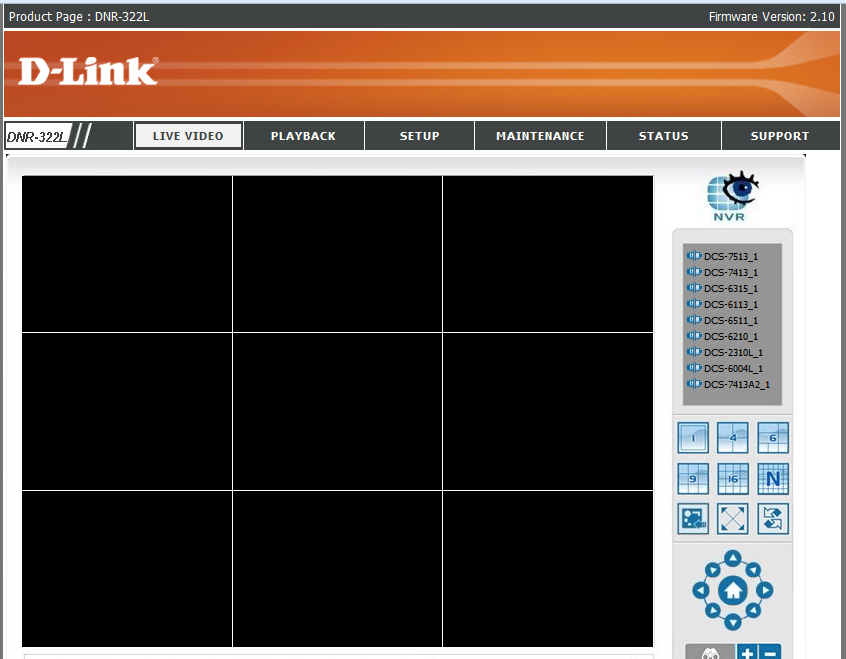
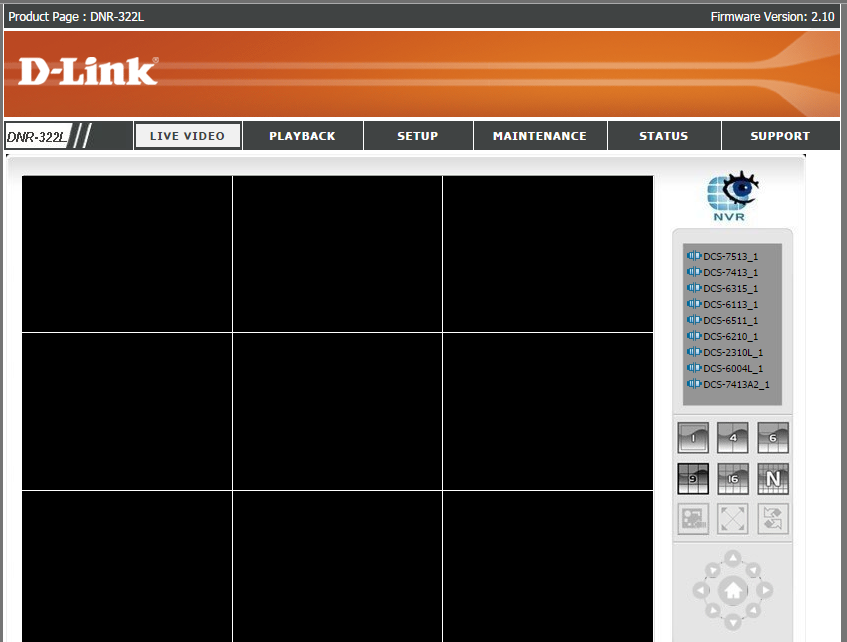
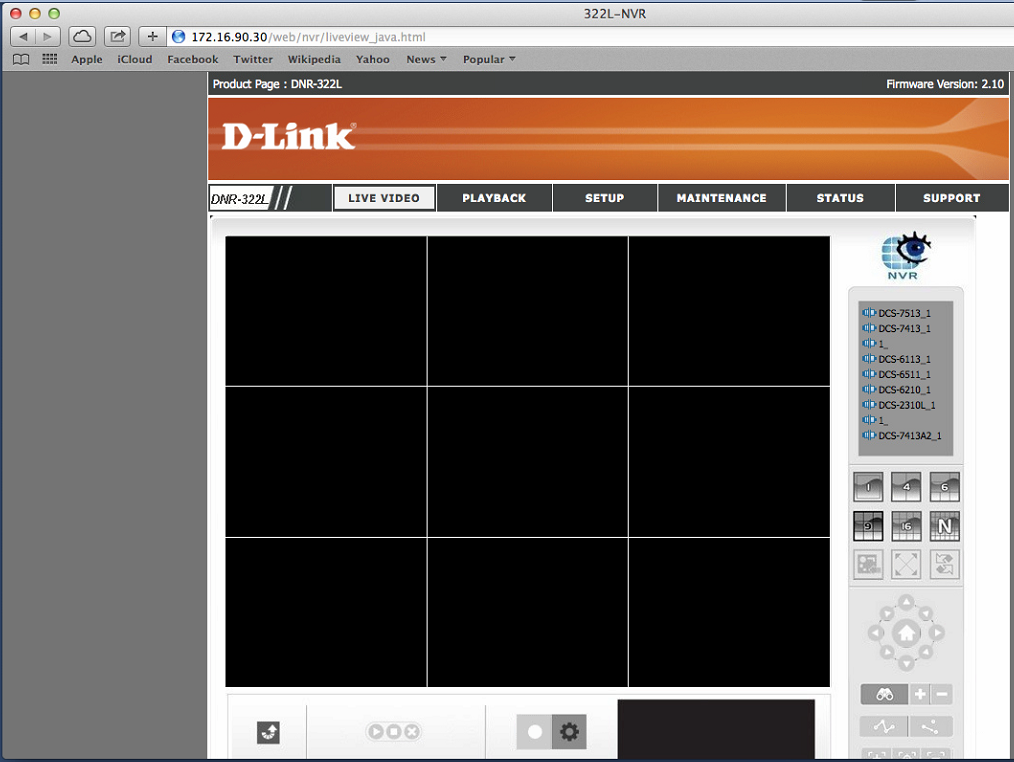
Step 6:  You should now be able to see the LIVE VIEW or PLAYBACK
How to view the Live Video and Playback for my NVR?
Using Chrome   [Back to Top]
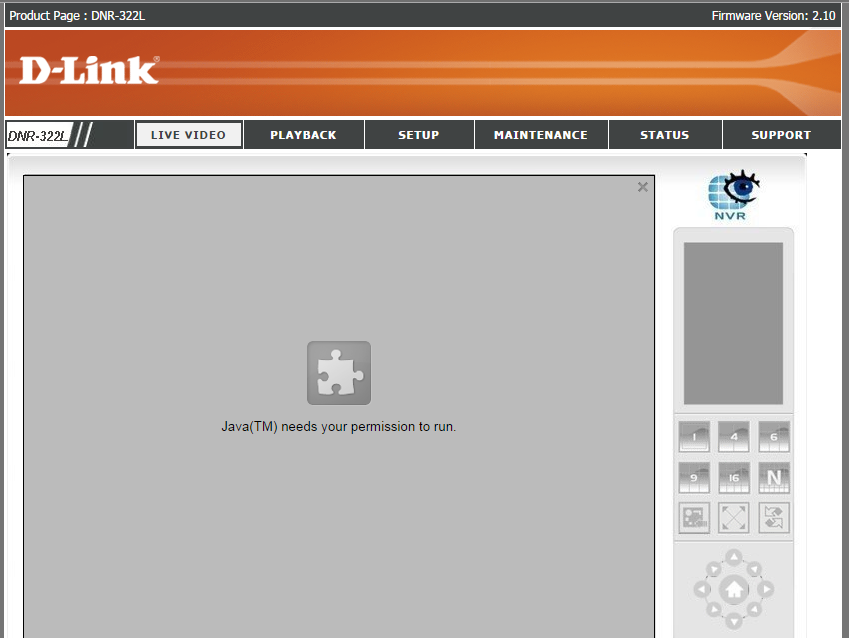
Step 1:  To view the LIVE VIDEO and PLAYBACK, please make sure to download/install the latest version of Java.
How to view the Live Video and Playback for my NVR?
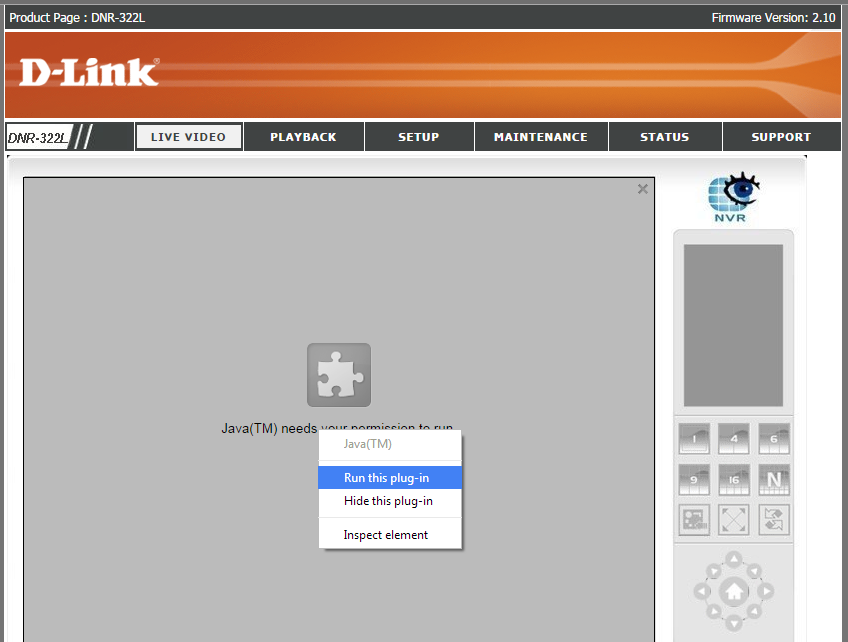
Step 2:  Right click the viewing area, and Run this plug-in
How to view the Live Video and Playback for my NVR?
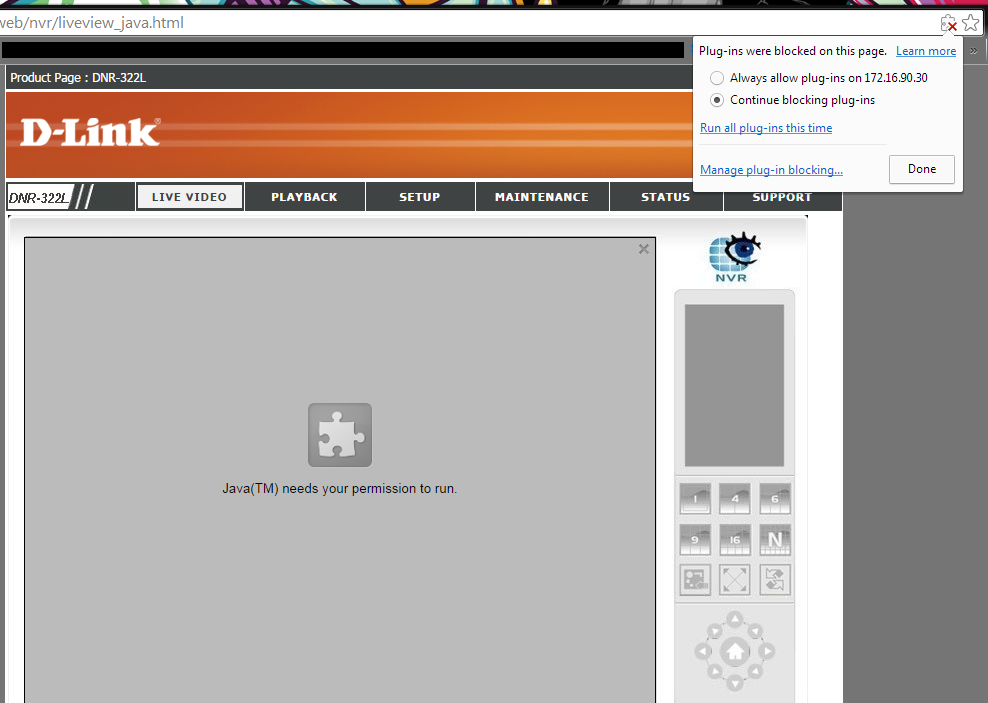
Step 3:  Or click the icon on the far right hand corner of the address bar to Always allow plug-ins to on X.X.X.X
How to view the Live Video and Playback for my NVR?
Step 4:  Run the Java application
How to view the Live Video and Playback for my NVR?
Step 5:  Allow the security warning popup.
How to view the Live Video and Playback for my NVR?
Step 6:  You should now be able to see the LIVE VIDEO or PLAYBACK
How to view the Live Video and Playback for my NVR?
Using Safari   [Back to Top]
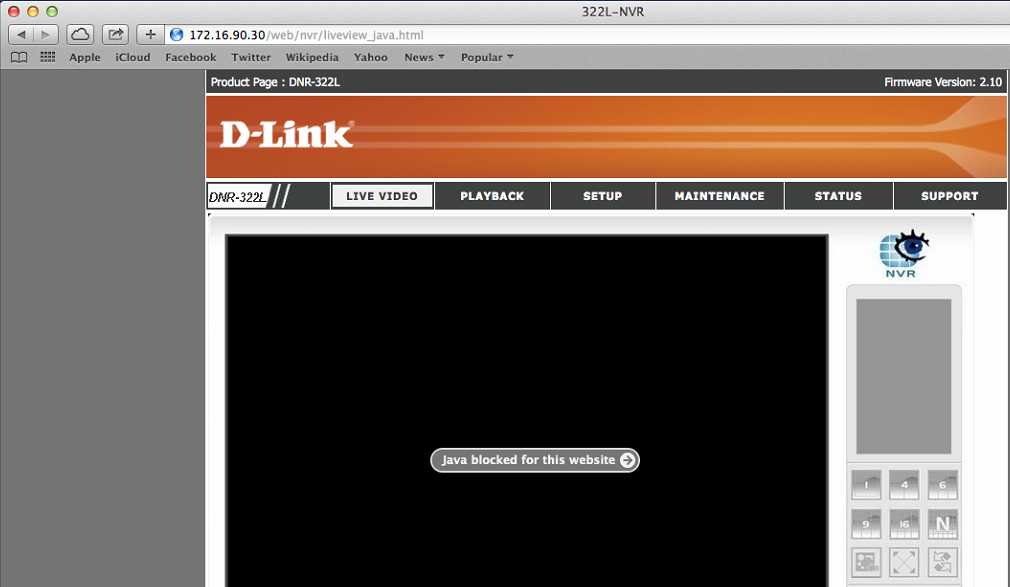
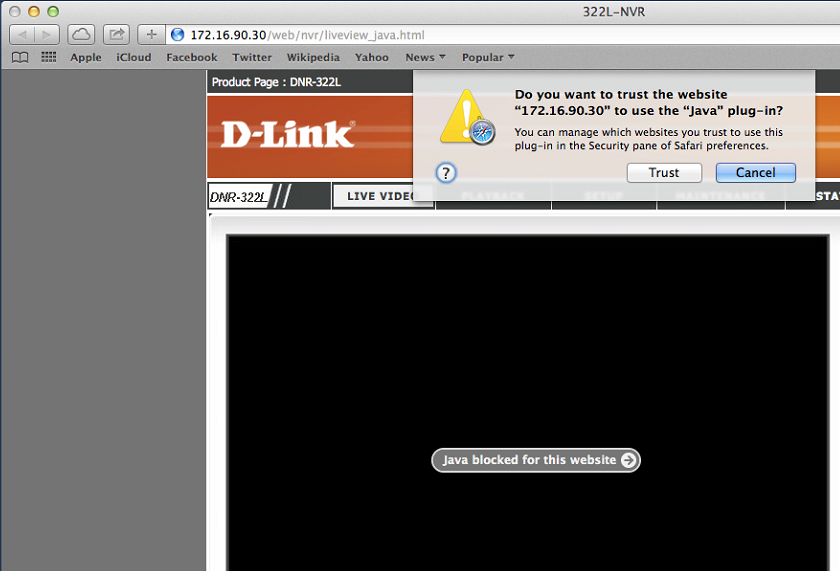
Step 1:  To view the LIVE VIDEO and PLAYBACK, please make sure to download/install the latest version of Java.
Click on the Java blocked for this website 
How to view the Live Video and Playback for my NVR?
Step 2:  Trust to run this plug-in.
How to view the Live Video and Playback for my NVR?
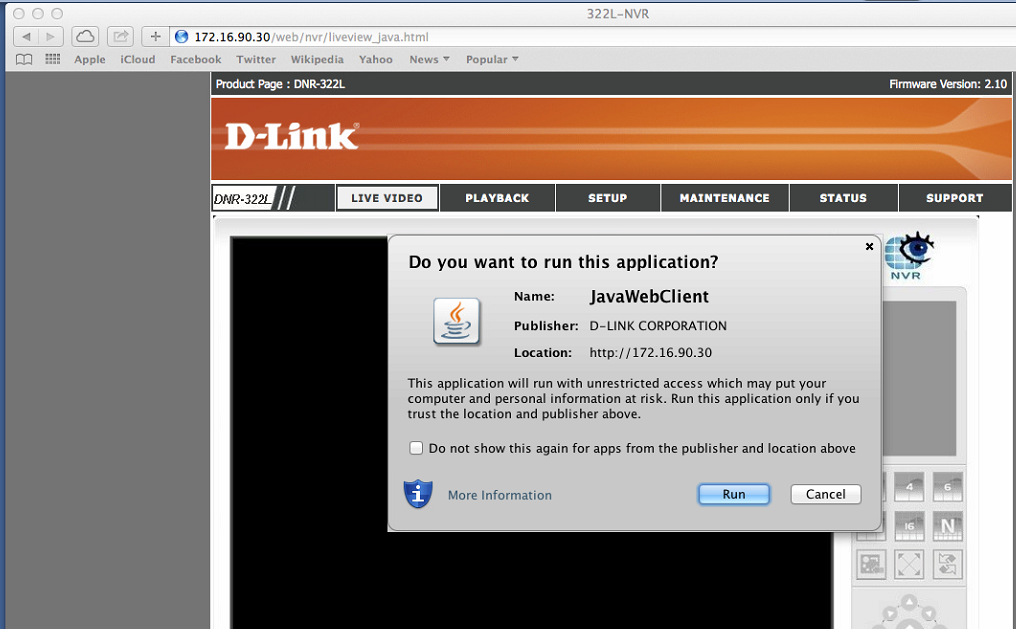
Step 3:  Run the Java application
How to view the Live Video and Playback for my NVR?
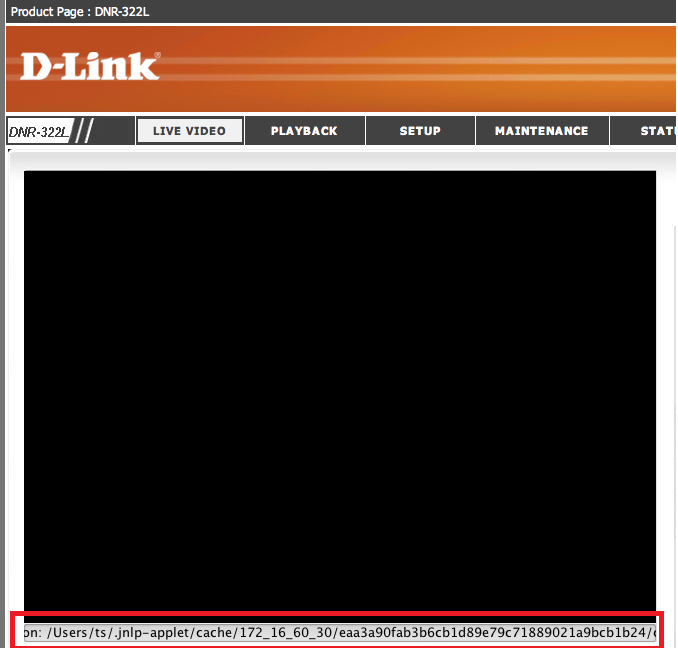
Step 4:  If you get an error message on the bottom of the LIVE VIDEO, such as the picture below in the red box, continue on to Step 5 to 10.
How to view the Live Video and Playback for my NVR?
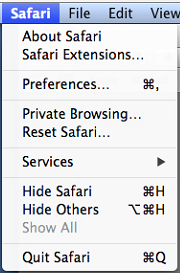
Step 5:  Go into Safari’s Preferences…
How to view the Live Video and Playback for my NVR?
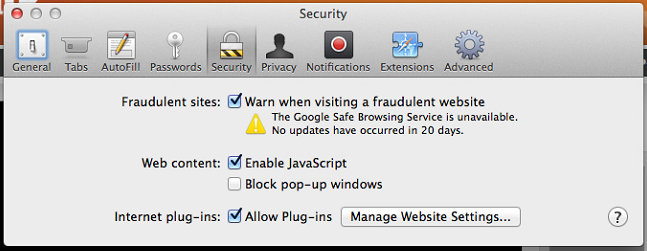
Step 6:  Click on the Security button.  Make sure Internet plug-ins: is check marked, and click on Manage Website Settings…
How to view the Live Video and Playback for my NVR?
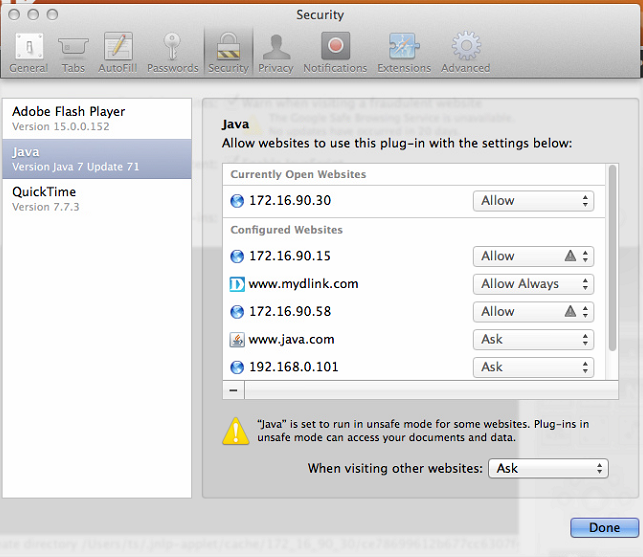
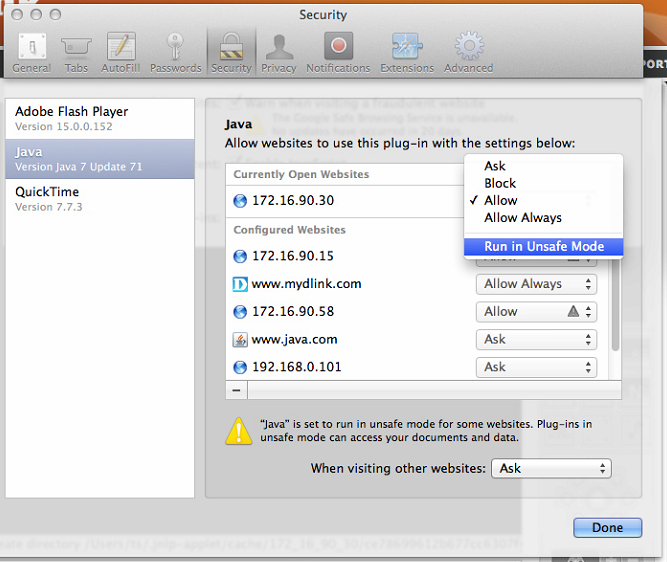
Step 7:  In the Java plug-in section.  Under Currently Open Websites, you should see the IP address of the DNR.  On the drop menu, set to Run in Unsafe Mode.
How to view the Live Video and Playback for my NVR?      How to view the Live Video and Playback for my NVR?
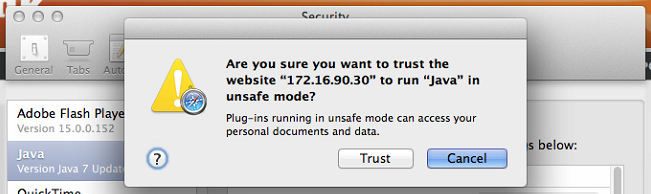
Step 8:  Trust to run the website in unsafe mode
How to view the Live Video and Playback for my NVR?
Step 9:  Allow the Java application
How to view the Live Video and Playback for my NVR?
Step 10:  We should now be able to view the LIVE VIDEO or PLAYBACK
How to view the Live Video and Playback for my NVR?

REKLAM
Yazar

XVR AiD

Tüm yazıları

3 responses to “How to view the Live Video and Playback for my NVR?”

Leave a Reply

Your email address will not be published. Required fields are marked *