Skip to content
XVRAID XVR-DVR-NVR CCTV DESK
  • Home
  • General
    • DVR General
    • NVR General
    • IP Camera
  • Download
    • Firmware
    • Software
  • FAQ
    • Guide
    • How To
    • Password Tools
  • General
  • Contact
  • Forum
XVRAID XVR-DVR-NVR CCTV DESK
  • Home
  • General
    • DVR General
    • NVR General
    • IP Camera
  • Download
    • Firmware
    • Software
  • FAQ
    • Guide
    • How To
    • Password Tools
  • General
  • Contact
  • Forum

XVR

How to enable pop-up screen Motion detection triggered.

February 16, 2022 by XVR AiD
AlarmInput Popup 5

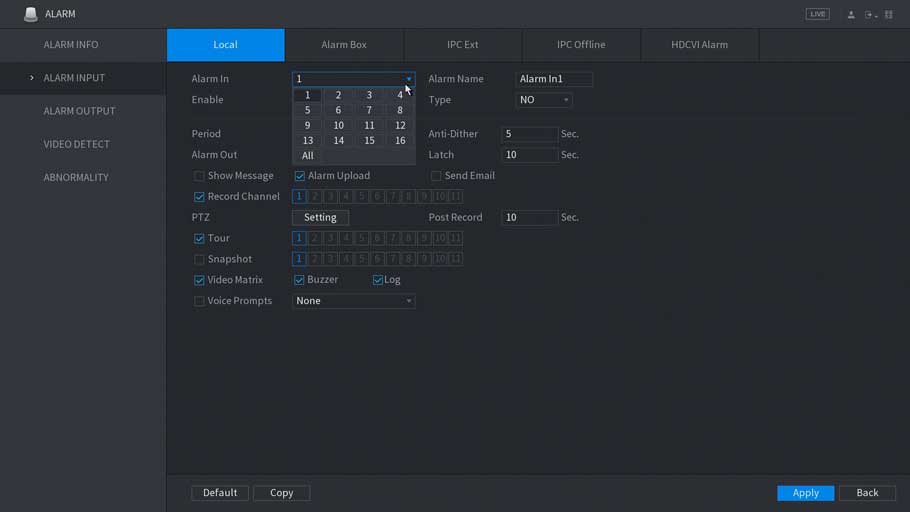
How to enable pop-up screen from Alarm or Motion detection triggered. Description Follow these step-by-step instructions to full screen pop-up when Alarm or Motion detection triggered. Prerequisites HCVR, XVR, or NVR HDCVI, analog, or IP cameras (optional) Video Instructions Coming …

Read more

Categories Guide, How To 5 Comments
Newer posts
← Previous Page1 … Page6 Page7

About Me

The DVR Support site is a private entrepreneur that is not for advertising purposes, which is purely public benefit. The contents are taken from the support departments of the relevant companies. Our website does not require membership, our editors are at your service to help you. Please express your problems in the comments or contact section and we will get back to you as soon as possible.

Our Network: dvrcms.com – cctvfirmware.com – dvrdestek.com – nvripc.com – dvraid.com

ADS

Related Posts

DAHUA XVR 4.0 Setup iDVR-PRO HD CCTV DVR Setup Hikvision Full installation guide

Recent Comments

  • Trev Bail on Q-See Firmware Software Download
  • binance on How to set up a Hikvision Wi-Fi Kit
  • Coreyfar on Best FREE IP Camera Software for Windows
  • Peter on Troubleshooting Sannce CCTV Products
  • Mikola on How to Update Uniview Cameras Firmware
  • Privacy Policy
  • Terms
  • Contact
© 2025 XVRAID XVR-DVR-NVR CCTV DESK • Built with GeneratePress