
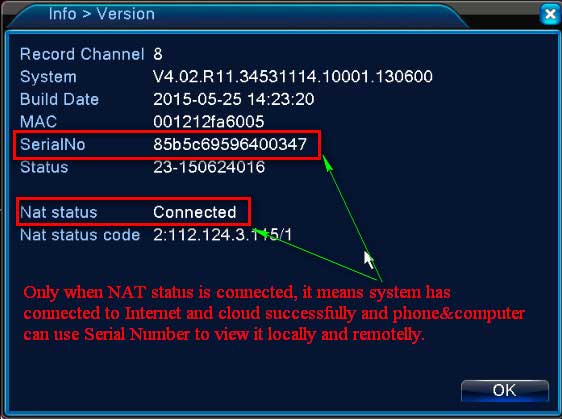
What to Do if DVR or NVR can’t Connect to Internet Successfully?
What to Do if DVR or NVR can’t Connect to Internet Successfully? Please plug DVR or NVR into the router with network...
What to Do if DVR or NVR can’t Connect to Internet Successfully? Please plug DVR or NVR into the router with network...

MeritLiLin Firmware Download Camera Update Guide The first step to updating your camera firmware is to download the correct firmware for your...
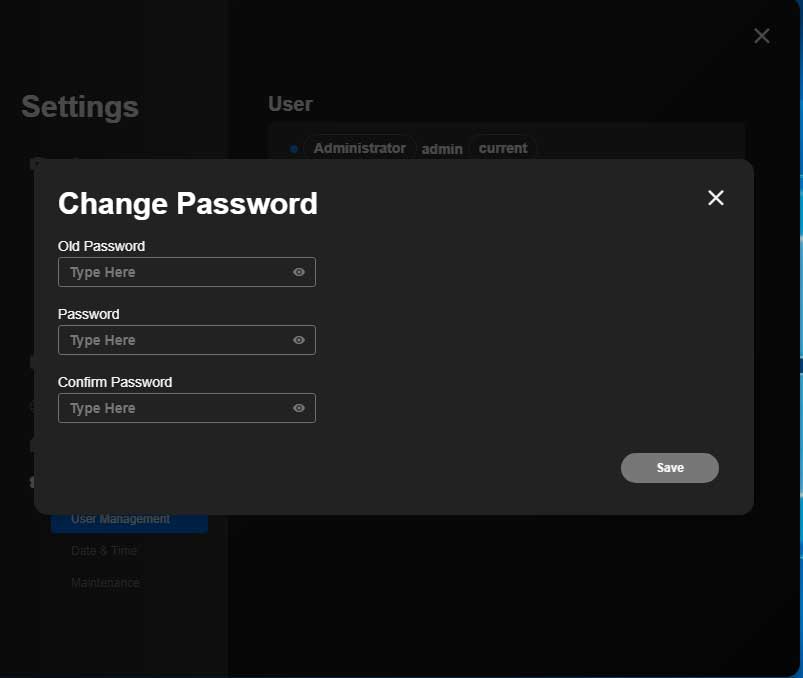
Reolink NVR DVR reset password methods How to Reset Reolink NVR Recorder’s Password (New UI) If you forgot your NVR password, you...
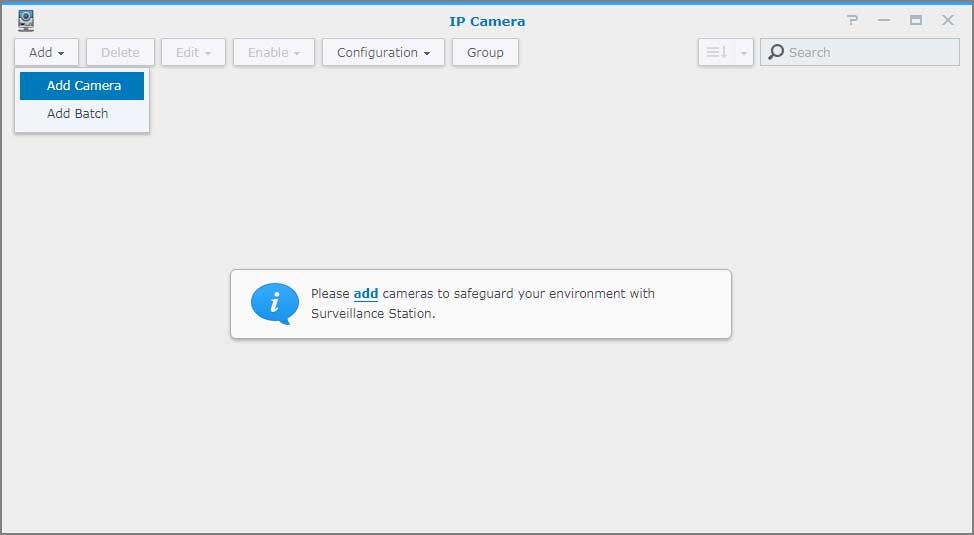
Add an IP camera to Surveillance Station Overview Surveillance Station is a security monitoring application that allows you to manage IP cameras...
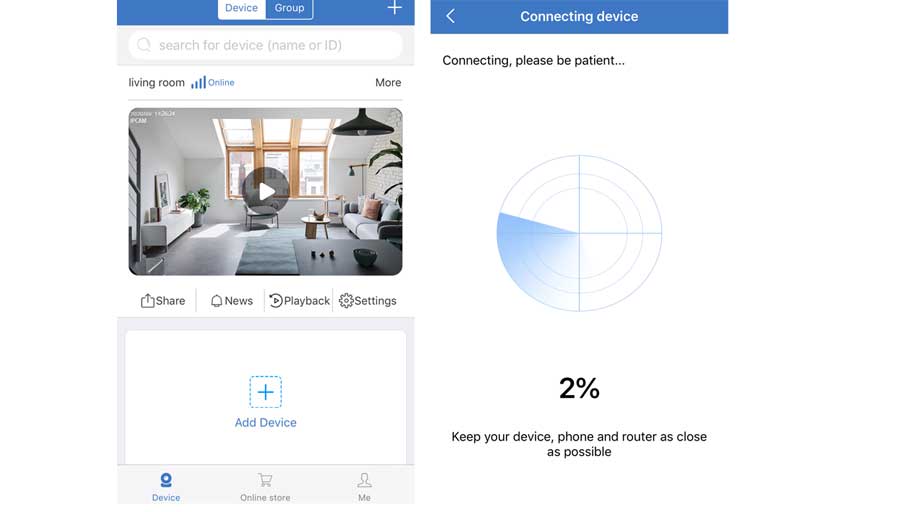
How to Add the Standalone IP Camera to the Sannce Sight? Step 1. Search for Sannce Sight on App Store (for iPhone) or Google...
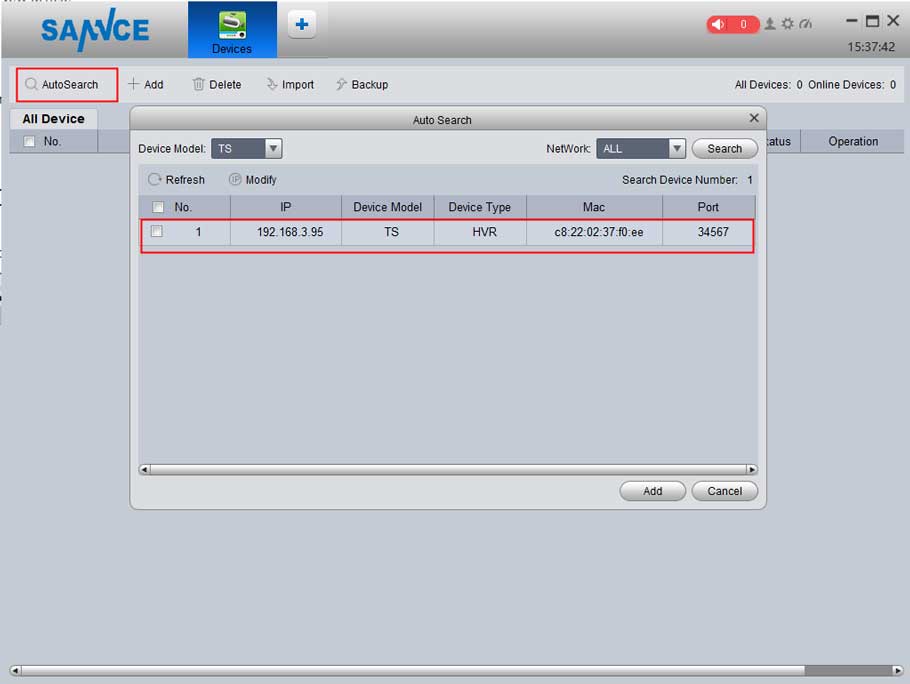
The article will introduce how to connect the Security system to the PC. If you have a concern about the instruction, please...
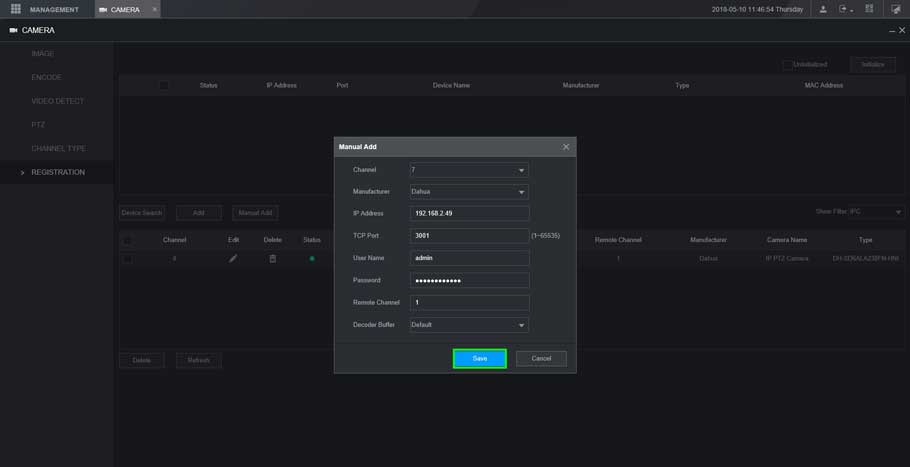
XVR New GUI- Add a Dahua Device This article will show you three different methods to add a dahua device to our...
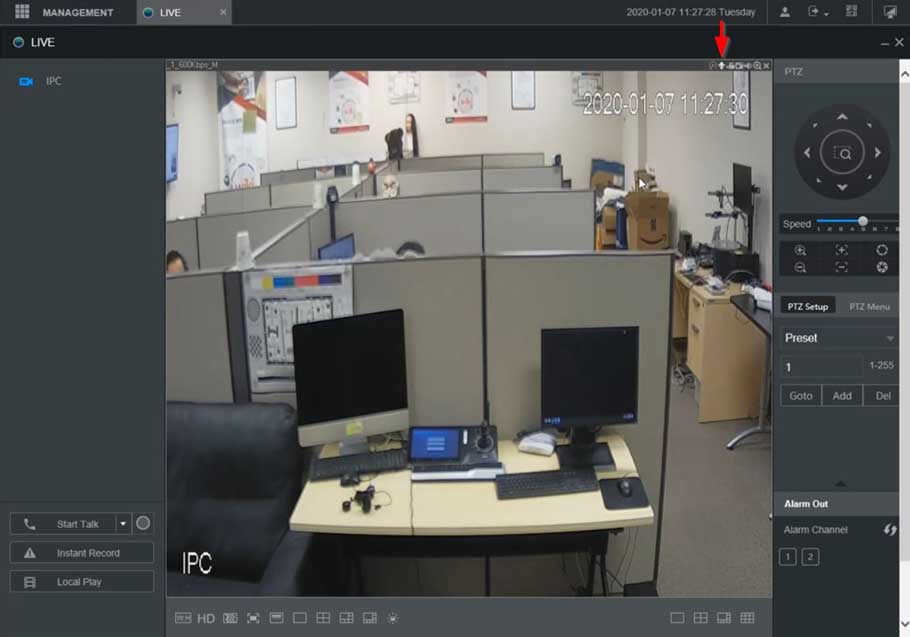
XVR NVR DVR Two Way Talk Setup Description This section will show how to setup / use Two Way Talk function with...
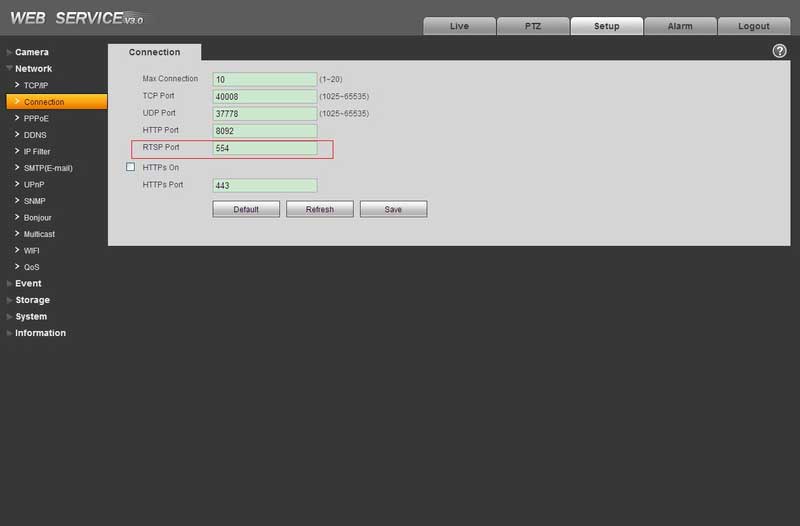
View the RTSP stream with VLC media player Prerequisites VLC media player IP Camera online RTSP port open Camera Feed must be...
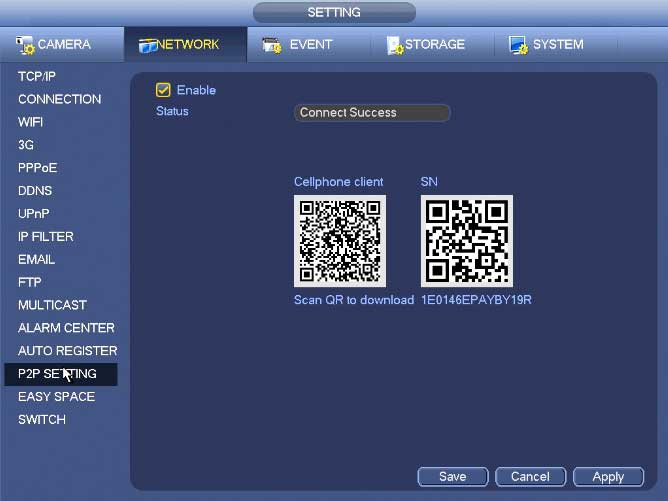
NVR Interface Setting Network TCP/IP The single network adapter interface is shown as in Figure 4‑99 and the dual network adapters interface...
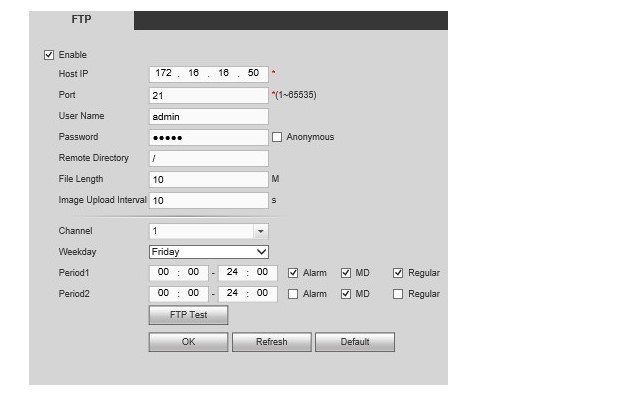
How to Setup FTP to Record Snapshots and Sub-Stream 1. Download SmallFTPD from the following link: http://sourceforge.net/projects/smallftpd/ 2. In the root of one...