
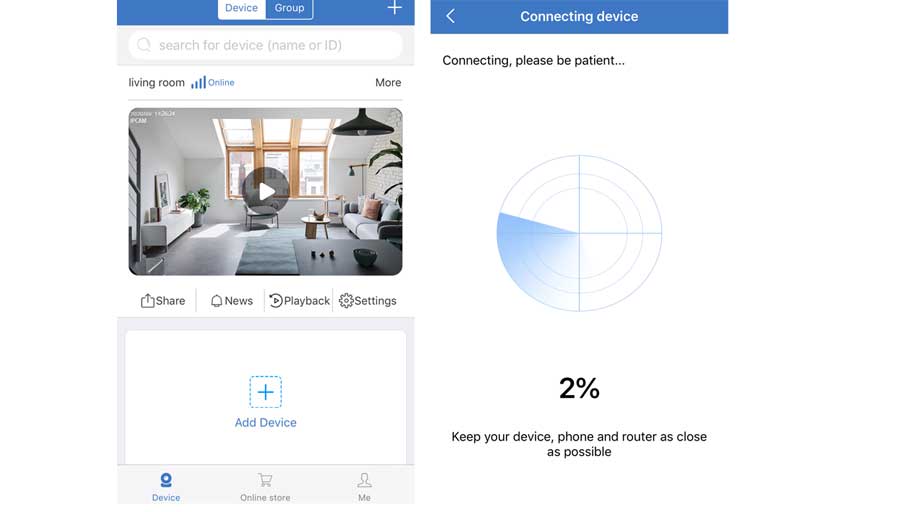
How to Add the Standalone IP Camera to the Sannce Sight?
How to Add the Standalone IP Camera to the Sannce Sight? Step 1. Search for Sannce Sight on App Store (for iPhone) or Google...
How to Add the Standalone IP Camera to the Sannce Sight? Step 1. Search for Sannce Sight on App Store (for iPhone) or Google...
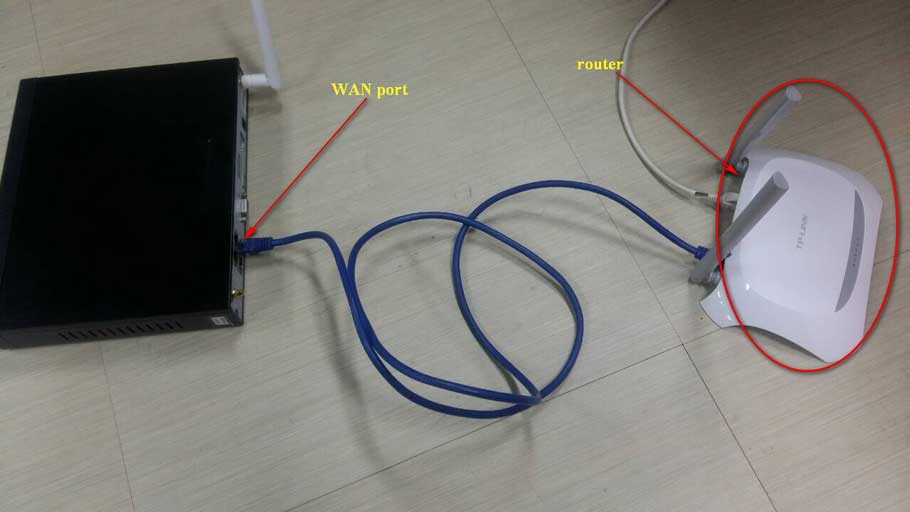
How to Connect the NVR to the Sannce Sight APP? 1. Power on NVR and connect the recorder to the router by...
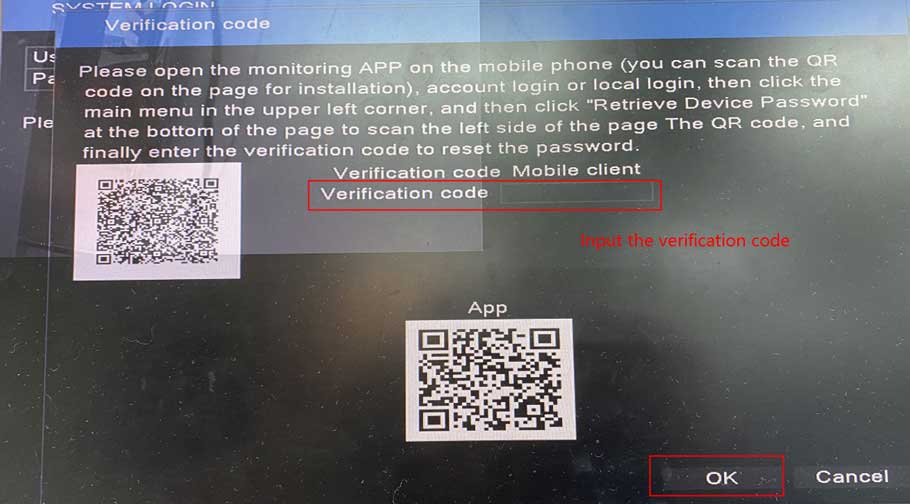
For this system, there will be two optional ways to reset the login password, please kindly find which way is suitable for...
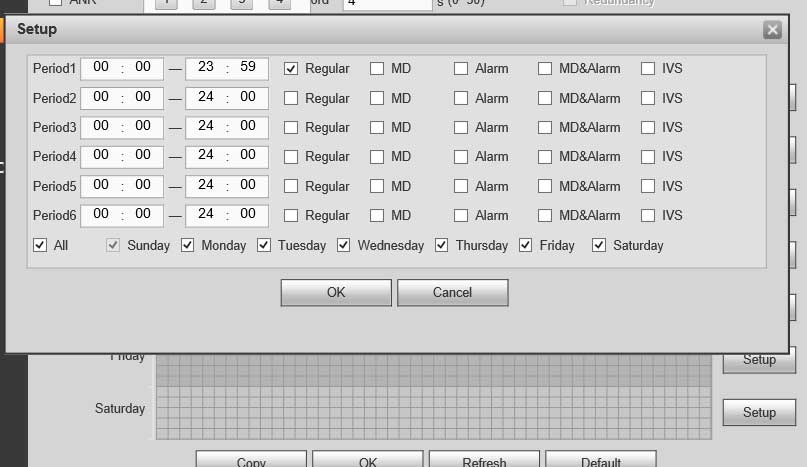
XVR How To Schedule Record Description Dahua NVRs and DVRs offer a variety of recording options. You can configure recording schedules based...
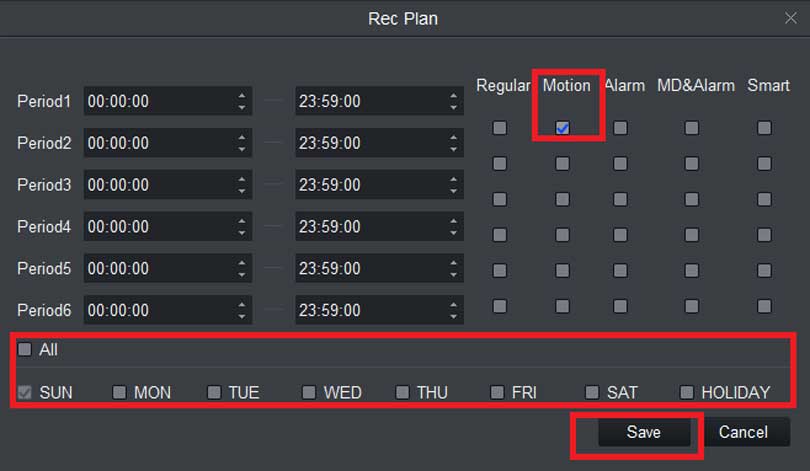
XVR How To Motion Record Description Use Motion recordings to secure your home, business or building in which it records any movement...
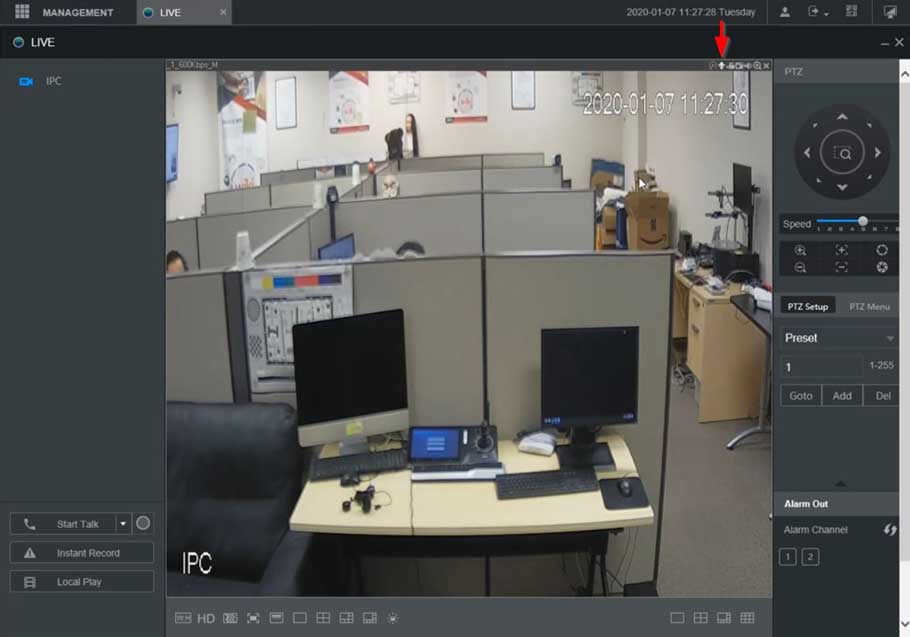
XVR NVR DVR Two Way Talk Setup Description This section will show how to setup / use Two Way Talk function with...
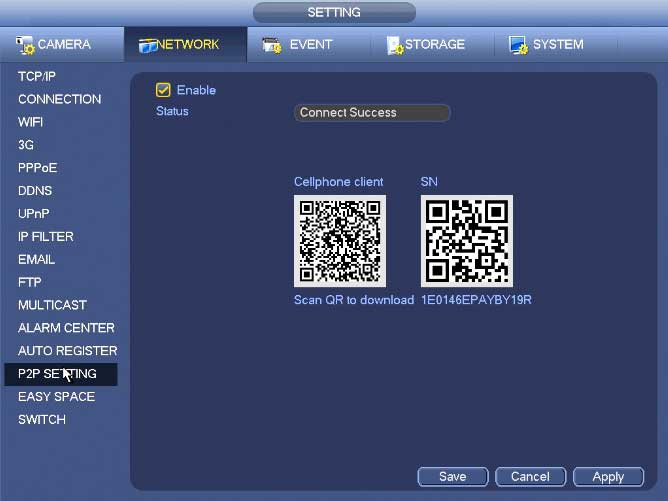
NVR Interface Setting Network TCP/IP The single network adapter interface is shown as in Figure 4‑99 and the dual network adapters interface...
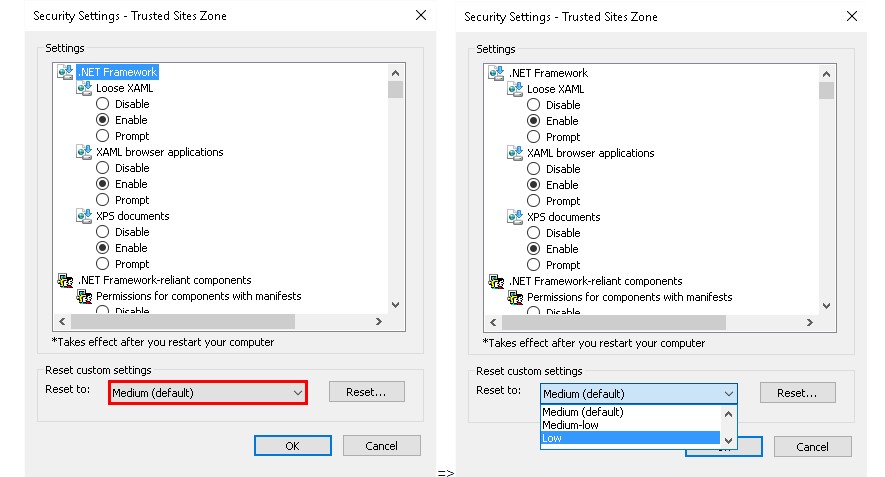
Internet Explorer ActiveX Setup Configure Internet Explorer Security Settings Prerequisites NVR or IPC IP Address of the NVR or IPC PC Internet...
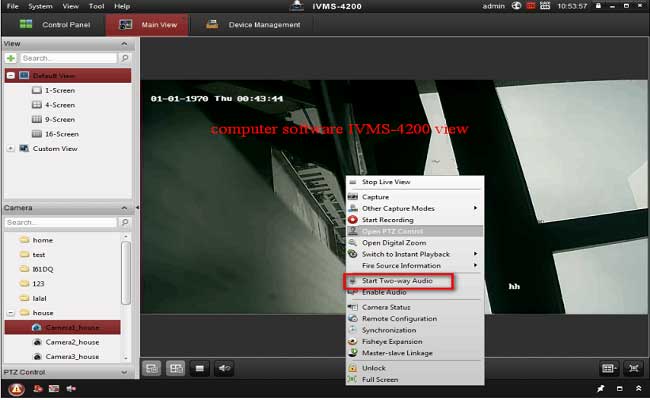
How to Make The Cameras Record Audio? Purpose: There is no speaker nor a microphone in the DVR recorder. In order to record...
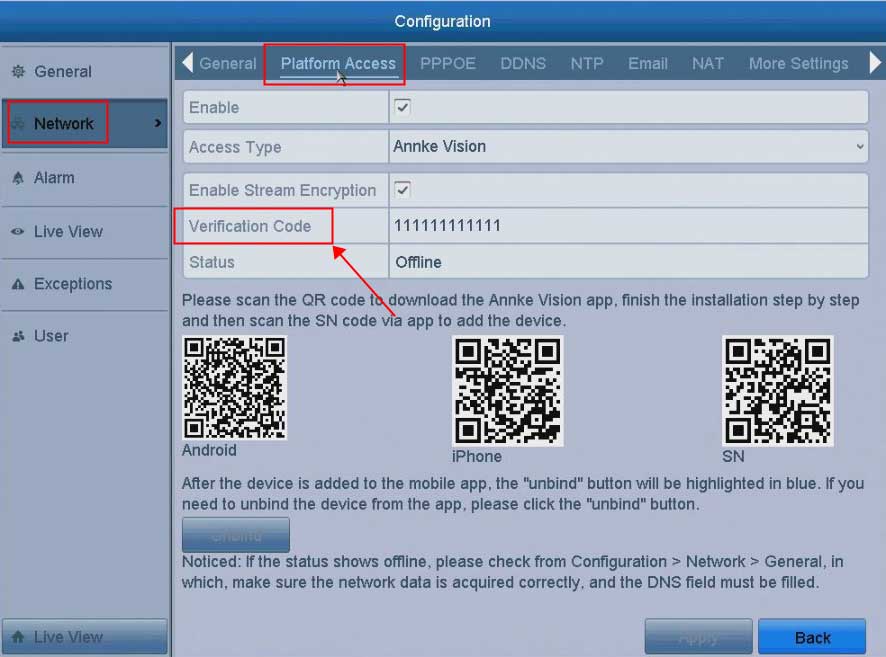
How to Find The Encryption/Verification Code? Introduction: When the user is viewing the live view on the APP, it is required to...
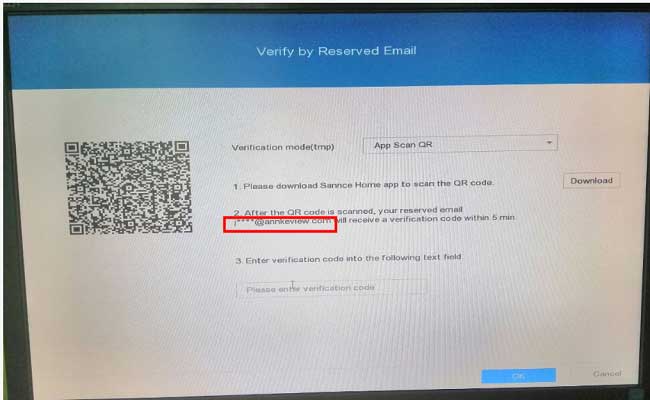
How to Reset the DVR Password via the Email? Purpose: For the new version system, if you have reserved an email to reset...