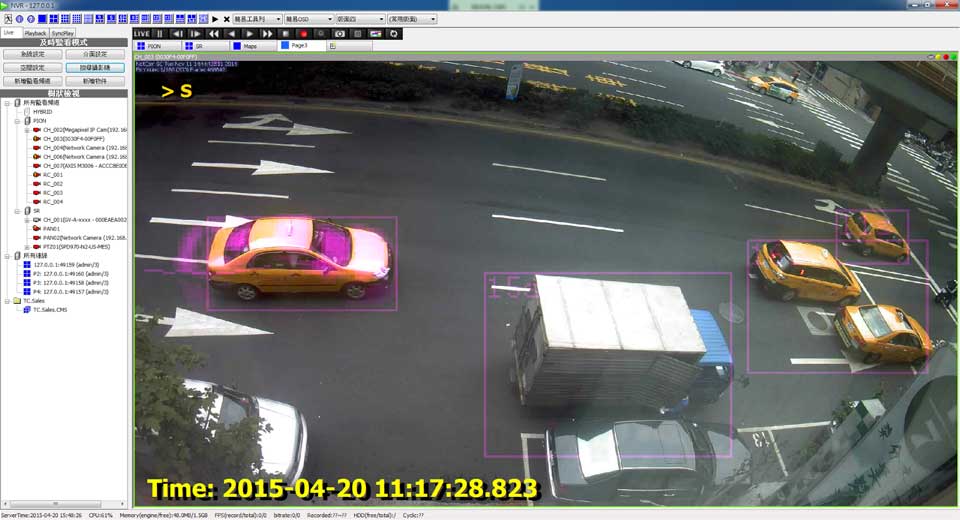
Ultimate Comprehensive Guide to Genius Vision NVR & VMS, Discover the ultimate, comprehensive guide to installing, configuring, and troubleshooting Genius Vision NVR and VMS. Learn advanced integration techniques for top brands like Hikvision, Dahua, Uniview, and Akuvox, alongside detailed solutions for common errors and remote 4G camera setups.
2. Introduction to Genius Vision Video Management System
Genius Vision is a robust, enterprise-grade Video Management System (VMS) and Network Video Recorder (NVR) designed to offer unparalleled scalability and flexibility in modern security infrastructure. Unlike consumer-grade applications, Genius Vision is engineered to handle massive data throughput, making it ideal for everything from small retail deployments to massive, multi-site corporate surveillance networks. The software architecture allows seamless integration with a myriad of global surveillance brands including Hikvision, Dahua, Uniview, and Akuvox, leveraging both proprietary protocols and universal ONVIF standards. This level of compatibility ensures that legacy systems can be merged with cutting-edge IP cameras, providing a unified, centralized management interface.
Security integrators and digital marketing professionals often emphasize the importance of reliable software when deploying security solutions. With Genius Vision, the focus is on high-availability and fault tolerance. Whether you are securing a commercial high-rise or setting up a localized 4G/LTE camera network for a rural seasonal property, the platform provides the necessary tools to ensure uninterrupted video recording, smart motion detection, and remote accessibility.
Furthermore, the Genius Vision ecosystem is divided into several editions to cater to different market needs. These include the Commercial Edition, the Subscription Edition, the Community Edition, and the Lite Edition. Each edition is tailored with specific feature sets, ranging from unlimited camera channels and advanced panoramic dewarping algorithms to essential viewing and recording functions. Understanding the nuances of these editions is crucial for system architects who must balance budget constraints with technical requirements. The platform’s native support for 64-bit architecture (Enterprise x64) ensures that memory allocation and CPU utilization are optimized, allowing a single server to process dozens of high-megapixel video streams simultaneously without performance degradation.
Furthermore, the Genius Vision ecosystem is divided into several editions to cater to different market needs. These include the Commercial Edition, the Subscription Edition, the Community Edition, and the Lite Edition. Each edition is tailored with specific feature sets, ranging from unlimited camera channels and advanced panoramic dewarping algorithms to essential viewing and recording functions. Understanding the nuances of these editions is crucial for system architects who must balance budget constraints with technical requirements. The platform’s native support for 64-bit architecture (Enterprise x64) ensures that memory allocation and CPU utilization are optimized, allowing a single server to process dozens of high-megapixel video streams simultaneously without performance degradation.
Furthermore, the Genius Vision ecosystem is divided into several editions to cater to different market needs. These include the Commercial Edition, the Subscription Edition, the Community Edition, and the Lite Edition. Each edition is tailored with specific feature sets, ranging from unlimited camera channels and advanced panoramic dewarping algorithms to essential viewing and recording functions. Understanding the nuances of these editions is crucial for system architects who must balance budget constraints with technical requirements. The platform’s native support for 64-bit architecture (Enterprise x64) ensures that memory allocation and CPU utilization are optimized, allowing a single server to process dozens of high-megapixel video streams simultaneously without performance degradation.
3. Advanced Camera Integration and Network Topologies
Integrating modern IP cameras into Genius Vision requires a deep understanding of network protocols. The software excels in its ONVIF implementation. When connecting industry-leading cameras (such as Hikvision or Uniview), the ONVIF protocol allows the VMS to automatically pull critical parameters including resolution, frame rate, PTZ capabilities, and hardware-level alarm triggers.
Ultimate Comprehensive Guide to Genius Vision NVR & VMS
3.1 Deploying in Remote and Rural Environments (4G/LTE Cameras)
A growing trend in the security industry is the deployment of surveillance systems in remote locations, such as rural estates, seasonal homes, or agricultural properties. These environments typically lack traditional broadband internet access, necessitating the use of 4G LTE or SIM card-enabled IP cameras. Genius Vision accommodates these unique network topologies through its adaptable streaming protocols. When configuring a 4G camera for a rural property, bandwidth conservation is paramount. Genius Vision allows administrators to utilize dual-streaming technology: recording high-definition video locally on edge storage while transmitting a lower-resolution sub-stream over the cellular network to the centralized VMS.
To optimize cellular data usage, it is recommended to adjust the ‘PacketBufSize’ and implement S-Motion analytics locally on the camera rather than on the server. This ensures that video data is only transmitted over the 4G network when a verified event occurs, drastically reducing monthly SIM card data consumption.
4. Mastering S-Motion and Video Analytics
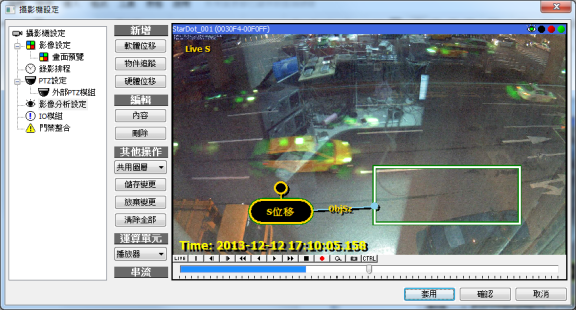
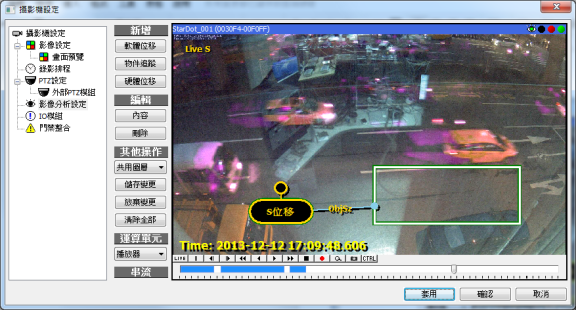
Genius Vision’s proprietary S-Motion technology provides software-based motion detection capable of discerning movement within a video frame without relying on the camera’s internal hardware. This is particularly useful when integrating older or generic generic RTSP streams that lack native motion detection capabilities. The S-Motion engine operates on a pixel-comparison algorithm. By analyzing successive frames, it calculates the percentage of pixel variation.
To finely tune the S-Motion engine, administrators must configure the ‘Threshold’ and ‘Object Size’ parameters. The Threshold defines the sensitivity to light and color changes; a lower threshold makes the system more sensitive, which can lead to false alarms from moving shadows or leaves. The Object Size determines the minimum cluster of pixels that must change simultaneously to trigger an event. By carefully balancing these two metrics, users can create highly accurate motion detection zones that ignore background noise while reliably capturing human or vehicular movement. Additionally, defining exclusion zones within the field of view can further reduce false positives generated by continuous environmental motion.
To finely tune the S-Motion engine, administrators must configure the ‘Threshold’ and ‘Object Size’ parameters. The Threshold defines the sensitivity to light and color changes; a lower threshold makes the system more sensitive, which can lead to false alarms from moving shadows or leaves. The Object Size determines the minimum cluster of pixels that must change simultaneously to trigger an event. By carefully balancing these two metrics, users can create highly accurate motion detection zones that ignore background noise while reliably capturing human or vehicular movement. Additionally, defining exclusion zones within the field of view can further reduce false positives generated by continuous environmental motion.
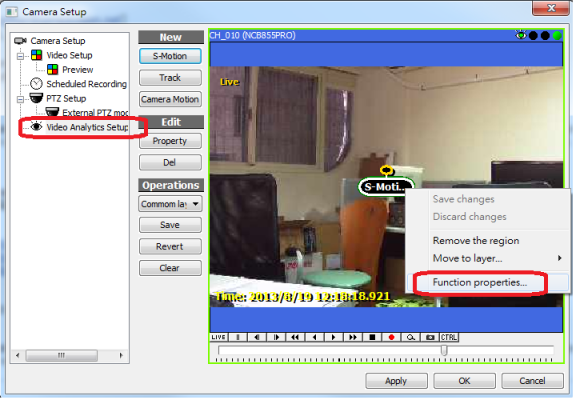
To finely tune the S-Motion engine, administrators must configure the ‘Threshold’ and ‘Object Size’ parameters. The Threshold defines the sensitivity to light and color changes; a lower threshold makes the system more sensitive, which can lead to false alarms from moving shadows or leaves. The Object Size determines the minimum cluster of pixels that must change simultaneously to trigger an event. By carefully balancing these two metrics, users can create highly accurate motion detection zones that ignore background noise while reliably capturing human or vehicular movement. Additionally, defining exclusion zones within the field of view can further reduce false positives generated by continuous environmental motion.
To finely tune the S-Motion engine, administrators must configure the ‘Threshold’ and ‘Object Size’ parameters. The Threshold defines the sensitivity to light and color changes; a lower threshold makes the system more sensitive, which can lead to false alarms from moving shadows or leaves. The Object Size determines the minimum cluster of pixels that must change simultaneously to trigger an event. By carefully balancing these two metrics, users can create highly accurate motion detection zones that ignore background noise while reliably capturing human or vehicular movement. Additionally, defining exclusion zones within the field of view can further reduce false positives generated by continuous environmental motion.
5. Comprehensive Troubleshooting & Error Resolution
Drawing directly from the Genius Vision Community Platform, the following troubleshooting guide addresses the most frequently encountered issues, error codes, and system malfunctions. This section is designed to serve as an authoritative reference for field technicians and IT administrators.
5.x ActiveX and Browser Compatibility Issues
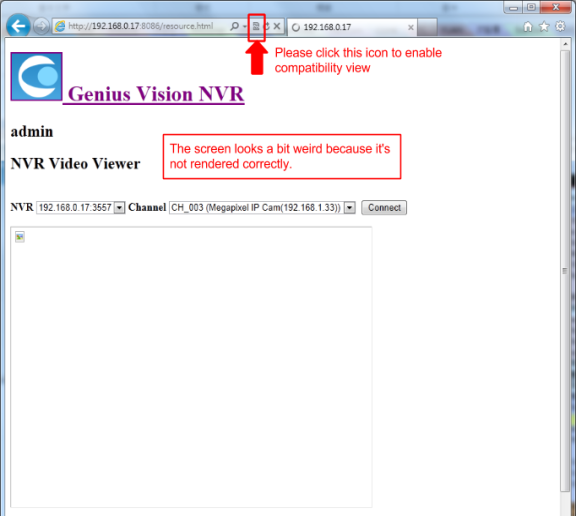
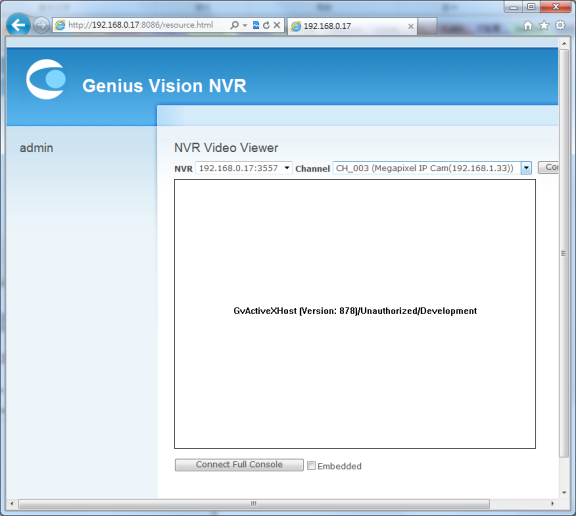
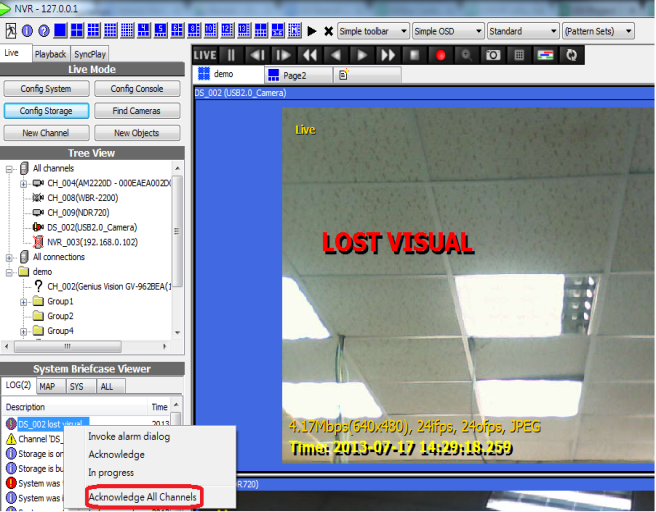
Symptom: The web interface fails to display live video streams on modern browsers like Google Chrome, Mozilla Firefox, or Microsoft Edge. Root Cause: Genius Vision’s native web client heavily relies on ActiveX controls, a technology exclusively supported by legacy Internet Explorer. Resolution: To resolve this, administrators must enable the ‘JPEG Online Viewing’ feature within the system configuration. This instructs the NVR to transcode the video stream into a continuous sequence of JPEG images (Motion JPEG), which is universally supported by all modern web browsers. Alternatively, utilizing the dedicated Windows CMS client software bypasses browser limitations entirely and offers hardware-accelerated rendering.
Further technical insight into this issue reveals that maintaining proper network infrastructure is key. Administrators should always verify switch port configurations, ensure adequate PoE budget for the cameras, and routinely check for firmware updates on both the IP cameras and the Genius Vision software suite. Maintaining accurate system logs is crucial for diagnosing these intermittent issues before they result in critical surveillance downtime.
5.x VIDEO ANALYTICS INACTIVE Warning
Symptom: A prominent text overlay displays ‘VIDEO ANALYTICS INACTIVE’ across the live view of specific camera channels. Root Cause: This warning is triggered by licensing discrepancies. Either the applied license key does not cover the advanced video analytics module, or the camera’s resolution exceeds the maximum processing limits stipulated by the current license tier. Resolution: Verify the license status in the License Manager. If utilizing the Community Edition, ensure that you have fulfilled the necessary commitments to unlock analytics. If a commercial license was purchased, re-authenticate the authorization code. Additionally, check the camera’s main stream resolution; lowering it may bring it within the acceptable processing threshold of the software.
Further technical insight into this issue reveals that maintaining proper network infrastructure is key. Administrators should always verify switch port configurations, ensure adequate PoE budget for the cameras, and routinely check for firmware updates on both the IP cameras and the Genius Vision software suite. Maintaining accurate system logs is crucial for diagnosing these intermittent issues before they result in critical surveillance downtime.
5.x RTSP Stream Tearing and Artifacts
Symptom: The lower half of the video stream appears pixelated, distorted, or exhibits a ‘tearing’ effect during fast-moving scenes. Root Cause: This is typically caused by dropped network packets over UDP or an insufficient packet buffer size on the receiving server. Resolution: Navigate to the camera’s network configuration within Genius Vision. Locate the ‘PacketBufSize’ parameter and incrementally increase its value (e.g., from 256KB to 512KB or 1024KB). Furthermore, switching the RTSP transport protocol from UDP to TCP can ensure packet delivery verification, eliminating visual artifacts at the cost of slightly higher network overhead.
Further technical insight into this issue reveals that maintaining proper network infrastructure is key. Administrators should always verify switch port configurations, ensure adequate PoE budget for the cameras, and routinely check for firmware updates on both the IP cameras and the Genius Vision software suite. Maintaining accurate system logs is crucial for diagnosing these intermittent issues before they result in critical surveillance downtime.
5.x High CPU Utilization from S-Motion
Symptom: The NVR server experiences chronic 100% CPU usage, leading to dropped frames, unresponsive user interfaces, and delayed recordings. Root Cause: Software-based video analytics, particularly S-Motion, are highly processor-intensive. Running S-Motion on multiple high-resolution (4MP, 8MP/4K) channels simultaneously will quickly exhaust even enterprise-grade CPUs. Resolution: Shift the motion detection workload to the edge devices. Most modern IP cameras (e.g., Dahua, Hikvision) have robust built-in hardware motion detection. Configure the VMS to listen for ONVIF event triggers (Hardware Motion) rather than calculating motion on the server. If S-Motion is strictly required, lower the frame rate and resolution of the analytics stream.
Further technical insight into this issue reveals that maintaining proper network infrastructure is key. Administrators should always verify switch port configurations, ensure adequate PoE budget for the cameras, and routinely check for firmware updates on both the IP cameras and the Genius Vision software suite. Maintaining accurate system logs is crucial for diagnosing these intermittent issues before they result in critical surveillance downtime.
6. Frequently Asked Questions (FAQ)
Q: How do I export system logs for technical support?
A: To export system logs, navigate to the System Configuration menu and select the ‘Export Logs’ utility. The system will generate an encrypted diagnostic file. Before submitting a ticket to the Genius Vision community platform, ensure that your issue is reproducible on a clean installation, as intermittent, non-reproducible errors are generally not eligible for direct support.
This is a common inquiry within the deployment community. Following best practices regarding this aspect ensures long-term system stability and compliance with organizational security policies. Always consult the official documentation for version-specific changes to these procedures.
Q: Can I install Genius Vision on a Virtual Machine (VM)?
A: Yes, Genius Vision is fully compatible with virtualization platforms such as VMware ESXi and Microsoft Hyper-V. However, when running inside a VM, you must ensure that adequate CPU cores and RAM are statically allocated (reserved). Dynamic resource allocation can lead to latency in video decoding and recording failures.
This is a common inquiry within the deployment community. Following best practices regarding this aspect ensures long-term system stability and compliance with organizational security policies. Always consult the official documentation for version-specific changes to these procedures.
Q: What is the difference between .xgv and .xsf video export formats?
A: Genius Vision utilizes proprietary file formats for exporting encrypted, tamper-proof video evidence. The .xsf format contains the raw video stream and requires the Genius Vision standalone player. The .xgv format acts as an index file for large multi-camera exports. For general playback on standard media players, administrators should export in standard AVI or MP4 formats, though these lack the forensic watermark verification.
This is a common inquiry within the deployment community. Following best practices regarding this aspect ensures long-term system stability and compliance with organizational security policies. Always consult the official documentation for version-specific changes to these procedures.
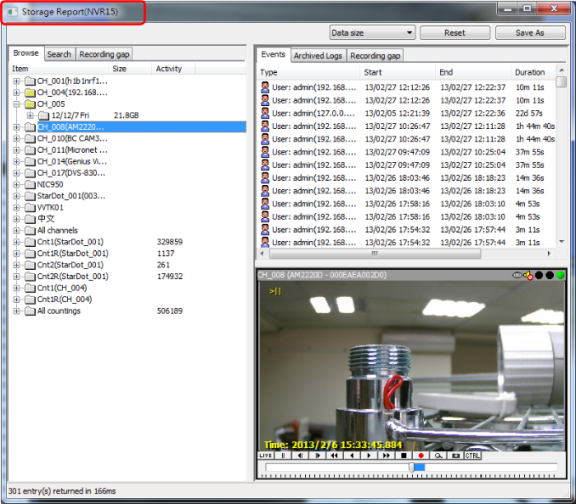
Q: Is there a mobile app available for remote viewing?
A: Genius Vision offers dedicated mobile applications for both iOS and Android platforms. To enable mobile viewing, the NVR’s mobile server component must be active, and appropriate port forwarding rules (or VPN access) must be configured on your network firewall to allow external traffic to reach the NVR server.
This is a common inquiry within the deployment community. Following best practices regarding this aspect ensures long-term system stability and compliance with organizational security policies. Always consult the official documentation for version-specific changes to these procedures.
7. Comprehensive CCTV & VMS Glossary (SEO Optimized)
For digital marketers, technical writers, and SEO professionals focusing on the security surveillance industry, the following glossary provides high-value semantic keywords and definitions.
NVR (Network Video Recorder):
A specialized computer system that records video in a digital format to a disk drive, USB flash drive, SD memory card or other mass storage device.
VMS (Video Management System):
The software suite used to monitor, record, and manage digital video streams from multiple IP cameras.
ONVIF (Open Network Video Interface Forum):
A global and open industry forum with the goal of facilitating the development and use of a global open standard for the interface of physical IP-based security products.
RTSP (Real Time Streaming Protocol):
A network control protocol designed for use in entertainment and communications systems to control streaming media servers.
S-Motion:
Genius Vision’s proprietary pixel-based software motion detection algorithm.
Edge Storage:
The capability of an IP camera to record video directly to an onboard SD card, often used as a failover in case of network loss.
PTZ (Pan-Tilt-Zoom):
Cameras capable of remote directional and zoom control.
Bitrate (CBR/VBR):
The amount of data utilized per second to stream video. Constant Bitrate (CBR) uses a fixed amount of data, while Variable Bitrate (VBR) adjusts based on scene complexity.
8. Appendix: Extensive Deployment Checklists
8.1 Site Survey and Pre-Installation Checks
Before installing any enterprise VMS like Genius Vision, a rigorous site survey must be conducted. This involves measuring the ambient light at various times of the day to ensure cameras with adequate WDR (Wide Dynamic Range) are selected. Power over Ethernet (PoE) budget calculations are mandatory. Ensure your network switches have enough wattage to support infrared (IR) illuminators on the cameras during nighttime operations. Furthermore, assess the cable runs; Category 6 cables are recommended for gigabit backbone connections to the NVR server to prevent bandwidth bottlenecks. For rural applications utilizing 4G/LTE technology, performing a cellular site survey to measure signal strength (RSSI and SINR) is critical to guarantee stable video transmission back to the central VMS.
8.2 Site Survey and Pre-Installation Checks
Before installing any enterprise VMS like Genius Vision, a rigorous site survey must be conducted. This involves measuring the ambient light at various times of the day to ensure cameras with adequate WDR (Wide Dynamic Range) are selected. Power over Ethernet (PoE) budget calculations are mandatory. Ensure your network switches have enough wattage to support infrared (IR) illuminators on the cameras during nighttime operations. Furthermore, assess the cable runs; Category 6 cables are recommended for gigabit backbone connections to the NVR server to prevent bandwidth bottlenecks. For rural applications utilizing 4G/LTE technology, performing a cellular site survey to measure signal strength (RSSI and SINR) is critical to guarantee stable video transmission back to the central VMS.
8.3 Site Survey and Pre-Installation Checks
Before installing any enterprise VMS like Genius Vision, a rigorous site survey must be conducted. This involves measuring the ambient light at various times of the day to ensure cameras with adequate WDR (Wide Dynamic Range) are selected. Power over Ethernet (PoE) budget calculations are mandatory. Ensure your network switches have enough wattage to support infrared (IR) illuminators on the cameras during nighttime operations. Furthermore, assess the cable runs; Category 6 cables are recommended for gigabit backbone connections to the NVR server to prevent bandwidth bottlenecks. For rural applications utilizing 4G/LTE technology, performing a cellular site survey to measure signal strength (RSSI and SINR) is critical to guarantee stable video transmission back to the central VMS.
8.4 Site Survey and Pre-Installation Checks
Before installing any enterprise VMS like Genius Vision, a rigorous site survey must be conducted. This involves measuring the ambient light at various times of the day to ensure cameras with adequate WDR (Wide Dynamic Range) are selected. Power over Ethernet (PoE) budget calculations are mandatory. Ensure your network switches have enough wattage to support infrared (IR) illuminators on the cameras during nighttime operations. Furthermore, assess the cable runs; Category 6 cables are recommended for gigabit backbone connections to the NVR server to prevent bandwidth bottlenecks. For rural applications utilizing 4G/LTE technology, performing a cellular site survey to measure signal strength (RSSI and SINR) is critical to guarantee stable video transmission back to the central VMS.
8.5 Site Survey and Pre-Installation Checks
Before installing any enterprise VMS like Genius Vision, a rigorous site survey must be conducted. This involves measuring the ambient light at various times of the day to ensure cameras with adequate WDR (Wide Dynamic Range) are selected. Power over Ethernet (PoE) budget calculations are mandatory. Ensure your network switches have enough wattage to support infrared (IR) illuminators on the cameras during nighttime operations. Furthermore, assess the cable runs; Category 6 cables are recommended for gigabit backbone connections to the NVR server to prevent bandwidth bottlenecks. For rural applications utilizing 4G/LTE technology, performing a cellular site survey to measure signal strength (RSSI and SINR) is critical to guarantee stable video transmission back to the central VMS.
8.6 Site Survey and Pre-Installation Checks
Before installing any enterprise VMS like Genius Vision, a rigorous site survey must be conducted. This involves measuring the ambient light at various times of the day to ensure cameras with adequate WDR (Wide Dynamic Range) are selected. Power over Ethernet (PoE) budget calculations are mandatory. Ensure your network switches have enough wattage to support infrared (IR) illuminators on the cameras during nighttime operations. Furthermore, assess the cable runs; Category 6 cables are recommended for gigabit backbone connections to the NVR server to prevent bandwidth bottlenecks. For rural applications utilizing 4G/LTE technology, performing a cellular site survey to measure signal strength (RSSI and SINR) is critical to guarantee stable video transmission back to the central VMS.
8.7 Site Survey and Pre-Installation Checks
Before installing any enterprise VMS like Genius Vision, a rigorous site survey must be conducted. This involves measuring the ambient light at various times of the day to ensure cameras with adequate WDR (Wide Dynamic Range) are selected. Power over Ethernet (PoE) budget calculations are mandatory. Ensure your network switches have enough wattage to support infrared (IR) illuminators on the cameras during nighttime operations. Furthermore, assess the cable runs; Category 6 cables are recommended for gigabit backbone connections to the NVR server to prevent bandwidth bottlenecks. For rural applications utilizing 4G/LTE technology, performing a cellular site survey to measure signal strength (RSSI and SINR) is critical to guarantee stable video transmission back to the central VMS.
8.8 Site Survey and Pre-Installation Checks
Before installing any enterprise VMS like Genius Vision, a rigorous site survey must be conducted. This involves measuring the ambient light at various times of the day to ensure cameras with adequate WDR (Wide Dynamic Range) are selected. Power over Ethernet (PoE) budget calculations are mandatory. Ensure your network switches have enough wattage to support infrared (IR) illuminators on the cameras during nighttime operations. Furthermore, assess the cable runs; Category 6 cables are recommended for gigabit backbone connections to the NVR server to prevent bandwidth bottlenecks. For rural applications utilizing 4G/LTE technology, performing a cellular site survey to measure signal strength (RSSI and SINR) is critical to guarantee stable video transmission back to the central VMS.
8.9 Site Survey and Pre-Installation Checks
Before installing any enterprise VMS like Genius Vision, a rigorous site survey must be conducted. This involves measuring the ambient light at various times of the day to ensure cameras with adequate WDR (Wide Dynamic Range) are selected. Power over Ethernet (PoE) budget calculations are mandatory. Ensure your network switches have enough wattage to support infrared (IR) illuminators on the cameras during nighttime operations. Furthermore, assess the cable runs; Category 6 cables are recommended for gigabit backbone connections to the NVR server to prevent bandwidth bottlenecks. For rural applications utilizing 4G/LTE technology, performing a cellular site survey to measure signal strength (RSSI and SINR) is critical to guarantee stable video transmission back to the central VMS.
8.10 Site Survey and Pre-Installation Checks
Before installing any enterprise VMS like Genius Vision, a rigorous site survey must be conducted. This involves measuring the ambient light at various times of the day to ensure cameras with adequate WDR (Wide Dynamic Range) are selected. Power over Ethernet (PoE) budget calculations are mandatory. Ensure your network switches have enough wattage to support infrared (IR) illuminators on the cameras during nighttime operations. Furthermore, assess the cable runs; Category 6 cables are recommended for gigabit backbone connections to the NVR server to prevent bandwidth bottlenecks. For rural applications utilizing 4G/LTE technology, performing a cellular site survey to measure signal strength (RSSI and SINR) is critical to guarantee stable video transmission back to the central VMS.