
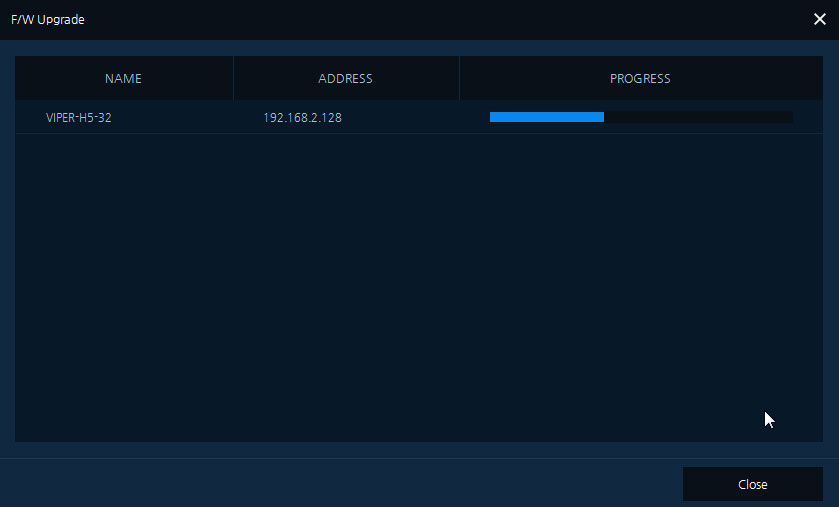
How to Upgrade Firmware VistaCCTV Viper DVR NVR
How to Upgrade Firmware via Smart Manager Discovery Too New features and support are added to the Viper range regularly and you...
How to Upgrade Firmware via Smart Manager Discovery Too New features and support are added to the Viper range regularly and you...
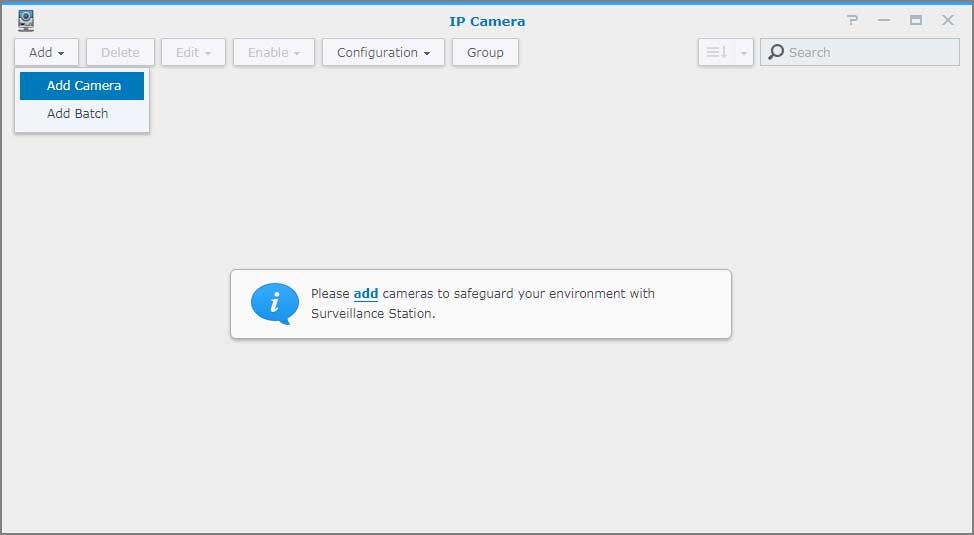
Add an IP camera to Surveillance Station Overview Surveillance Station is a security monitoring application that allows you to manage IP cameras...
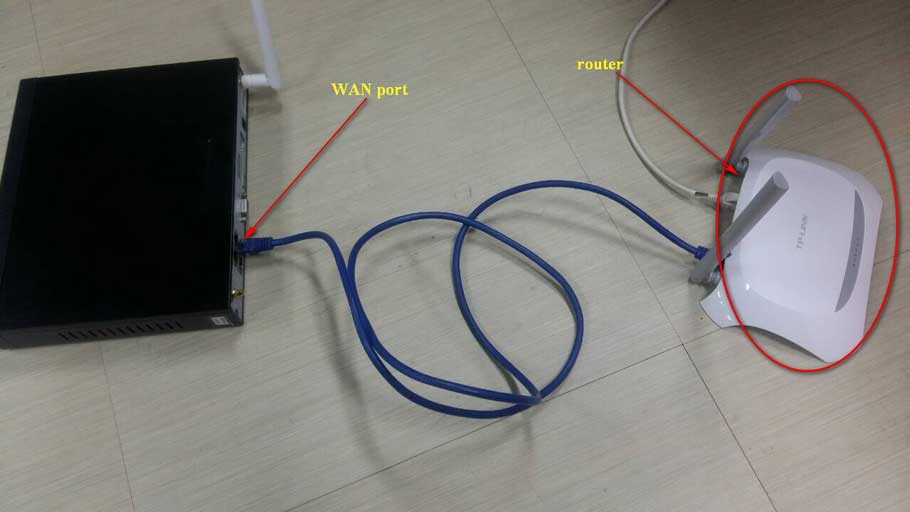
How to Connect the NVR to the Sannce Sight APP? 1. Power on NVR and connect the recorder to the router by...
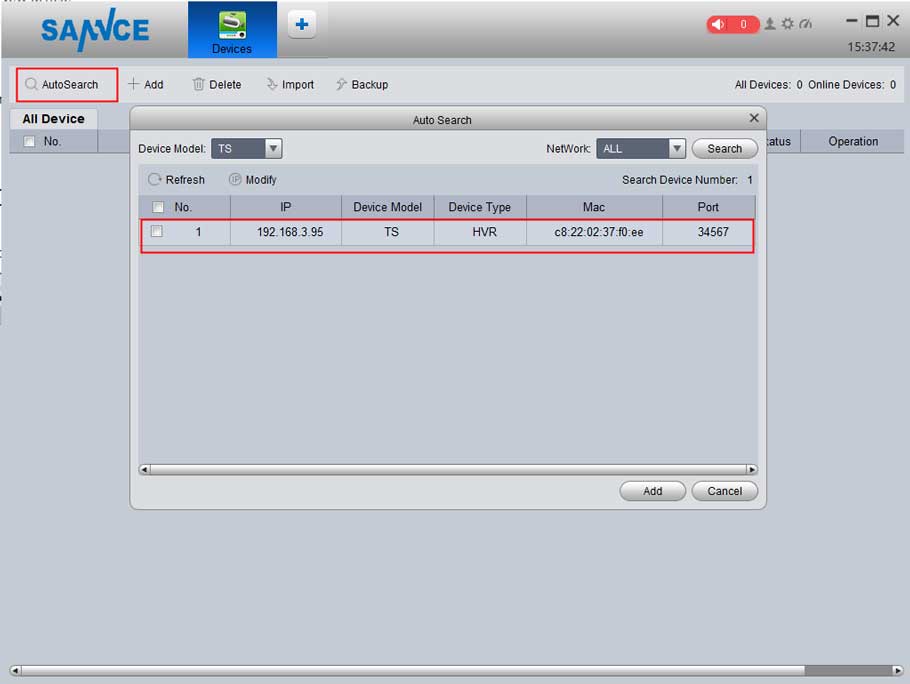
The article will introduce how to connect the Security system to the PC. If you have a concern about the instruction, please...
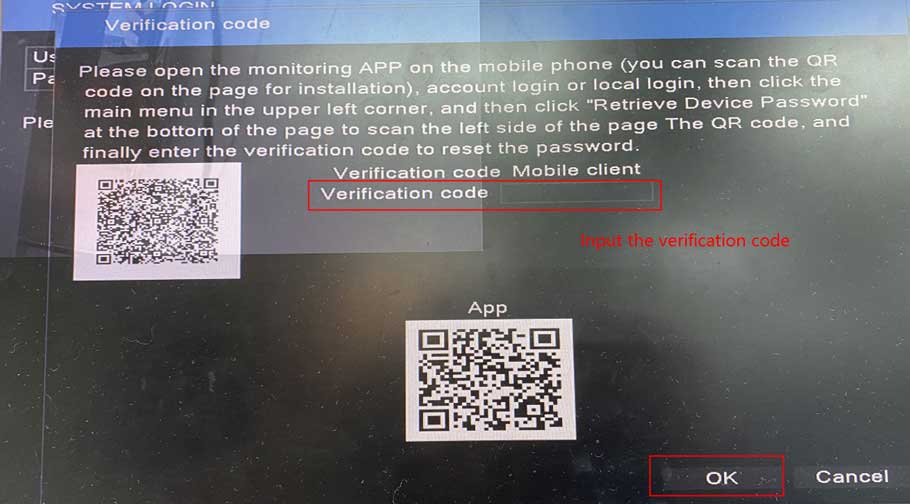
For this system, there will be two optional ways to reset the login password, please kindly find which way is suitable for...
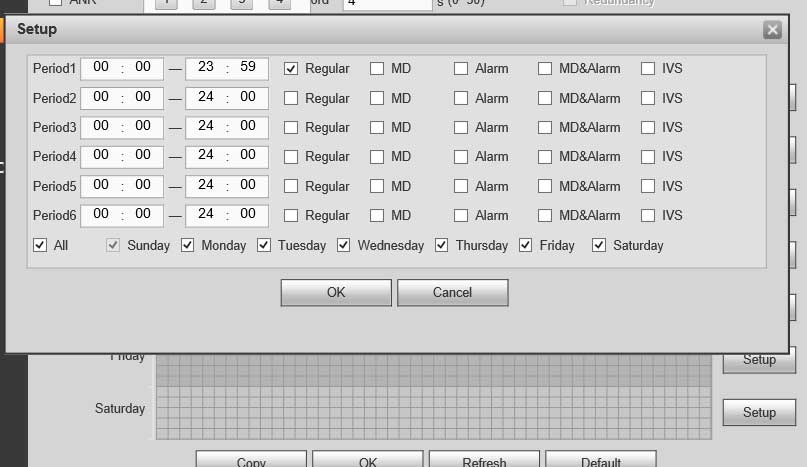
XVR How To Schedule Record Description Dahua NVRs and DVRs offer a variety of recording options. You can configure recording schedules based...
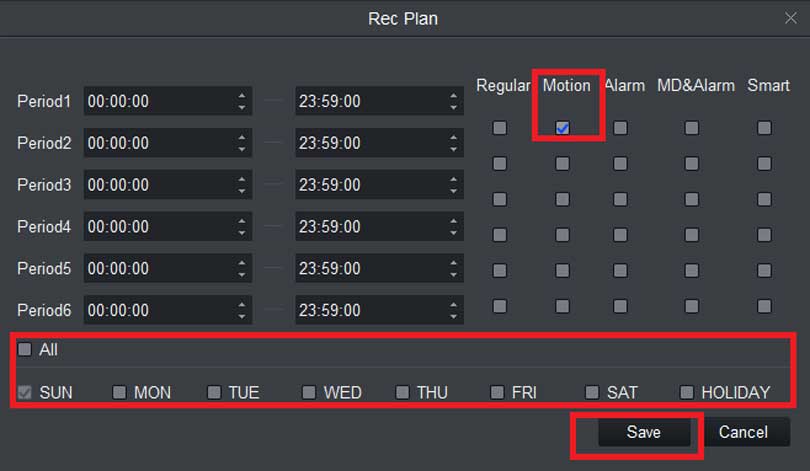
XVR How To Motion Record Description Use Motion recordings to secure your home, business or building in which it records any movement...
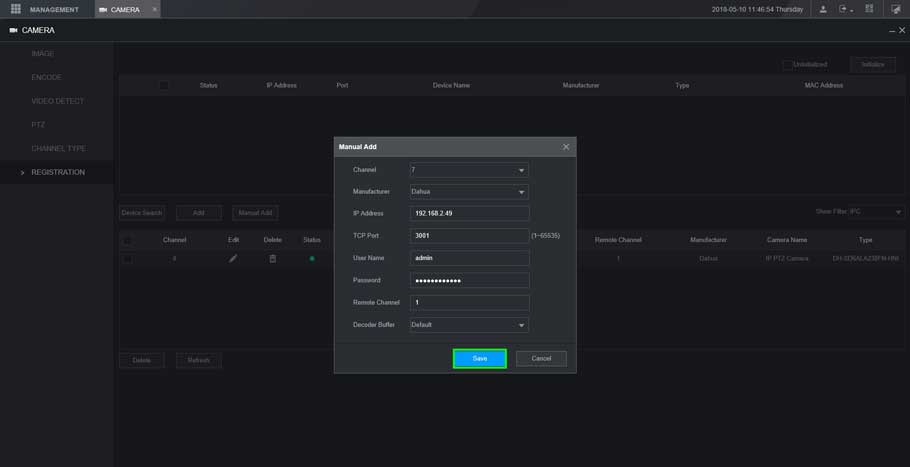
XVR New GUI- Add a Dahua Device This article will show you three different methods to add a dahua device to our...
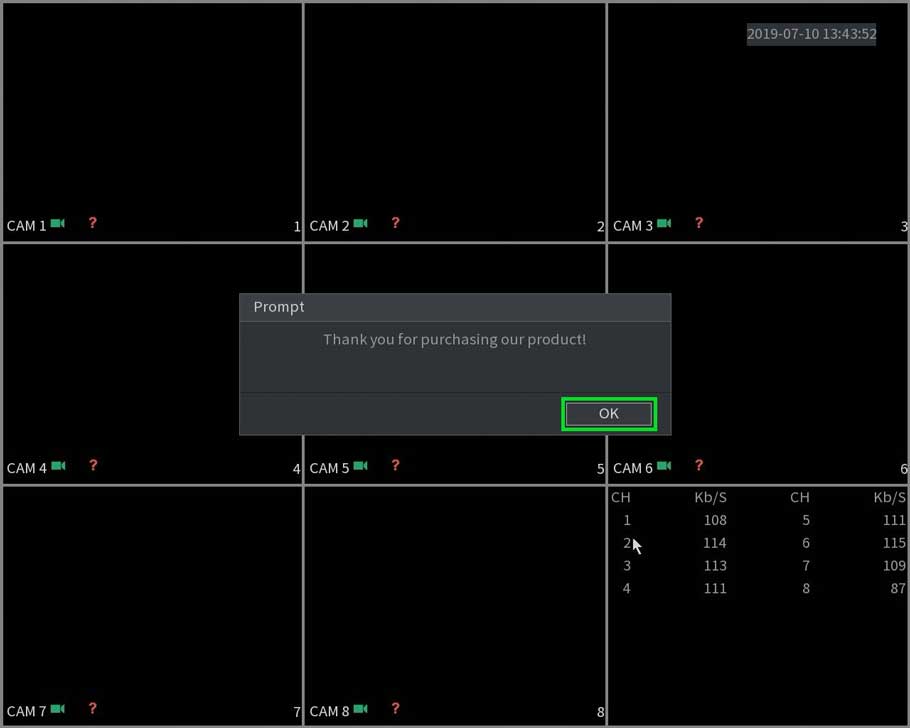
New GUI – Start Up Wizard (Device Initialization) This article will go over the Initialization process of the units with the New...
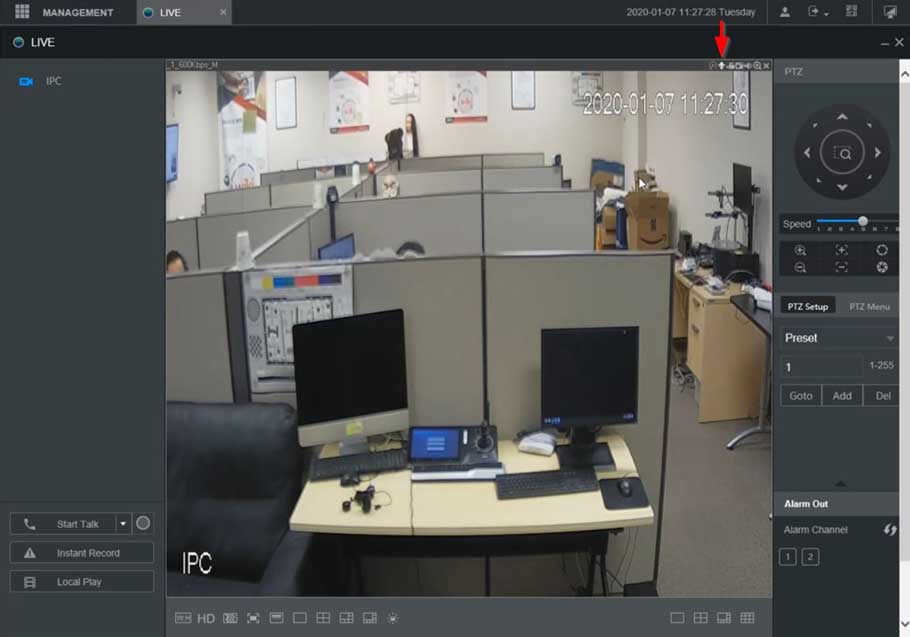
XVR NVR DVR Two Way Talk Setup Description This section will show how to setup / use Two Way Talk function with...
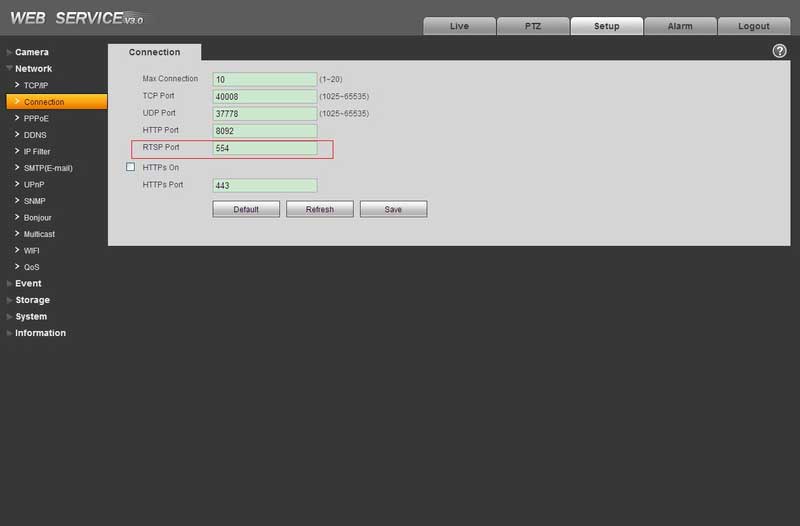
View the RTSP stream with VLC media player Prerequisites VLC media player IP Camera online RTSP port open Camera Feed must be...